
Your GBP Reinstatement Was Denied: What to Do Next
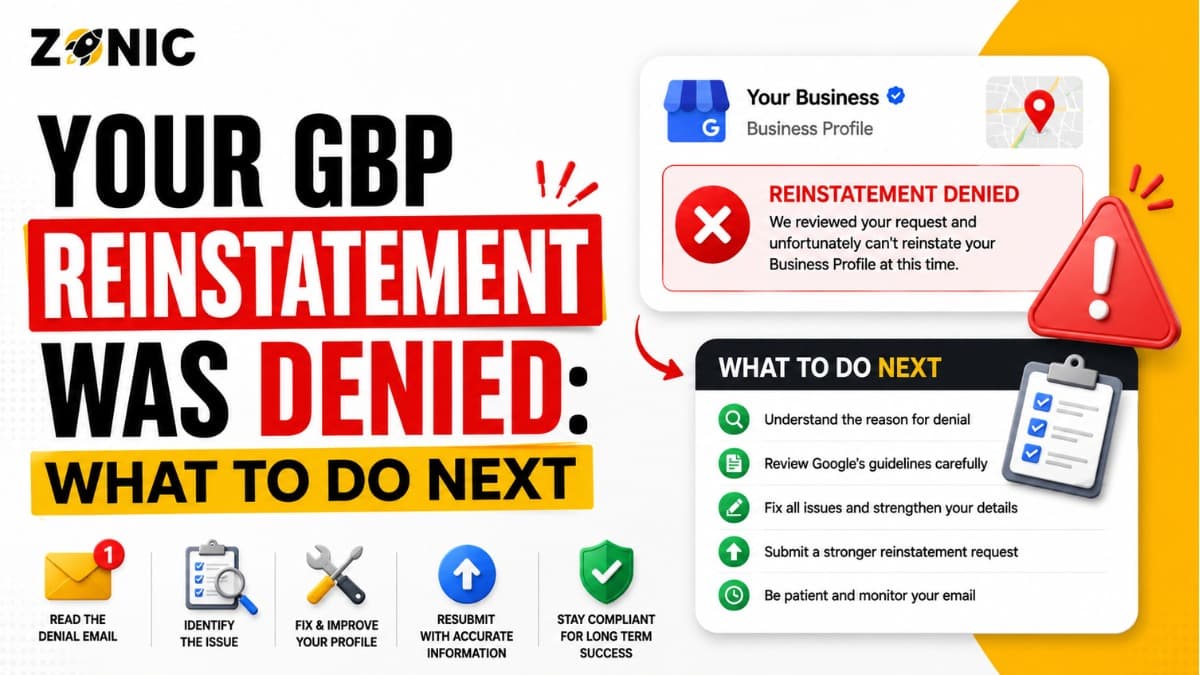
Seeing a Google Business Profile suspension is stressful enough. Seeing the appeal get denied can feel even worse.
You may have already waited days for a decision. You may have uploaded documents. You may have written an appeal message. You may have expected the profile to come back because your business is real. Then Google sends a response saying the appeal was not approved.
At that point, many business owners panic.
Some create a new listing. Some submit the same appeal again. Some make random edits to the profile. Some send emotional messages about lost calls, lost leads, or competitors. Those reactions are understandable, but they can make the recovery process harder.
A GBP reinstatement denied result does not always mean the profile is gone forever. In many cases, it means Google was not convinced by the profile setup, evidence, or appeal explanation. The business may be real, but the proof may not have matched the listing clearly enough.
If your Google Business Profile appeal rejection issue is affecting your calls, reviews, and local visibility, the next step should be careful. You need to understand why the appeal failed, fix what is still weak, prepare stronger evidence, and avoid repeating the same mistake.
Why GBP Reinstatement Gets Denied
A denied appeal usually means Google still sees a problem with the profile, the evidence, or the business eligibility. The denial is not always about whether the business exists.
Google May Still See a Policy Issue
If the original suspension issue was not fully fixed, Google may reject the appeal.
For example, the profile may still have a keyword-stuffed business name. The address may still be a virtual office or mailbox. The service-area setup may still show an address customers do not visit. A duplicate listing may still exist.
Google reviewers need to see that the profile now follows the rules. If the same risk remains, the appeal can fail even when the company is legitimate.
The Evidence May Not Match the Profile
Evidence is one of the biggest reasons appeals are denied.
A business license may show one name while the profile shows another. A utility bill may show a different address. A tax document may show an old location. A website screenshot may not show matching phone or address details.
When documents do not match the profile, the reviewer may not know whether the listing represents the same business.
The appeal should make the business easier to verify, not harder.
What a Denied GBP Appeal Really Means
A denied appeal is not always a final ending. It is a signal that the first appeal did not prove the case clearly enough or that the profile still has an unresolved issue.
It Does Not Always Mean the Business Is Fake
Many real businesses get appeal denials. A real business can still have a risky profile.
A roofing company may be real but use a home address publicly when customers do not visit. A marketing agency may be real but use a virtual office address that documents cannot support. A contractor may be real but have duplicate profiles from old agencies.
The issue is often presentation, consistency, or proof.
It Means Your Case Needs a Better Review
After a denial, the goal is not to argue harder. The goal is to prepare better.
You need to look at the profile the way a reviewer sees it. What looks unclear? What detail does not match? What document creates doubt? What old listing is still active?
A stronger next step starts with diagnosis, not another rushed appeal.
First Step After GBP Reinstatement Is Denied
Before doing anything else, stop and collect all details related to the denial. You need a clear picture of what happened before deciding your next move.
Check the Appeal Status
Open the Google Business Profile appeals tool using the same Google account connected to the suspended profile.
Look for the appeal status. It may show “Not Approved” or another status. Take a screenshot. Save any email Google sent about the decision.
Do not rely only on what appears publicly in Google Maps. The dashboard and appeal tool usually give better recovery information.
Review the Suspension Reason Again
Go back to the original moderation reason or policy link if it was shown in the appeal tool.
Many owners only read the denial email and forget to review the original reason. That is a mistake. The original reason can point to the real problem.
If the reason connects to address, eligibility, duplicate profiles, business name, or account restriction, your next step should match that issue.
Do Not Create a New Google Business Profile
Creating a new profile after a denied appeal may feel like the fastest solution. In most cases, it creates more risk.
New Profiles Can Become Duplicates
If your original profile is suspended and you create another listing for the same business, Google may see the new one as a duplicate.
Now the problem becomes bigger. You may have a suspended original profile and a risky new duplicate listing.
Duplicate confusion can hurt future appeals because Google has to decide which profile should represent the business.
You May Lose Reviews and History
Your old profile may have reviews, photos, customer trust, ranking history, and business data. A new profile starts with none of that.
Even if the new profile appears temporarily, it may not stay live. If Google connects it to the suspended profile, it can also be restricted.
The safer path is to fix the denied reinstatement case before trying anything new.
Common Reasons Google Business Profile Appeals Are Rejected
Most rejected appeals are connected to a few repeated problems. Finding the exact issue is the key to building a stronger next step.
Common rejection reasons include:
Business name includes extra keywords
Address is a virtual office or mailbox
Service-area business shows a public address customers do not visit
Documents show a different business name
Documents show a different address
Duplicate profiles exist for the same business
Website details do not match the profile
Primary category does not match the real business
Recent edits made the profile look unstable
Appeal explanation was unclear or unsupported
This is the first bullet section. If one or more of these issues applies, fix it before requesting another review.
Check the Business Name Before Another Appeal
The business name is one of the first things Google may review. If the name looks manipulated, the appeal can fail again.
Remove Extra Keywords
Your profile name should match your real-world business name. It should not include extra services, city names, taglines, phone numbers, or ranking phrases unless those words are legally part of the business name.
For example, if the real business name is Zonic, the profile should not become Zonic Google Business Profile Reinstatement Experts USA NYC just to rank better.
That kind of name can look like keyword stuffing.
Match the Name With Documents
Your business license, registration, DBA, website, invoices, signage, and profile should support the same name.
If your legal company name and brand name are different, prepare documents that connect them. A DBA can help in many cases.
Do not send documents that make the name issue more confusing.
Check the Address or Service-Area Setup
Address problems are one of the most common reasons a Google Business Profile appeal gets rejected. The address must match the way the business actually operates.
Storefronts Need Real Address Proof
If customers visit your business, your listed address should be real and supported by proof.
Helpful proof may include a lease, utility bill, business license, storefront signage, interior office photos, and business registration.
If your profile shows an address but you cannot prove your business operates there, the next appeal may fail again.
Service-Area Businesses Need the Right Setup
If your business travels to customers, the profile should not make your address look like a walk-in storefront.
Roofers, plumbers, HVAC companies, cleaners, pest control companies, locksmiths, mobile mechanics, and many other service businesses often work from a private base. That is normal. The risky part is showing that private base publicly when customers do not visit.
For service-area businesses, the profile should reflect customer service at customer locations.
Check for Duplicate Listings
Duplicate profiles can quietly cause appeal problems. A business owner may not even know an old listing exists.
Search for Old Profiles
Search your business name, phone number, website, old address, current address, and major service keywords on Google Maps.
Look for old profiles created by former agencies, previous employees, old owners, or past locations.
If there are two profiles for the same business, Google may not know which one should be active.
Decide Which Profile Is the Correct One
Do not remove or report listings randomly. First, identify the main profile.
The correct profile is usually the one with the strongest review history, correct business information, real ownership access, and cleanest setup.
If the denied profile is actually a duplicate, the next step may be different from a normal reinstatement appeal.
Review the Evidence That Was Submitted
A denied appeal often comes down to weak or mismatched documents. Before requesting another review, look closely at what you sent the first time.
Documents Should Support the Same Profile
Your evidence should match the business name and address on the profile you want reinstated.
If the profile shows one address and the utility bill shows another, that creates doubt. If the profile shows a brand name and the documents show an unrelated legal name, that also creates doubt.
Every file should make the case clearer.
Stronger Evidence May Be Needed
A website screenshot alone may not be enough. A random invoice may not prove eligibility. A blurry photo may not show real business presence.
Stronger evidence may include official registration, business license, tax document, insurance document, lease, utility bill, signage photo, branded vehicle photo, or DBA.
The right evidence depends on the suspension reason.
Prepare a Stronger Additional Review Request
If Google allows an additional review after the denial, treat it like your last serious chance. Do not repeat the same weak case.
Fix the Issue First
Before requesting another review, fix the profile problem if you can.
Correct the business name. Adjust the service-area setup. Remove unsupported address details. Clean up duplicates. Make the website match the profile.
A second review is stronger when the profile now looks clean.
Add Evidence That Was Missing
If the first appeal failed because proof was weak, gather better proof.
For a name issue, use business registration, DBA, signage, or website proof. For an address issue, use lease, utility bill, storefront photos, or business documents. For a service-area issue, use registration, insurance, branded vehicle photos, and website service-area details.
Do not upload the same files again unless they are clearly relevant.
What to Write After a GBP Reinstatement Denial
Your second explanation should be short, factual, and focused on what changed since the first appeal. The reviewer needs clarity, not emotion.
Keep the Message Calm
Do not write a long complaint about lost business. Do not accuse Google. Do not blame competitors unless you have clear proof.
A better message is simple:
“Our previous appeal was not approved. We reviewed the profile and corrected the issue connected to our business details. The profile now matches our official business name, service-area setup, website, and supporting documents. We have attached additional evidence that was not included in the original appeal. Please review the updated information and reconsider reinstatement.”
This type of message focuses on correction and proof.
Explain the New Evidence
If you upload new documents, explain what they prove.
For example, say the business license confirms the business name. Say the utility bill confirms the address. Say the branded vehicle photo supports service-area operations.
Make the reviewer’s job easier.
What Not to Do After a Rejected Google Business Appeal
The wrong move after a rejected appeal can create a bigger problem. Take a careful approach and avoid rushed changes.
Avoid these mistakes:
Do not create a new profile for the same business
Do not repeat the same appeal with no new evidence
Do not keep changing the business name
Do not move to another virtual office
Do not submit unclear or mismatched documents
Do not ignore duplicate listings
Do not make the website conflict with the profile
Do not blame competitors without proof
Do not remove old access without checking ownership
Do not mark the wrong profile as closed
This is the second and final bullet section. A denied appeal needs a cleaner plan, not more random action.
When a Denied Appeal May Be Harder to Fix
Some denied appeals are more difficult because the profile has deeper eligibility or trust problems. These cases need more careful review.
Virtual Office or Mailbox Issues
If the profile uses a virtual office, mailbox, coworking address, or shared space, the appeal may be harder.
Google may question whether the business truly operates at that location. If you cannot prove real business presence, the address may need to be corrected before another review.
Account Restriction Problems
Sometimes the problem is not only the business profile. The Google account itself may be restricted.
If the account is restricted, the recovery path may be different. The account issue may need to be resolved before the profile can be recovered properly.
Multiple Denials
If the appeal has already been denied more than once, do not keep repeating the same process.
At that point, review the full profile history, ownership, address, documents, duplicates, website, and category before taking another step.
How Zonic Helps After GBP Reinstatement Is Denied
Zonic helps businesses across the USA and NYC review denied Google Business Profile appeals and prepare a stronger recovery path.
Denial Review
Zonic reviews the rejected appeal, profile status, suspension reason, recent edits, business name, address, service area, category, website, phone number, and documents.
The goal is to find why Google may not have approved the first request.
Evidence Cleanup
Zonic checks whether your documents match the profile. If the first evidence was weak, unclear, outdated, or mismatched, Zonic helps identify stronger proof.
A denied appeal often needs better evidence, not more words.
Additional Review Support
If another review is available, Zonic helps prepare the appeal message and evidence package.
The goal is to explain what was corrected, what new evidence is attached, and why the profile should be reconsidered.
How to Protect the Profile If It Gets Reinstated Later
If your profile comes back after an additional review, do not return to the same risky setup. Reinstatement should be followed by cleanup.
Review Every Main Detail
Check the business name, address, service area, phone number, website, primary category, hours, photos, services, and profile users.
Make sure the details match your documents and website.
If something still looks risky, fix it carefully.
Avoid Major Edits Right Away
Do not make several major edits immediately after reinstatement. Avoid changing the business name, address, phone number, website, and category unless truly needed.
Let the profile stabilize. Then maintain it with accurate updates.
Conclusion
A denied GBP reinstatement appeal is frustrating, but it is not always the end. It usually means Google was not convinced by the profile setup, the documents, or the appeal explanation.
The worst thing you can do is rush into a new profile or repeat the same appeal without changes.
The better move is to slow down. Check the appeal status. Review the suspension reason. Compare your documents with the profile. Fix the business name, address, service-area setup, category, website, phone number, and duplicate issues. Then prepare stronger evidence before requesting another review.
If your GBP reinstatement denied issue is still unresolved, Zonic can help review the rejection and build a stronger next step.
Call Zonic Media today at (302) 726-9736 or visit us at 8 The Green, STE B Dover, Kent, DE 19901 United States for help with rejected Google Business Profile appeals across the USA and NYC.