
What Happens After You Submit a GBP Reinstatement Request?
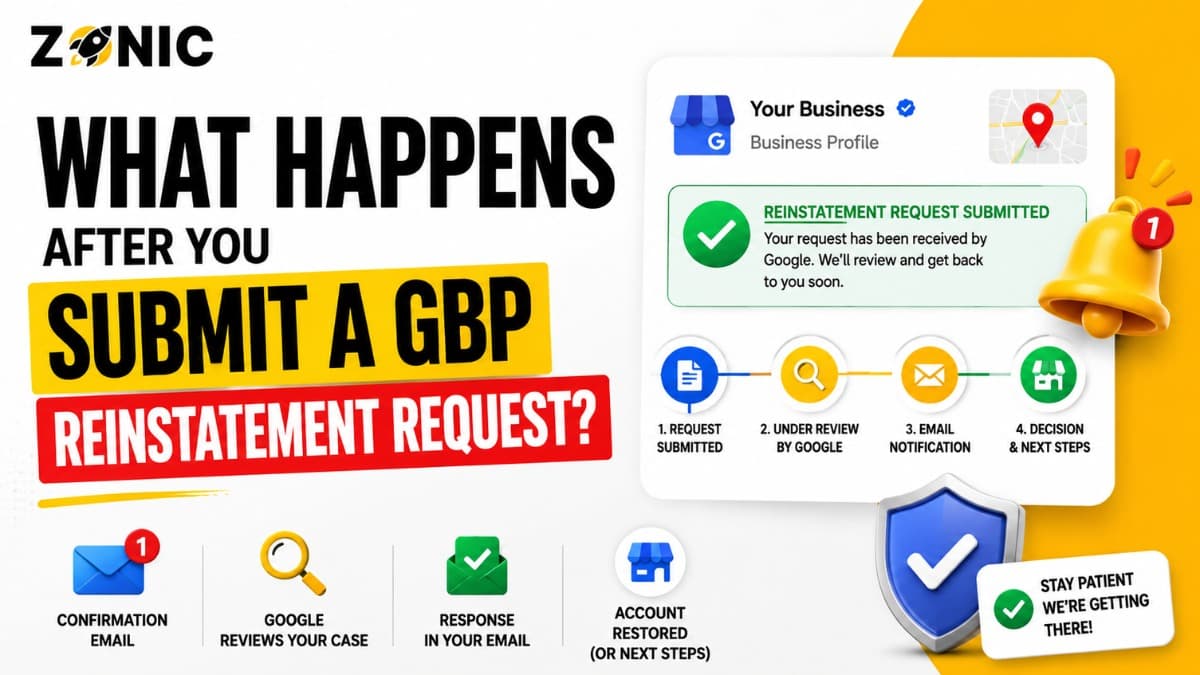
Submitting a Google Business Profile reinstatement request can feel like the final step, but it is really the start of the review process. Once your appeal is submitted, Google has to review the suspended profile, the reason for restriction, the business details, and any evidence you attached.
For business owners, this waiting period can be stressful. You may not know whether your documents were enough. You may not know how long the review will take. You may also wonder whether you should edit the profile, submit another appeal, contact support, or create a new listing.
That is where many owners make mistakes.
After a GBP reinstatement request is submitted, the best move is not panic. The best move is to understand what happens next, track the appeal properly, avoid unnecessary edits, and prepare for either approval or denial.
If your google business appeal submitted status is showing in the appeal tool, it means your request is in Google’s review process. At that point, your job is to avoid making the case more confusing.
This blog explains what happens after you submit a GBP reinstatement request, what the appeal statuses mean, what to do while waiting, and how to respond if your appeal is approved or denied.
What Happens Right After a GBP Reinstatement Request Is Submitted
After the reinstatement request is submitted, Google reviews the profile and the appeal details. The profile may stay restricted while the review is pending.
Google Reviews the Suspended Profile
Google does not only read the appeal message. It may also review the Business Profile itself.
That means the reviewer or system may look at the business name, address, service area, category, phone number, website, recent edits, duplicates, and documents. If the profile still has the same issue that caused the suspension, the appeal may not succeed.
This is why it is important to fix the profile before appeal whenever possible.
If the issue was a keyword-stuffed name, the name should already be corrected. If the issue was a wrong address, the address setup should already be fixed. If the issue was a service-area problem, the profile should clearly reflect how the business actually serves customers.
Google Checks the Appeal Evidence
If you uploaded evidence, Google may compare it with the profile details.
For example, if your profile shows one business name and your license shows another, the reviewer may not understand the connection. If your profile shows one address and your utility bill shows a different address, the appeal may become weaker.
Evidence should support the exact profile being appealed.
The cleaner the match, the easier the review usually becomes.
Why the Waiting Period Feels Unclear
The waiting period after a reinstatement request can feel confusing because Google does not always give detailed updates at every step. Business owners often see only a status inside the appeal tool.
Google Does Not Explain Every Internal Step
You may not see every action Google takes during review. The tool may simply show that the appeal was submitted.
That does not mean nothing is happening. It may only mean the case has not reached a final decision yet.
During this time, avoid guessing. Do not keep changing the profile or submitting repeated appeals unless Google gives you a clear next step.
Some Cases Need More Review Than Others
A simple suspension may move faster than a complicated one. A clean business name correction may be easier than a virtual office issue, duplicate listing issue, or mismatched address problem.
If the profile has several risk signals, the review may take longer.
That does not always mean the appeal will be denied. It means the profile may need more careful review.
Common GBP Appeal Statuses After Submission
After your reinstatement request is submitted, the appeal tool may show different statuses. Each status tells you where the case stands and what you can do next.
Submitted
Submitted usually means your appeal has been received and is waiting for review or currently under review.
At this stage, do not submit the same appeal again. Do not create a new listing. Do not make random major edits unless you are specifically asked to correct something.
Keep your documents ready and monitor your email.
Approved
Approved means Google accepted the appeal and the profile may be reinstated.
Sometimes the profile does not look fully normal right away. Details may take time to update across Search and Maps. You should review the profile carefully after approval to make sure the name, address, phone number, website, category, hours, photos, and reviews are showing correctly.
Not Approved
Not approved means Google did not accept the appeal.
This does not always mean the business is fake or permanently lost. It usually means Google was not satisfied with the profile setup, documents, or explanation.
If your appeal is not approved, do not send the same appeal again without changes. Review the case, fix what is still weak, and prepare stronger evidence if another review is available.
Can’t Be Appealed
Can’t be appealed means Google may not allow that specific restriction or profile status to go through the normal appeal process.
This can happen in certain cases where the profile is not eligible, the account is restricted, or the issue needs a different type of review.
If this appears, the next step should be handled carefully. The case may need expert review before any further action is taken.
Eligible for Appeal
Eligible for appeal means the profile can still be appealed.
If you see this status and have not submitted yet, do not rush. Prepare your evidence first. Check the business name, address, website, phone number, category, service area, and duplicate listings before filing.
What You Should Do While Waiting for Google’s Decision
The waiting period should be used carefully. The goal is to protect the case, not create new confusion.
Check the Appeal Tool
Use the same Google account connected to the suspended Business Profile. Check the appeal tool for status updates.
Do not rely only on searching for the profile on Google Maps. The public listing may not tell the full story.
The appeal tool is usually more useful for understanding whether your request is still submitted, approved, not approved, or eligible for another step.
Watch the Correct Email Inbox
Google may send updates to the email connected to the Business Profile. Check that inbox regularly.
Also check spam, promotions, and other folders. Some business owners miss important updates because they are checking the wrong account or folder.
Keep all messages related to the appeal in one place. If the appeal is denied, those messages can help you understand what happened next.
Keep Your Documents Organized
Even after submission, keep your documents ready. If the appeal is denied and another review becomes available, you will need stronger evidence quickly.
Organize your business license, registration, utility bill, lease, insurance document, tax document, signage photos, branded vehicle photos, website screenshots, and duplicate listing screenshots if relevant.
The next step is easier when everything is already prepared.
What Not to Do After a Google Business Appeal Is Submitted
Many business owners hurt their own reinstatement process after submitting the appeal. The wrong action can create duplicate problems, profile instability, or weaker trust signals.
Avoid these mistakes:
Do not create a new Google Business Profile
Do not submit repeated appeals while one is pending
Do not keep changing the business name
Do not change the address again without a real reason
Do not switch categories repeatedly
Do not upload random documents if Google asks for evidence
Do not blame competitors without proof
Do not remove important business details from your website
Do not let old agencies keep profile access
Do not mark your own correct profile as closed by mistake
This is the first bullet section. After submission, the safest move is to keep the profile stable and wait for the official status.
Why You Should Not Create a New Profile After Submission
Creating a new profile after submitting a reinstatement request may feel like a shortcut, but it can create a bigger problem.
New Profiles Can Become Duplicates
If your original profile is suspended and you create another one for the same business, Google may see the new profile as a duplicate.
Now you have two problems. The original profile is suspended, and the new one may also get restricted.
Duplicate listings can make reinstatement harder because Google has to understand which profile should represent the real business.
Reviews and History Can Be Lost
Your original profile may have reviews, photos, ranking history, and customer trust. A new profile usually starts from zero.
Even if the new profile goes live for a short time, it may not carry the value of the original listing.
It is usually better to fix the original profile instead of starting over without a plan.
What Happens If Google Approves the Reinstatement Request
An approved appeal is good news, but the work is not finished. You should review the profile carefully after it comes back.
The Profile May Take Time to Look Normal
After approval, your profile may need time to fully appear across Google Search and Maps.
Check the profile from your dashboard and from public search. Make sure the business name, address or service area, phone number, website, hours, categories, and photos are correct.
Do not make unnecessary major edits immediately after reinstatement. Let the profile stabilize.
Reviews and Details Should Be Checked
After reinstatement, check whether reviews are visible. Also check whether old photos, services, business description, and hours are still correct.
If something is missing, do not panic. Review the dashboard first and document what you see.
A reinstated profile should be monitored closely for the first few days.
What Happens If Google Does Not Approve the Appeal
A denied appeal can be frustrating, but it should not lead to rushed decisions. The next step should be based on what still looks weak in the profile.
Review the Denial Carefully
If the appeal is not approved, go back to the likely suspension reason.
Was the business name still too keyword-heavy? Was the address a virtual office? Did the documents show a different address? Was there a duplicate profile? Did the website conflict with the profile?
A denial usually means Google was not convinced by the profile, evidence, or explanation.
Do Not Repeat the Same Appeal
Sending the same message with the same documents usually does not improve the case.
Before asking for another review, strengthen the appeal. Fix remaining profile issues. Gather better documents. Make the business information easier to verify.
A stronger second step is better than a rushed repeat.
What If the Appeal Stays Submitted for Too Long?
Sometimes the appeal status stays submitted longer than expected. This can happen when Google has not finished review or when the case needs more time.
Check for Missing Evidence Problems
If you opened the evidence form but did not upload files within the required time, the appeal may move forward without the documents you intended to attach.
That can weaken the case.
If your appeal stays pending and you realize evidence was not attached, keep your documents ready in case the appeal is denied and another review becomes available.
Make Sure You Are Using the Right Account
Sometimes owners check the wrong Google account and think there is no update. Make sure you are signed in with the account that manages the suspended profile.
If an old agency, employee, or partner owns the profile, access problems can make the appeal process harder.
Ownership should be reviewed as part of the recovery plan.
What Google Looks at After a GBP Reinstatement Request
Google may review several trust signals after the request is submitted. Your profile, documents, and website should all tell the same story.
Business Name Accuracy
The business name should match your real-world name.
If the profile name includes extra keywords, city names, service phrases, or promotional text that is not part of the real business name, it can weaken the appeal.
The name should match your documents, website, signage, and customer-facing materials.
Address and Service-Area Accuracy
If customers visit your location, the address should be real and supported by documents.
If you serve customers at their locations, the profile should be set up as a service-area business. The address should not be shown publicly if customers do not visit.
This is one of the most important checks for contractors, home service providers, mobile services, and other service-area businesses.
Website and Phone Consistency
The website and phone number on your profile should match the business.
If the website shows a different name, address, phone number, or service area, the appeal may look weaker.
The reviewer should not have to guess whether the website belongs to the same business.
How to Prepare for the Next Step After Submission
Once the appeal is submitted, you cannot control every part of the review. But you can prepare for what happens next.
Prepare these items while waiting:
Screenshot of the appeal status
Screenshot of the suspended profile dashboard
Business license or registration
Utility bill, lease, or address proof
Tax certificate or insurance document
Website screenshot with matching NAP details
Storefront signage photo if customers visit
Branded vehicle photo for service-area businesses
Screenshot of any duplicate listing
Notes showing what was corrected before appeal
This is the second and final bullet section. If the appeal is denied, this preparation can help you move faster with a stronger next step.
How Long Should You Wait After Submitting a GBP Appeal?
There is no guaranteed approval timeline for every reinstatement request. The waiting time depends on the issue, evidence, and review complexity.
Simple Cases May Move Faster
If the issue is clear and the evidence matches the profile, the review may move faster.
For example, a clean name correction with matching business registration may be easier than a virtual office address case.
A simple case is one where the reviewer can understand the business quickly.
Complex Cases May Take Longer
Complex cases usually involve address problems, duplicate listings, service-area confusion, previous denials, or mismatched documents.
These issues take more time because Google has to decide whether the business is real, eligible, and accurately represented.
If your case is complex, focus on making the evidence and explanation clearer instead of rushing another appeal.
How Zonic Helps After a GBP Reinstatement Request Is Submitted
Zonic helps businesses across the USA and NYC understand what happens after a Google Business appeal is submitted and what to do next.
Appeal Status Review
Zonic reviews the current appeal status, profile history, suspension reason, recent edits, and documents submitted.
This helps identify whether the case is still waiting, weak, denied, or ready for another review.
Denial Risk Review
If the appeal is still pending, Zonic can review what may weaken the case. That includes business name issues, address problems, service-area mistakes, duplicate profiles, website mismatches, and weak evidence.
The goal is to prepare before Google responds.
Next-Step Support
If the appeal is approved, Zonic helps review the profile after reinstatement. If the appeal is denied, Zonic helps strengthen the evidence and prepare the next available step.
The goal is to avoid repeat mistakes that delay recovery.
Conclusion
After you submit a GBP reinstatement request, Google reviews the profile, appeal message, policy issue, and evidence. The profile may stay restricted while the request is pending. Your appeal tool may show statuses like submitted, approved, not approved, can’t be appealed, or eligible for appeal.
During this time, do not create a new profile. Do not submit repeated appeals. Do not keep changing important business details. Instead, monitor the appeal status, check the right email inbox, keep your documents organized, and prepare for the next step.
If the appeal is approved, review the profile carefully after it comes back. If it is denied, do not repeat the same weak appeal. Fix what is still wrong, gather better proof, and prepare a stronger next step.
If you are unsure what to do after a GBP reinstatement request submission or your Google Business appeal submission status has not changed, Zonic can help review the case.
Call Zonic Media today at (302) 726-9736 or visit us at 8 The Green, STE B Dover, Kent, DE 19901 United States for Google Business Profile reinstatement support across the USA and NYC.