
Can a Virtual Office Address Get Your Google Business Profile Suspended?
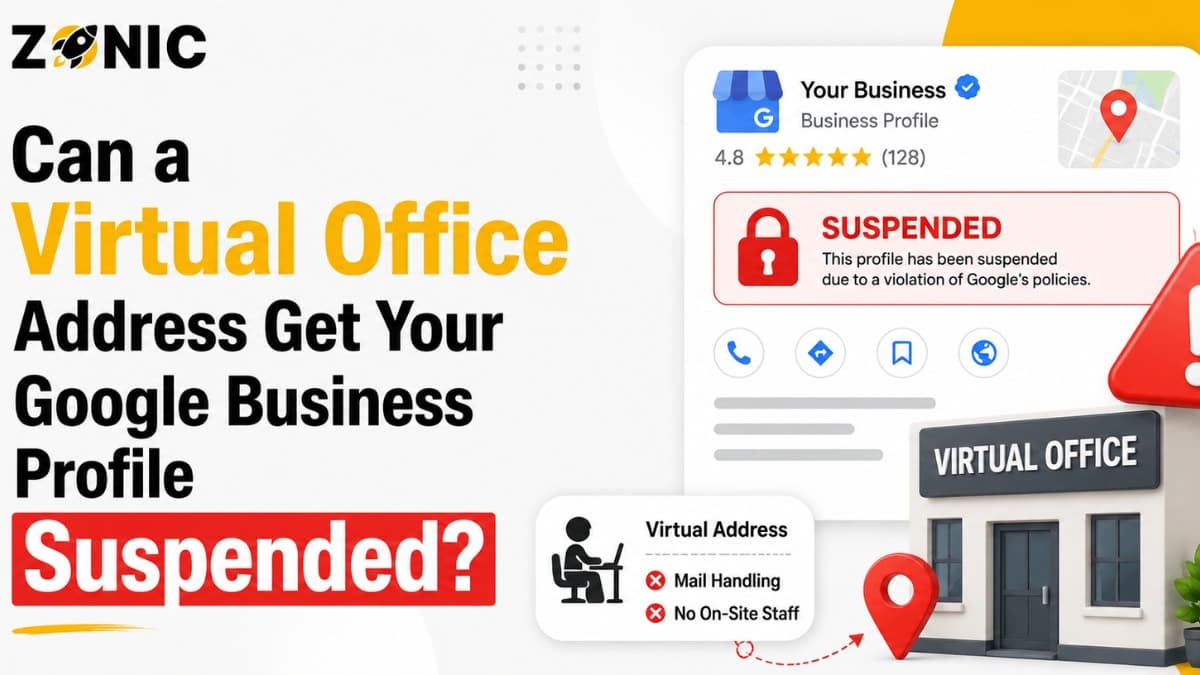
A Google Business Profile can bring real calls, website visits, direction requests, and local leads. For business owners across the USA and competitive places like NYC, your profile can be the first thing customers see before they decide whether to trust your company.
That is why many businesses want a better-looking address on Google.
A virtual office address can look professional. It may give your company a business mailing address, a city presence, or a location in a market you want to target. For some business owners, it feels like a smart way to avoid showing a home address. For others, it feels like an easy way to appear in a stronger local area.
But here is the problem. A virtual office can put your Google Business Profile at risk if it does not match how your business actually operates.
Yes, a virtual office GBP suspension can happen. Google says businesses should use a precise and accurate address or service area, and P.O. boxes or mailboxes at remote locations are not acceptable. Google also says that if your business does not serve customers at the business address, you should remove the address and only enter your service area.
So the question is not only, “Can I use a virtual office?” The better question is, “Can I prove that this address is a real, eligible business location for my company?”
This blog explains when a Google Business virtual address becomes risky, why virtual offices can trigger suspension, and what business owners should do before using one on Google.
Why a Virtual Office Address Can Trigger GBP Suspension
A virtual office address can create problems when Google sees it as a mailing address, rented presence, or location customers cannot actually visit. The risk increases when the address does not match real business operations.
Google Wants a Real Business Location
Google Business Profiles are meant to represent real businesses that customers can either visit or contact for services. If you list an address, that address should accurately represent your business location.
A virtual office often creates confusion because it may not be where your team actually works. It may only be used for mail, reception, or city presence.
If Google checks the location and cannot connect your business to that address in a real-world way, your profile may look unreliable.
A Mailing Address Is Not the Same as a Business Location
Many virtual offices provide mail handling, call answering, or meeting room access. That does not always make the address eligible for a Google Business Profile.
Google clearly says P.O. boxes and remote mailboxes are not acceptable for Business Profiles.
If your virtual office is mainly used to receive mail, forward packages, or create a city presence, it can create suspension risk. Google may see it as a location that does not truly represent your business.
When a Google Business Virtual Address Becomes Risky
A virtual address becomes risky when it is used to make a business look like it has a location where it does not really operate. The more the address differs from reality, the higher the suspension risk.
Customers Cannot Actually Visit the Location
If your Google Business Profile shows a public address, customers may assume they can visit that location during business hours. If they arrive and your business is not there, that creates a poor customer experience.
This is one of the biggest problems with virtual offices.
A business owner may think, “I only need the address for Google.” But Google is looking at whether the location is real and useful for customers.
If customers cannot meet your staff there during listed hours, showing the address publicly can be risky.
The Address Is Shared by Many Businesses
Virtual office buildings often host many businesses at the same address. That can make your listing harder to verify.
If dozens of companies use the same suite, coworking space, or mailbox-style address, Google may review the location more closely. This does not always mean suspension will happen, but it does make proof more important.
If your business name is not visible at the location and your staff is not actually present, the address may be hard to defend.
The Address Was Chosen Only for Ranking
Some businesses use a virtual office because they want to rank in a city where they do not really operate from. This is common in large metro areas like NYC.
For example, a company based outside Manhattan may rent a virtual address in Manhattan to appear local there. If there is no real staff, no customer access, and no clear business presence, that address can become a policy risk.
Google wants the profile to match the real business, not just the ranking goal.
Virtual Office vs Real Office on Google Business Profile
A real office usually has stronger proof than a virtual office. The difference matters because Google may ask for evidence if your profile is reviewed, suspended, or appealed.
Address Type | Safer for GBP? | Why It Matters |
Real staffed office | Usually safer | Staff works there, customers may visit, and documents can support the address |
Storefront with signage | Strongest option | Visible proof, customer access, and real-world business presence are easier to verify |
Home office with hidden address | Often safer for service businesses | Works when customers do not visit and service area is set correctly |
Virtual office used only for mail | Risky | It may not prove real business operation at that address |
P.O. box or remote mailbox | High risk | Google says these are not acceptable for Business Profiles |
Coworking space with no dedicated presence | Risky | Hard to prove staff, signage, and customer-facing business activity |
Shared office with real staff and proof | Depends on setup | May be defensible if the business truly operates there and can prove it |
Why a Real Office Is Easier to Defend
A real office usually has stronger proof. You may have a lease, utility bills, staff working there, signage, photos, customer access, and business documents that match the address.
If Google asks for evidence, this kind of setup is easier to explain.
A virtual office may not have those same signals. If the only proof is a mailbox agreement, the profile may be harder to reinstate after suspension.
Why a Hidden Address Can Be Safer for Service Businesses
Many service businesses do not need a public office address. Roofers, plumbers, cleaners, HVAC companies, pest control companies, and mobile service providers often travel to customers.
If customers do not visit your business location, Google says you should remove the address and only enter your service area.
For these businesses, hiding the address and setting a realistic service area may be safer than using a virtual office address.
How Virtual Office GBP Suspension Usually Happens
A virtual office suspension usually happens after Google reviews the address, sees mismatched details, or receives a report. The profile may stay live for a while before the issue appears.
The Profile Passes at First, Then Gets Reviewed Later
Some business owners think their virtual address is safe because the profile was verified. But verification does not always mean the profile is safe forever.
A profile can pass one review and still get suspended later after a major edit, competitor report, re-verification request, or automated check.
This is why “it worked before” is not the same as “it follows policy.”
A Competitor Reports the Address
Competitors often check addresses in local search. If they see a virtual office, mailbox location, or shared office that looks suspicious, they may report the listing.
A competitor cannot suspend your profile by themselves. But if their report causes Google to review the address and the profile has a real policy issue, suspension can happen.
This is common in competitive industries like legal, roofing, plumbing, locksmiths, pest control, garage doors, restoration, and marketing.
Google Asks for Proof You Cannot Provide
If your profile is suspended, Google may ask for evidence. Google’s appeal guidance says documents submitted as evidence should match the business name and address on the profile being appealed.
This is where virtual addresses often fail. If your business license, tax documents, utility bills, website, and signage do not support the virtual office address, your appeal may be weak.
Common Virtual Office Address Mistakes That Lead to Suspension
Most virtual office suspension problems come from a few repeated mistakes. These mistakes make the profile look like it is using an address for visibility rather than real business operations.
Watch out for these problems:
Using a virtual office only to rank in a city
Showing a public address customers cannot visit
Using a mailbox or mail forwarding location
Listing a shared office with no staff present
Using an address that does not match business documents
Showing a suite number that is not truly yours
Using different addresses on your website and GBP
Adding a virtual office after a profile was already live
Creating multiple profiles with different virtual offices
Appealing with documents that do not match the address
This is the first bullet section. If any of these apply to your profile, fix the issue before it becomes a suspension problem.
How Google Reviews Virtual Office Address Problems
Google may not use the words “virtual office” in every suspension notice. Instead, the issue may appear as an address problem, eligibility issue, suspicious activity, or guideline violation.
Google Looks for Real-World Consistency
Google wants your profile to match the real world. That means the business name, address, website, service area, category, and proof should all tell the same story.
If your Google Business Profile shows a virtual office in NYC, but your website, documents, and operations point to another state or a home office, the profile may look inconsistent.
Consistency does not guarantee approval, but inconsistency creates risk.
Google May Compare the Address With Documents
During an appeal, your documents matter. Google specifically advises that submitted evidence should match the business name and address on the profile being appealed.
If the profile address is a virtual office but your business license shows another address, Google may question whether the virtual address is real for your business.
This is why it is dangerous to use an address you cannot prove.
What to Do If You Already Use a Virtual Office on GBP
If your profile already uses a virtual office, do not panic and do not make random changes. First, decide whether the address is truly eligible and whether customers can actually visit.
Ask Whether the Address Reflects Real Operations
Start with one honest question: does your business truly operate from this address?
If staff works there during business hours, customers can visit, and documents support the location, the address may be easier to defend. If the address is only used for mail or ranking, it is risky.
You should also check your website, citations, business license, tax documents, and signage. If they do not support the virtual address, your profile may be exposed.
Consider Switching to Service-Area Setup
If you are a service-area business and customers do not visit the location, hiding the address may be safer. Google’s guidelines support service-area setup when a business travels to customers and does not serve customers at the business address.
This can be a better path for plumbers, roofers, HVAC companies, cleaners, mobile repair services, and similar businesses.
Avoid Changing the Address Too Many Times
If you change your address repeatedly, Google may see the profile as unstable. Do not jump from one virtual office to another.
Make one careful decision based on your real business setup. Then make sure your website, documents, and profile details are consistent.
What to Do If a Virtual Office Got Your GBP Suspended
If your profile was suspended because of a virtual office address, the next step is not to create a new listing. The next step is to clean up the address issue and prepare a stronger appeal.
Decide Whether the Address Should Stay
Ask yourself if you can prove the virtual office is a real business location for your company. Can you show a lease? Can customers visit? Is your staff there? Is your business name visible? Do your documents match?
If the answer is no, the address may need to be removed or corrected before appeal.
If your business is truly service-area based, the better setup may be to hide the address and use a service area.
Fix the Profile Before Appeal
Google tells business owners to make sure the profile follows guidelines before submitting an appeal for a suspended or disabled profile.
That matters here. If the virtual office is the problem, appealing without fixing it can lead to rejection.
Fix the name, address, service area, category, phone number, website, and duplicate listing issues before you send the appeal.
Keep the Appeal Factual
Do not write a long emotional message. Do not blame Google or competitors. Explain what was corrected and provide evidence that supports the corrected profile.
A simple appeal is often stronger than a long one.
Evidence That Helps With a Virtual Office GBP Suspension
If your profile is suspended over a virtual office or address issue, the evidence should prove where and how the business actually operates. Mismatched proof can weaken the appeal.
Useful evidence may include:
Business license with matching name and address
Business registration or DBA document
Lease agreement for the real office location
Utility bill tied to the business location
Tax document or insurance document
Photos of permanent business signage
Interior office photos if customers visit
Website screenshot with matching business details
Branded vehicle photos for service businesses
Proof that customers can meet staff at the address
This is the second and final bullet section. Do not send random documents. Send proof that supports the exact profile details you want Google to trust.
Safer Alternatives to a Risky Virtual Office Address
A virtual office is not the only way to protect privacy or reach customers. Some setups are safer because they match how the business actually works.
Use a Service-Area Profile
If your business travels to customers, a service-area profile may be the cleanest option. You can hide the address and show the area you serve.
This is often safer than forcing a virtual office address onto a business that does not receive customers there.
Use a Real Staffed Office
If you want a public address on Google, a real staffed office is stronger than a virtual office. It should be a location where your business actually operates and where customers can connect with your company during stated hours.
This setup is easier to prove if Google asks for verification or evidence.
Strengthen Your Website Instead of Forcing the Address
Some businesses use virtual offices because they want to rank in a certain city. A safer long-term approach is to build stronger local service pages, improve website content, earn real reviews, and keep your business information consistent.
A risky address may help for a short time, but a clean local SEO foundation is safer.
How Zonic Helps With Virtual Office GBP Suspension
Zonic helps businesses across the USA and NYC review virtual office address risks, fix suspended profiles, and build safer Google Business Profile setups.
Virtual Address Risk Review
Zonic checks whether your address setup matches how your business actually operates. We review your GBP, website, documents, service area, category, citations, and visible profile risks.
The goal is to find the weak point before Google or a competitor does.
Suspension Appeal Support
If your profile is already suspended, Zonic helps identify whether the virtual office address caused the issue. We help organize evidence, clean up profile details, and prepare a clear appeal.
A strong appeal should show that the business is real, eligible, and properly represented.
Long-Term GBP Protection
After the profile is fixed, Zonic can help improve NAP consistency, remove risky address signals, clean up duplicate profiles, and build a safer local SEO strategy.
The goal is not just reinstatement. The goal is keeping the profile stable.
Conclusion
A virtual office address can get your Google Business Profile suspended if it does not represent a real eligible business location. The biggest risk comes from using a virtual address only for mail, privacy, or ranking in a city where your business does not truly operate from.
Google wants accurate business information. If customers cannot visit the address, if your documents do not match, or if the location is only a mailbox, the profile can be questioned.
For many service-area businesses, hiding the address and using a proper service-area setup is safer than using a weak virtual office. For businesses that do use a public address, the location should be real, staffed, and supported by proof.
If your virtual office GBP suspension is already active, do not create another listing or send a rushed appeal. Fix the address issue first, gather matching evidence, and submit a clear appeal.
Call Zonic Media today at (302) 726-9736 or visit us at 8 The Green, STE B Dover, Kent, DE 19901 United States for help with Google Business Profile suspension, virtual office address issues, and profile recovery across the USA and NYC.