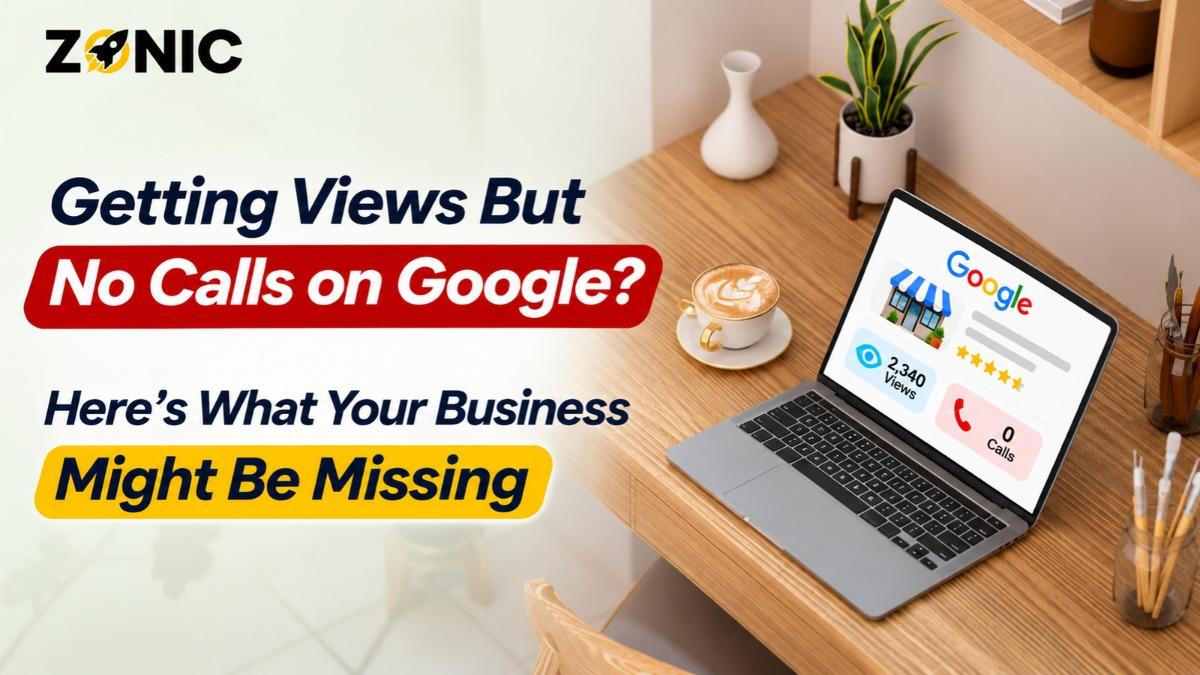
Your Google Business Profile is receiving hundreds or even thousands of views. Customers are finding your listing on Google Search and Maps, but your phone is barely ringing.
At first, the numbers might look encouraging. Your profile is visible, Google is showing your business to potential customers, and your performance dashboard suggests people are discovering you.
Yet those views are not turning into actual inquiries.
For local businesses, this is a frustrating situation because visibility is supposed to create opportunities. A roofing contractor needs estimate requests. A plumbing company needs service calls. A dental office needs appointment inquiries. An HVAC business needs customers asking about repairs and installations.
If people are viewing your business but not contacting you, something may be missing between discovery and decision.
The problem could be weak customer trust, incomplete service information, irrelevant searches, confusing operating hours, or a website that makes contacting you difficult.
Sometimes the calls are happening, but your team is missing them. In other cases, the performance numbers are being interpreted incorrectly.
Understanding the difference is essential.
Getting Google Business Profile views but no calls does not automatically mean your local SEO strategy has failed. It means you need to examine what customers see, what actions they take, and where the process breaks down.
This guide explains how to diagnose those problems and improve the journey from Google Maps visibility to qualified phone calls.
First, Understand What Google Business Profile Views Actually Mean
Before changing your listing, it helps to understand the information Google provides.
Google Business Profile performance reporting includes metrics such as views, searches, call-button clicks, website clicks, and direction requests where applicable.
These metrics describe different stages of customer interaction.
A view does not mean someone called your business, visited your website, or intended to purchase a service.
It means the person viewed your Business Profile through Google Search or Maps.
Profile Views Are Not the Same as Qualified Leads
Google describes profile views as a measure of people who viewed the profile, with limits on repeated counting.
This metric is not equivalent to the number of times your business appeared anywhere across Google.
Likewise, the calls metric represents clicks on the Business Profile's call button, not necessarily completed telephone conversations.
Someone may tap the call button and cancel before connecting.
Another customer may see your listing, visit your website, and call from there instead.
That is why comparing profile views with actual booked customers requires more than looking at one performance number.
Check Which Actions Customers Are Taking
A useful diagnosis begins by reviewing the relationship between profile views and available customer interactions.
If views are increasing but call-button clicks remain flat, customers may not be sufficiently motivated to contact the business.
If website clicks are increasing but calls remain low, the website experience may need attention.
If call-button clicks are healthy but your team receives few conversations, the problem may involve phone connectivity, missed calls, or reporting differences.
Each situation requires a different solution.
Your Business May Be Showing for the Wrong Searches
One of the most overlooked reasons for high views and low calls is search intent.
A business may appear for searches that are relevant in a broad sense but do not indicate that someone is ready to hire a provider.
For example, a plumbing company might receive visibility for general plumbing-related searches while getting fewer inquiries from people who need immediate service.
A dental practice may appear in searches from people researching a treatment rather than looking for an appointment.
Visibility alone cannot tell you how close those users are to making a decision.
Review the Search Terms Driving Discovery
Google Business Profile performance data can show search terms people used to find your business.
Review these terms to understand whether your profile is attracting customers searching for your actual services.
A roofer wants visibility for relevant roof repair, inspection, and replacement searches.
An auto repair shop wants to reach people needing vehicle diagnostics, brake repairs, or other services the shop provides.
A law firm needs inquiries related to its genuine practice areas.
If your search visibility is too broad or does not match your services, increasing impressions may not produce more calls.
Align Your Profile With Commercial Intent
Your primary category should describe the business accurately.
Services should explain what customers can actually book or purchase.
Your website should support those services with relevant pages.
Do not add unrelated categories or stuff keywords into the business name simply to attract more searches.
The goal is to become visible to people who need what your business provides, not everyone searching for a loosely related topic.
Your Google Business Profile May Not Build Enough Trust
Customers often compare several businesses before calling.
A profile can be visible without appearing sufficiently credible to win the inquiry.
Imagine three roofing companies appearing in local search results.
One has detailed reviews, recent project photographs, accurate service information, and a professional website.
Another has very few reviews, outdated images, and missing details.
Even if both businesses appear in similar positions, prospective customers may feel more comfortable contacting the first company.
Reviews Influence Customer Confidence
Google confirms that review count and review score can influence local rankings.
Reviews also play an important role in how people evaluate businesses.
Customers look for feedback that helps them understand service quality, communication, professionalism, and reliability.
A strong reputation is not simply a matter of collecting five-star ratings.
Recent, authentic, detailed feedback can provide useful reassurance.
Encourage genuine reviews through a consistent process and respond professionally.
Avoid purchasing reviews or offering rewards for positive feedback.
Negative Feedback Needs Thoughtful Responses
A business with unanswered complaints may create hesitation.
Customers often want to see whether the company takes responsibility and communicates professionally.
Responding politely to criticism can demonstrate accountability without arguing publicly.
For healthcare, legal, and other privacy-sensitive industries, responses should avoid disclosing confidential information.
The purpose is to show professionalism to future customers, not to win a public disagreement.
Your Photos May Not Show Enough Real Business Proof
Photographs give potential customers a visual understanding of the business before they make contact.
A profile with only a logo and a few generic graphics may not provide enough information.
Customers often want to see evidence that the company is active and legitimate.
The most useful photographs depend on the industry.
Show Customers What They Can Expect
A roofing company can display completed work, branded vehicles, equipment, and team photographs.
An auto repair shop can show service bays, its exterior, diagnostic equipment, and reception area.
A dental office can display treatment rooms, the waiting area, and authorized team photographs without revealing patient information.
A restaurant can show food, seating, and its actual environment.
These visuals help people recognize the business and understand what it offers.
Google does not publish a guaranteed ranking improvement tied to uploading a particular number of photos.
The stronger reason to maintain photographs is that useful visual information helps customers evaluate the business.
Keep Images Accurate and Current
Photographs should represent the real company.
Avoid relying entirely on stock images, heavily altered pictures, unrelated graphics, or outdated photographs.
If your business has moved, renovated its location, added services, or changed its team, update the visual information accordingly.
A profile that looks maintained can help customers feel more confident about contacting the business.
Your Services May Be Too Vague
Customers do not always call a business simply because its category appears relevant.
They want to confirm that the company handles their particular problem.
A plumber may offer emergency plumbing, but someone needing sewer line repair might hesitate if that service is not mentioned anywhere.
A roofing company may perform flat roof repairs, but the profile may only describe general roofing.
A dental clinic may provide emergency appointments but fail to explain the available services.
These gaps create uncertainty.
Describe Actual Services Clearly
Review the services listed in your Business Profile.
They should accurately reflect the company's offerings, including important services that customers commonly request.
Use straightforward names and descriptions.
Avoid repeating the same location keywords or creating artificial service names intended only to influence rankings.
Important services should also have useful information on the website.
When customers can quickly confirm that you handle their needs, they have fewer reasons to continue searching elsewhere.
Your Business Hours May Be Costing You Calls
Operating hours are especially important for people searching with immediate needs.
Someone looking for emergency towing, plumbing, HVAC repair, or urgent professional assistance wants to know whether a business is available.
If the profile shows inaccurate hours, customers may choose another company.
The opposite problem can also occur.
A business might claim to operate 24 hours but fail to answer calls overnight.
That creates frustration and can damage trust.
Match Google Hours With Actual Availability
Review regular operating hours, holiday hours, and any additional available service hours.
If appointments are required, explain the scheduling process.
Businesses offering emergency services should describe their actual availability without exaggeration.
The hours displayed on Google should be consistent with the website and customer-facing information.
Accuracy matters more than appearing available at all times.
Your Website May Be Losing Customers Before They Call
Not everyone who discovers a business through Google Maps calls directly from the profile.
Some customers prefer to visit the website first.
They may want additional details about pricing, services, credentials, experience, or service coverage.
If the website does not answer those questions or make contacting the business convenient, the lead may disappear.
Make the Phone Number Easy to Find
A mobile visitor should not need to search the footer for a phone number.
Important service and location pages should have visible, working contact options.
For service businesses, a tap-to-call button can reduce unnecessary steps.
Professional practices may also benefit from appointment scheduling options.
The correct contact method depends on the customer's needs and how the business operates.
Improve the Page Customers Visit From Google
The website linked from your Google Business Profile should accurately represent your business.
Customers should immediately understand what the company does and how to contact it.
A strong page includes clear service information, relevant trust signals, accurate location details, and a straightforward next step.
Avoid sending visitors to an outdated landing page or a website that uses different branding and contact information from the profile.
A consistent experience supports customer confidence.
You May Be Missing Calls Without Realizing It
Sometimes the marketing is working, but the business is not converting incoming interest.
This commonly happens when calls go unanswered during busy periods, after hours, or when staff members are unavailable.
A customer searching for immediate help may simply contact the next provider.
The company may interpret the lack of booked jobs as an SEO problem even when the real issue is call handling.
Review Call Answering and Response Times
Check whether calls are being answered during advertised hours.
Review missed calls, voicemail routing, call forwarding, and phone-system problems.
For emergency services, consider whether dispatch coverage matches actual customer demand.
For appointment-based businesses, review how front-desk teams handle new inquiries.
The experience after someone calls is part of lead conversion.
Track Connected Calls and Booked Customers
A call-button click in Google Business Profile reporting does not prove that someone spoke with your team.
Businesses should distinguish between call interactions, completed conversations, qualified inquiries, and booked customers.
Where appropriate, call tracking tools and internal records can help identify which calls generate revenue.
Use such tools in compliance with privacy, recording-consent, and applicable industry requirements.
The objective is to measure meaningful customer outcomes rather than count every attempted interaction as a lead.
Your Competitors May Offer a Clearer Reason to Call
Even when customers can find your business, they may still choose competitors.
This can happen when competing profiles communicate their services, availability, reputation, or customer experience more clearly.
A person comparing several businesses often wants reassurance before making contact.
If your listing provides fewer answers than competing profiles, the customer may continue searching.
Compare the Customer Experience, Not Just Rankings
Review the profiles of legitimate competitors appearing for important searches.
Look at how they describe their services, present photographs, communicate availability, and respond to feedback.
Then examine your own listing from the perspective of someone unfamiliar with the business.
Can they understand what you offer?
Can they identify where you operate?
Can they find evidence of your work?
Can they contact you without confusion?
These questions often reveal more useful opportunities than focusing solely on keyword positions.
How to Diagnose Google Views Without Calls
Before making changes, identify where the customer journey is breaking down.
The table below provides a practical starting point.
What You Notice | Possible Explanation | What to Investigate |
Many views, few call clicks | Low-intent searches or weak profile trust | Search terms, categories, reviews, services |
Many views, few website clicks | Profile information may not motivate further action | Photos, services, description, reputation |
Website clicks but few inquiries | Website conversion problems | Mobile layout, contact buttons, service clarity |
Call clicks but few connected calls | Phone handling or reporting differences | Phone system, missed calls, call tracking |
Calls but few bookings | Lead quality or intake problems | Service area, qualification, response process |
Strong visibility only near the office | Geographic ranking limitations | Proximity, legitimate service areas, local competition |
This approach helps businesses prioritize the actual problem instead of making random profile changes.
Should You Run Google Ads If Your Profile Gets Views but No Calls?
Google Ads may help generate additional qualified inquiries, but it should not automatically be the first solution.
If your profile receives relevant views but customers hesitate because of poor reviews or incomplete information, increasing paid exposure may not fix the underlying issue.
Similarly, advertising will not solve missed calls or a broken contact form.
Those problems need attention first.
Use Advertising When You Need Additional Relevant Visibility
If the business has a strong profile and reliable contact process but lacks visibility for commercially valuable searches, Google Ads may help.
Paid search can target relevant services and eligible geographic areas.
However, purchasing advertising does not directly improve organic Google Maps rankings.
Google separates paid placements from its organic local ranking system.
Advertising should be evaluated according to qualified leads and customer acquisition cost, not as a shortcut to higher unpaid rankings.
How Zonic Helps Turn Google Views Into Qualified Leads
Zonic helps businesses identify why Google Business Profile visibility is not producing enough calls or customer inquiries.
The process begins with reviewing profile performance, search terms, categories, services, reviews, photographs, operating hours, and contact information.
The website is then evaluated for mobile usability, service clarity, contact options, and conversion problems.
For businesses with call tracking, Zonic can help assess whether inquiries are reaching the company and whether the resulting leads are relevant.
Local competition and search intent are also important parts of the review.
Sometimes the solution is better profile information. Sometimes it involves website improvements, reputation management, more focused local SEO, or additional advertising.
The goal is to identify where opportunities are being lost and improve the parts of the customer journey that matter most.
Conclusion
Getting views but no calls on Google does not always mean your business needs higher rankings.
The problem may be that your profile is reaching the wrong searches, customers do not see enough reasons to trust you, services are unclear, or the website makes contacting you difficult.
Sometimes the calls are happening, but your company is missing them.
The most effective approach begins with accurate performance data.
Review Google Business Profile searches, call-button interactions, website clicks, reviews, services, photographs, and operating hours. Then examine the website and your call-handling process.
Focus on the point where interested customers stop moving forward.
Zonic helps businesses improve Google Business Profile visibility, customer trust, website conversions, and local lead generation.
If your business is receiving Google Maps views but not enough qualified calls, request a Google Business Profile review through Zonic Media or contact (302) 726-9736 to discuss your local SEO opportunities in New York City or anywhere across the United States.
Frequently Asked Questions
Why does my Google Business Profile get views but no calls?
Possible reasons include low-intent searches, weak reviews, incomplete services, unclear availability, poor photographs, website conversion problems, or missed calls. Review performance metrics and customer contact paths before deciding what needs improvement.
Do Google Business Profile views mean people are interested in hiring me?
Not necessarily. Views show that people viewed your profile, but they do not prove purchasing intent. Some users may be researching, comparing businesses, or looking for basic information.
How does Google count calls from my Business Profile?
Google Business Profile performance reporting counts clicks on the call button. This is not the same as confirmed connected calls, qualified conversations, or completed sales.
Can better reviews help increase calls from Google Maps?
Genuine customer reviews can improve trust and help customers evaluate your business. Google also confirms that review count and rating may influence local ranking, although no review quantity guarantees calls or a specific position.
Should I use Google Ads if my Business Profile gets no calls?
Google Ads may help when additional qualified visibility is needed. However, address inaccurate business information, weak contact options, or missed calls before increasing advertising spend. Paid ads do not directly improve organic Maps rankings.