
How to Turn Google Map Pack Views Into Phone Calls
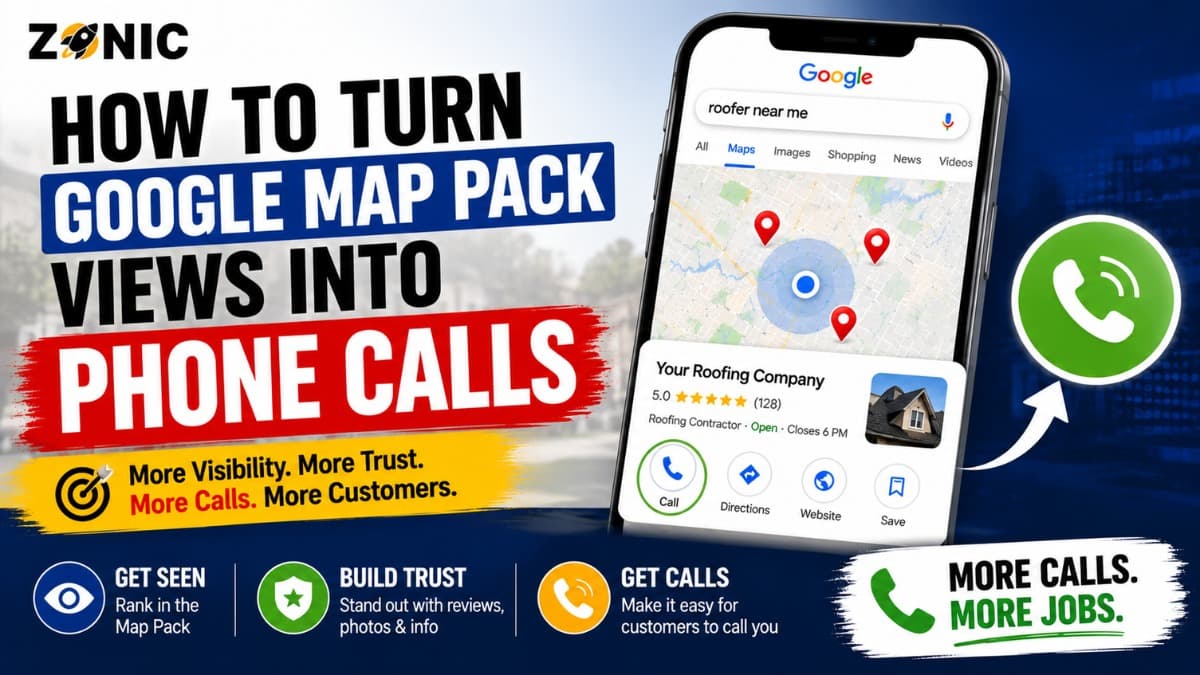
Getting views in the Google Map Pack is a good sign, but views alone do not pay the bills. A local business needs those views to become phone calls, bookings, forms, direction requests, and real customers.
They appear in Google Maps. They get impressions. People see the profile. But the phone does not ring enough. Competitors with similar rankings may get more calls because their profiles look more trusted, more complete, and easier to contact.
That is why improving google map pack calls is not only about ranking higher. It is also about converting the attention you already have.
A customer searching in the map pack is often close to taking action. Someone looking for an emergency plumber, dentist near me, roof repair company, HVAC repair, pest control service, med spa, restaurant, or local attorney is usually comparing options quickly. They may not read ten pages before making a decision. They look at reviews, hours, photos, services, distance, and whether the business feels reliable.
If your profile creates trust, the customer is more likely to call. If it looks incomplete, outdated, confusing, or risky, they may choose another business.
This guide explains how to convert map views to leads by improving your Google Business Profile, website connection, reviews, service clarity, tracking, and customer journey.
Map Pack Views Are Only the First Step
A view means your business appeared in front of a potential customer. That is valuable, but it is not the same as a lead. The real question is what happens after the person sees your profile.
A customer in the map pack has several choices. They can call, visit your website, ask for directions, read reviews, check photos, compare competitors, or keep scrolling. Your profile must give them enough confidence to choose you.
For local SEO, this is the difference between visibility and conversion.
A business can rank in a visible position and still lose the call if its rating is weak, reviews are old, hours are unclear, photos look generic, or the service list does not match the customer’s need.
Why Map Pack Users Are High Intent
People who interact with the map pack usually have local intent. They want a nearby business or service provider. In many industries, they also want help soon.
A person searching for “AC repair near me” during a heatwave has a different mindset than someone reading a general blog about air conditioner maintenance. A homeowner searching “roof leak repair near me” after heavy rain is much closer to calling than someone searching “how long do roofs last.”
This is why map pack views are valuable. The audience is often ready to act. Your job is to remove doubt and make the call feel like the easiest next step.
Improve the First Impression of Your Google Business Profile
Your Google Business Profile is often the first real interaction a customer has with your business. Before they visit your website, they may already judge you by your name, rating, category, photos, hours, and reviews.
A strong first impression makes the business feel active and trustworthy. A weak first impression makes the customer hesitate.
Make the Business Name Clean and Recognizable
Your business name should match your real-world brand. Do not stuff the name with extra services, city names, or emergency phrases unless they are part of the actual business name.
A clean name builds trust. A spammy name may create doubt and can increase profile risk.
Customers want to know who they are calling. If the profile name looks unnatural, overloaded, or different from the website, they may choose a competitor that looks more legitimate.
Use the Right Category for Customer Confidence
The primary category should clearly describe what your business is. A dentist should look like a dentist. A plumber should look like a plumber. A roofing company should look like a roofing contractor.
The category affects both visibility and customer understanding. If the category is vague or wrong, the customer may not feel sure that you handle their problem.
Secondary categories can support real services, but they should not make the profile confusing. The profile should make the business identity clear within seconds.
Make Calls Easy From Every Customer Touchpoint
If you want more calls, the call path must be simple. The customer should not have to search for your phone number, guess your availability, or click through several pages to contact you.
Google Business Profile already gives users a call button, but that alone is not always enough. The profile, website, landing pages, and mobile experience should all support fast contact.
Keep the Phone Number Correct and Consistent
Your phone number should be accurate on the Google Business Profile, website, directories, social profiles, and major local listings. If customers see different numbers across platforms, trust can drop.
For service businesses, call tracking should be used carefully. It should not create confusion or break consistency across major listings.
If you use a tracking number, make sure the setup is clean and that the real business number is still handled properly where needed.
Make the Website Phone Number Visible on Mobile
Many map pack users click through to the website before calling. If the mobile page hides the phone number, the business may lose the lead.
Your phone number should be easy to tap from the top of the mobile page. Service pages, location pages, and contact pages should all make calling simple.
A visitor should never have to pinch, zoom, scroll endlessly, or search the footer to find how to contact you.
Use Reviews to Reduce Call Hesitation
Reviews are one of the biggest reasons customers call one business instead of another. A strong review profile can turn a map view into a call because it reduces risk.
Customers use reviews to answer practical questions. Will this company show up? Are they professional? Do they solve the problem? Do they overcharge? Do they treat customers well? Are they reliable in emergencies?
Recent Reviews Build More Confidence
A business with recent reviews looks active. A business with reviews from years ago may look neglected, even if the overall rating is decent.
Ask satisfied customers for honest reviews after completed work. The request should be simple and compliant. Do not buy reviews, offer rewards for positive reviews, or pressure customers.
For local service businesses, detailed reviews are especially useful. A review that mentions “same-day plumber,” “roof leak repair,” “emergency HVAC service,” “dental cleaning,” or “pest treatment” helps future customers understand what the business actually does.
Respond to Reviews Like Customers Are Watching
Review responses are not only for the person who left the review. They are also for future customers reading the profile.
Thank positive reviewers in a natural way. Respond to negative reviews calmly and professionally. Avoid defensive language.
A thoughtful response shows that the business is active, accountable, and serious about service quality.
Make Services Clear Enough for Fast Decisions
A customer should not have to guess whether you offer what they need. Service clarity is one of the simplest ways to convert map views to leads.
If someone needs water heater repair, emergency roof repair, tooth extraction, termite treatment, or AC installation, your profile and website should make that service easy to confirm.
Add Services That Match Real Customer Searches
Your Google Business Profile services should reflect what you actually provide. Keep them clear, accurate, and useful.
A plumbing company may include emergency plumbing, drain cleaning, sewer repair, water heater repair, toilet repair, and leak detection. A roofing company may include roof repair, roof replacement, storm damage repair, flat roofing, inspections, and leak repair. A dental office may include cleanings, crowns, implants, emergency dentistry, whitening, and preventive care.
Do not stuff services with repeated city names or unnatural phrases. Clarity converts better than clutter.
Match Services on the Website
If the profile lists a service, the website should support it. A customer who clicks from your profile to your site should land on content that confirms your experience and explains the next step.
A strong service page should explain the problem, the solution, the process, and how to contact the business. Thin pages can lose leads because they do not build enough trust.
Photos Help Customers Trust the Business Before Calling
Photos are powerful because they show proof. Customers want to know that the business is real, active, and professional.
A profile with no photos or generic stock images can feel uncertain. A profile with real photos can make the business easier to trust.
Use Real Photos That Support the Call
Different industries should use different types of photos.
A roofing company can show completed projects, branded trucks, materials, crews, and jobsite conditions. A plumber can show vehicles, tools, water heater installations, drain equipment, and team members. A dental office can show the exterior, reception area, treatment rooms, and team without exposing patient information. A restaurant can show food, seating, atmosphere, and menu items.
Photos should be clear, recent, and connected to the business.
The goal is not to upload random images every week. The goal is to show customers enough proof that they feel comfortable calling.
Keep Photos Fresh Without Making the Profile Look Spammy
Fresh photos can help the profile feel active, but quality matters more than volume. Upload useful images when they show real work, real location details, real team members, or real customer-facing proof.
Avoid blurry images, unrelated graphics, stock photos, or images overloaded with text.
Customers are looking for signs that your business is legitimate and capable. Good photos help answer that question quickly.
Accurate Hours Can Protect High Intent Calls
Hours matter because local searchers are often ready to act. If your profile says open, customers expect someone to answer or help them take the next step.
Wrong hours create frustration and lost leads. A customer may call and get no answer, visit when the office is closed, or choose another company with clearer availability.
Match Hours With Real Availability
If your business is open during regular office hours, show that accurately. If you offer emergency service, make sure the profile and website explain what that means.
Do not list 24 hour availability unless calls are actually answered and service is truly available. Misleading hours may create bad experiences and poor reviews.
Holiday hours, seasonal changes, and temporary closures should be updated when needed.
A profile with accurate hours feels more reliable.
Connect Google Maps Visibility to a Strong Website
Some customers call directly from the profile. Others click to the website first. If the website is weak, the profile may create interest but fail to convert.
The website should confirm what the customer saw in Maps.
Build Landing Pages That Support the Profile
Service pages and location pages should match the services and areas shown on the Google Business Profile. If the profile says the business offers emergency HVAC service in a city, the website should support that with relevant content.
A strong landing page should have a clear headline, service explanation, trust proof, local relevance, photos where useful, and a simple call path.
For mobile visitors, the page should load quickly and make the phone number easy to tap.
Keep Message and Branding Consistent
The business name, phone number, services, service areas, tone, and offer should match between the profile and website.
If the profile looks professional but the website looks outdated, trust can drop. If the website uses a different phone number or business name, the customer may hesitate.
Consistency creates confidence.
Track Calls So You Know What Is Working
You cannot improve what you do not measure. Google Business Profile performance reporting includes calls as the number of times customers clicked the call button on your profile.
That data is useful, but it is not the full picture.
Some customers may call after visiting your website. Some may call from a landing page. Some may call later after comparing competitors. That is why local businesses need a broader lead tracking setup.
Track Calls by Source
Track calls from the Google Business Profile, organic landing pages, ads, website forms, booking tools, and direct phone number clicks.
For service businesses, call quality matters as much as call count. A business may get many calls but few booked jobs if the leads are outside the service area, too price-focused, or not a good fit.
Track which calls turn into appointments, estimates, repairs, consultations, bookings, or sales.
That is how you understand whether map views are becoming revenue.
Improve the Customer Path From View to Call
A map view becomes a call when the customer feels enough confidence and sees a simple next step. Every part of the profile should support that path.
The customer’s mental checklist is usually quick. Does this business do what I need? Is it nearby or available in my area? Are the reviews good? Is it open? Does it look real? Can I call easily?
If the answer is yes, you have a better chance of winning the lead.
Remove Friction Before Customers Compare Competitors
Small friction points can lose calls. Missing hours, weak photos, outdated services, poor reviews, unclear categories, slow mobile pages, and hidden phone numbers can all push customers away.
The local pack is competitive. Customers can compare multiple businesses in seconds.
Your profile should make the decision easier, not harder.
Common Reasons Map Pack Views Do Not Become Calls
Many businesses get seen but not contacted because the profile does not create enough confidence.
Common problems include a weak review rating, few recent reviews, missing services, generic photos, unclear business hours, wrong category, confusing service areas, a slow website, hidden phone number, or inconsistent business information.
Another issue is ranking for the wrong searches. If your profile appears for broad or low intent searches, views may increase without calls.
For example, a restaurant appearing for a general food search may not get as many calls as one appearing for catering, reservations, or nearby dining searches. A plumber appearing for informational plumbing searches may not get the same call volume as one appearing for emergency repair searches.
The goal is not only more visibility. It is better visibility with stronger conversion.
Map Pack Call Conversion Checklist
Use this checklist to improve the path from map view to phone call:
Choose the most accurate primary category
Keep the business name clean and real
Make sure the phone number is correct
Keep hours accurate, including holidays
Add real services that customers search for
Earn steady, honest customer reviews
Respond to reviews professionally
Upload real business photos
Match the website with the profile
Make the mobile phone number easy to tap
Track calls, bookings, and lead quality
Fix major NAP inconsistencies across the web
This checklist helps turn visibility into action.
How Zonic Helps Turn Map Views Into Calls
Zonic helps local businesses improve Google Business Profile performance with a focus on calls, leads, and real customer actions.
The process starts with a profile review. Zonic checks category setup, business name, services, service areas, hours, photos, reviews, phone visibility, website connection, and possible duplicate listing issues.
Then the website and conversion path are reviewed. This includes mobile layout, service pages, location pages, contact buttons, forms, page speed, content clarity, and call tracking.
Zonic also looks at whether the business is getting the right kind of visibility. Some profiles get views but not calls because they rank for weak searches or do not match urgent customer intent.
The goal is to improve both visibility and conversion. A business should not only appear in the map pack. It should turn that attention into qualified phone calls.
Conclusion
Google Map Pack views are useful, but phone calls are where local SEO starts turning into business growth. A customer seeing your profile is only the beginning. They still need trust, clarity, availability, and an easy way to contact you.
To convert map views to leads, focus on the full customer journey. Keep your profile accurate. Use the right category. Earn real reviews. Respond professionally. Add useful services. Upload authentic photos. Keep hours correct. Make the phone number easy to tap. Make sure your website supports the profile and tracks calls properly.
A strong Google Business Profile does not just rank. It helps customers choose.
If your business is getting map views but not enough phone calls, you can reach out to Zonic for a Google Business Profile and local SEO review.
Call Zonic Media at (302) 726-9736 or visit 8 The Green, Suite B, Dover, DE 19901 to discuss how to turn Google Map Pack visibility into more qualified calls for your business in New York City or anywhere across the United States.