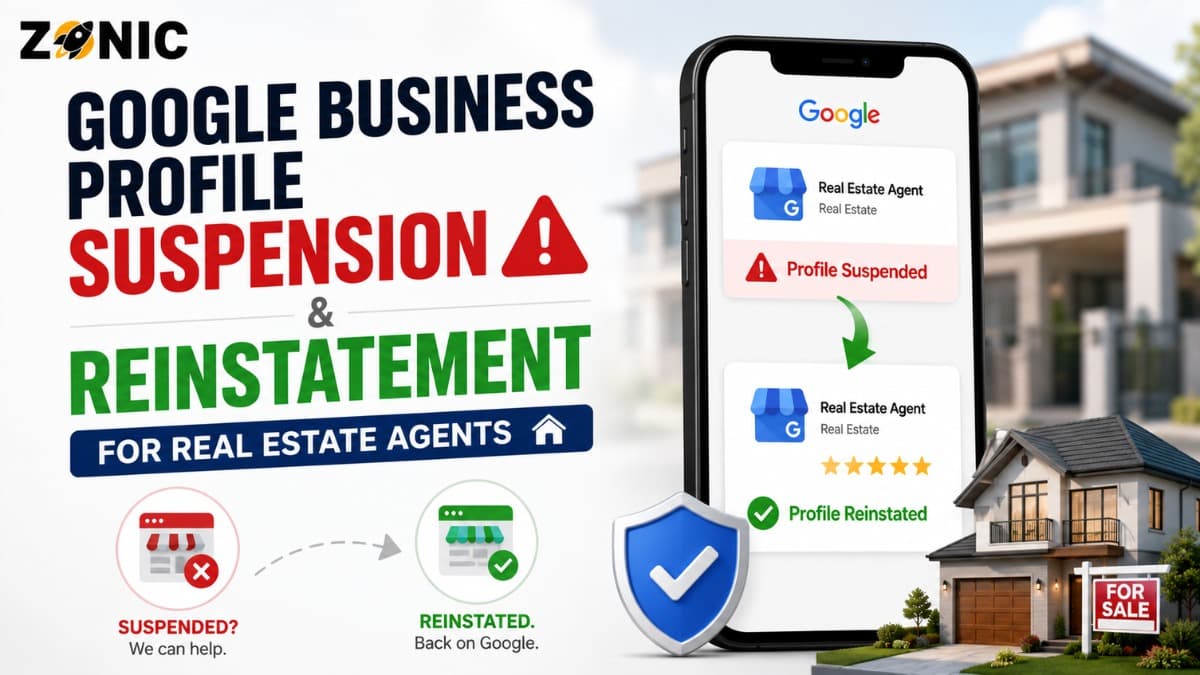
When a real estate agent GBP suspended issue happens, it can create immediate stress. Your profile may stop showing properly on Google Search and Maps. People searching for your name, brokerage, neighborhood, listing help, buyer representation, or local real estate service may no longer see the profile the way they used to.
A potential buyer may search your name after seeing a listing. A seller may look you up before booking a consultation. A homeowner may compare agents in the area before requesting a valuation. If your Google Business Profile is suspended, that first impression can disappear or look incomplete.
The hard part is that many realtors do not know what caused the suspension. The profile may have been live for months or years. Then one edit, one verification request, one address issue, one duplicate listing, or one policy review can suddenly restrict the profile.
Some agents create another listing. Some change the business name to include more keywords. Some use the brokerage address without checking whether the setup is allowed. Some upload documents that match the brokerage but not the agent. Others appeal before reviewing duplicate profiles.
Why Real Estate Agents Get Google Business Profiles Suspended
Real estate profiles can be tricky because the industry has several business models. There are solo agents, agent teams, brokerage offices, franchise offices, property management companies, commercial real estate firms, and lead generation brands. Google needs to understand which real business the profile represents.
A suspension can happen when the profile setup looks unclear, duplicated, or hard to verify.
For example, an individual agent may use a brokerage address, but the profile name may not match signage or documentation. A real estate team may share a phone number with the brokerage. A former agent may still have an old profile at the same office. A brokerage may have several agents creating similar profiles at one location.
These details can create confusion.
Google Business Profiles are meant to represent real eligible businesses. For real estate, that usually means the profile should clearly show whether it is for the agent, team, or office. When the setup looks like a duplicate, a lead-gen listing, a keyword-stuffed profile, or a location that does not match real-world proof, the profile may become vulnerable.
The goal is not to make the profile look bigger than the business. The goal is to represent the real agent or real estate business accurately.
Do Not Create a New Realtor Profile After Suspension
Creating another profile after suspension may feel like a quick fix, especially when leads and trust are affected. But it can create duplicate problems.
Google’s guidance says not to create a new Google business profile for the same business while the appeal is under review.
A new profile does not remove the original issue. Google may connect the new profile to the suspended one through the same agent name, brokerage address, phone number, website, manager account, category, or service area.
That can make the case more difficult.
The original profile may already have reviews, client photos, posts, service details, profile history, and branded search visibility. Starting over can mean losing years of trust. If the new listing is also flagged as a duplicate or policy issue, the agent may end up with two problematic profiles instead of one clean recovery path.
For most real estate agents, the safer move is to review the suspended profile and work through the official appeal process.
Identify What Type of Real Estate Profile You Have
Before appealing, clarify what the profile is supposed to represent. This step matters because the evidence and setup should match the profile type.
A solo agent profile should represent the individual agent as a public-facing practitioner. A real estate team profile should represent the team brand if the team operates as a real public-facing entity. A brokerage office profile should represent the office location. A property management company profile should represent the company, not each individual service or city.
If the profile name says one thing but the evidence shows something else, reinstatement becomes harder.
For example, the profile may say “John Smith Luxury Realtor NYC,” but the license, brokerage page, and signage may only show “John Smith.” If “Luxury Realtor NYC” is not part of the real-world name, that can look like keyword stuffing.
A brokerage office profile may have different evidence than an agent profile. A lease or utility bill may support the brokerage office, but it may not prove that the individual agent has a separate eligible profile unless the agent’s relationship to that office is clear.
Reinstatement starts with knowing exactly what you are trying to prove.
Common Suspension Triggers for Real Estate Agents
Real estate profiles often get suspended because of small details that create big verification problems. Before submitting an appeal, review the profile carefully.
Possible Issue | Why It Can Hurt a Real Estate GBP | What to Review |
Keyword-stuffed agent name | Google expects the profile name to match real-world branding | Compare the profile name with license, brokerage page, signage, website, and business cards |
Brokerage address confusion | Multiple agents may use one office address | Confirm whether the profile setup clearly supports the agent or brokerage |
Duplicate agent profiles | Old or repeated profiles can confuse Google | Search old phone numbers, agent names, team names, and brokerage locations |
Wrong primary category | Category should match the real business type | Check whether the profile fits real estate agent, real estate agency, or another accurate category |
Website mismatch | Conflicting name, phone, or office details weaken trust | Match profile details with website, brokerage bio, and citations |
Service-area overreach | Profiles should not pretend to have offices everywhere | Review city targeting and location claims |
Old brokerage information | Agents often move brokerages or offices | Update details carefully and support changes with proof |
Recent major edits | Name, address, phone, or category edits can trigger review | Check what changed before the suspension |
This table should be used before the appeal, not after. If the same issue is still present when Google reviews the case, reinstatement may be harder.
Review the Business Name Like a Google Reviewer
The name on the profile is one of the most important details to check. For an individual real estate agent, the name should usually match the agent’s real professional identity as shown to clients.
A profile name should not be treated like an SEO headline.
Adding phrases like “Top Realtor,” “Best Real Estate Agent,” “Luxury Homes Expert,” “First-Time Buyer Specialist,” or several city names can create risk if those words are not part of the real-world business name.
The same rule applies to teams and brokerages. A team should use the actual team name. A brokerage office should use the real brokerage name used in signage, website branding, licensing information, and client-facing materials.
If you recently changed brokerages, rebranded a team, or updated your name, review whether the profile, website, business cards, licensing page, and brokerage bio are consistent.
Real estate marketing often uses titles and taglines. Google Business Profile names should be more restrained. Use the business description, services, posts, website content, and reviews to explain specialties. Keep the name field clean.
Check Brokerage Address, Office Eligibility, and Signage
Real estate agents often work from brokerage offices, shared offices, coworking-style locations, home offices, or multiple branch offices. This makes address setup sensitive.
If the profile shows a public address, that address should be a location where customers can meet the agent or business during stated hours. It should also be supported by real-world proof.
For a brokerage office, signage, lease, utility bills, and official office pages may support the location.
For an individual agent, the situation can be more complex. If the agent uses the brokerage address, the profile should not create confusion with the brokerage’s own profile or with other agents at the same office. Evidence should clearly connect the agent to that office.
A home address or private address should not be shown publicly if clients do not visit that location.
If the agent serves clients by appointment or travels to showings, consultations, open houses, and client meetings, the profile setup should reflect the real model accurately.
The address should never be used only as a ranking tool.
Watch for Duplicate Realtor and Brokerage Listings
Duplicates are common in real estate because agents move brokerages, change teams, update phone numbers, and work from offices with many other agents.
An old profile may still exist at a previous brokerage. A team profile may overlap with the agent profile. A brokerage office may have a listing that looks similar to an agent’s profile. A former marketing vendor may have created a duplicate listing years ago.
Before appealing, search Google Maps for the agent name, team name, brokerage name, phone number, old phone numbers, website URL, current office address, old office address, and common variations.
Do not delete or close profiles without understanding the impact. Some old profiles may have review history. Others may require ownership access or duplicate resolution.
A clean reinstatement case should make it obvious which profile represents the active real estate agent or business.
If several profiles look similar, Google may have trouble deciding which one should be visible.
Prepare Evidence Before Submitting the Appeal
Evidence should prove that the real estate profile is legitimate, eligible, and accurately represented. Google says submitted evidence should match the business name and address on the profile.
For real estate agents, the best evidence often depends on whether the profile is for an individual agent, team, brokerage, or company.
Helpful evidence may include a real estate license, brokerage affiliation page, official agent bio page, business registration, DBA paperwork, office lease if applicable, utility bill for the brokerage or office, business cards, signage photos, branded materials, website screenshots, and proof of office location.
For an individual agent, a real estate license and official brokerage page can help connect the agent to the profession and brokerage. For a brokerage office, business registration, lease, utility bill, office photos, and signage may be more useful.
Documents should be current, clear, and consistent. If the profile says one name and the documents show another, prepare a simple explanation.
Do not upload private client contracts, transaction paperwork, signed offers, buyer agreements, seller documents, loan documents, personal identification, or anything containing sensitive client information. Evidence should prove the business without exposing client data.
How to Submit a Real Estate GBP Appeal
Use the official Google Business Profile appeals tool while signed in to the account that manages the suspended profile. Select the restricted profile and review any moderation reason or policy information shown.
Do not rush this step.
If the tool points to a policy issue, read it before submitting. Check whether the profile has a name problem, address issue, duplicate conflict, category mismatch, or unsupported business setup.
Correct inaccurate details before submitting the appeal.
If Google gives the option to add evidence, use documents that match the profile. Google’s appeal guidance says evidence may include official business registration, business licenses, tax certificates, or business utility bills, and the details should match the profile being appealed.
Your appeal message should be short and factual. Explain that the profile has been reviewed, incorrect details have been corrected if needed, and the attached documents support the real estate agent, brokerage, or team shown on the profile.
Avoid long emotional explanations about lost leads or competitor reports. The appeal should focus on eligibility, accuracy, and proof.
What to Avoid While the Appeal Is Pending
Once the appeal is submitted, avoid actions that make the case unstable. Do not create another profile for the same agent or real estate business. Do not keep changing the name, address, phone number, category, or website. Do not submit multiple appeals before Google responds.
Google’s guidance says not to create a new profile for the same business while the appeal is under review. It also advises businesses not to submit multiple appeals for the same issue before receiving a decision.
For real estate agents, avoid changing the profile to chase keywords during the appeal. Do not add more city names to the business name. Do not switch the address to another brokerage office unless that is the real and documented location. Do not create separate profiles for every neighborhood you serve.
Also check manager access. Remove old agencies, former assistants, previous brokerage staff, or unknown users who should not manage the profile.
A pending appeal should look clean, stable, and easy to verify.
If the Realtor GBP Appeal Is Denied
A denial does not always mean the case is over. It means the first request did not give Google enough reason to restore the profile or the profile still appears to violate guidelines.
Do not immediately resubmit the same information.
Review the denial and compare the profile against the evidence. Is the profile name too keyword-heavy? Does the address belong to the brokerage but not clearly to the agent? Does the license show a different name? Are there duplicates from old offices? Does the website use inconsistent branding?
If an additional review is available, use stronger evidence that was not included before. This may include a clearer license record, brokerage affiliation page, office signage, business registration, DBA proof, branded business materials, or website pages that match the profile exactly.
The second request should be better organized than the first one.
If the profile setup itself is wrong, fix the setup before trying again. Evidence cannot fully solve a profile that is representing the wrong entity or using an unsupported location strategy.
Protect the Profile After Reinstatement
After reinstatement, avoid making aggressive changes right away. A restored profile should remain stable, accurate, and consistent.
Start by checking the business name, category, phone number, website, office address or service area, hours, appointment options, photos, reviews, and manager access.
Make sure the profile matches the brokerage bio, personal website, real estate license information, social profiles, and major directories.
If you change brokerages in the future, update the profile carefully. A brokerage move can affect name, address, phone, website, and office details. Support those changes with clear evidence, and avoid making several major edits at once.
Keep the profile active in a natural way. Add real professional photos, office photos, team photos if applicable, open house photos where allowed, and helpful updates. Avoid client-sensitive images, private transaction documents, home interiors without permission, or anything that could expose personal information.
A reinstated profile should build trust with future buyers and sellers, not create another review risk.
Real Estate GBP Reinstatement Checklist
Use this checklist before submitting or resubmitting an appeal:
Confirm whether the profile represents an agent, team, brokerage, or company
Review the profile name for extra keywords or city stuffing
Check whether the office address is accurate and supportable
Search for duplicate agent, team, or brokerage profiles
Match the website, brokerage bio, phone number, and profile details
Confirm the primary category fits the real estate business type
Prepare license, affiliation, office, or registration evidence
Avoid uploading private client documents or transaction records
Remove old manager access from former agencies or staff
Do not create a new profile while the appeal is pending
This process helps make the reinstatement case easier to understand.
How Zonic Helps Real Estate Agents With GBP Reinstatement
Zonic helps real estate agents and brokerages review suspended Google Business Profiles before appeal mistakes make the case harder.
The review starts with the profile setup. Zonic checks whether the profile represents an individual agent, team, brokerage office, or real estate company. Then the business name, address, category, phone number, website, recent edits, duplicate listings, and manager access are reviewed.
For real estate professionals, brokerage affiliation and address clarity are especially important. Zonic helps identify whether the profile details match the license, brokerage bio, website, and public-facing business materials.
Zonic also reviews evidence before submission. This may include real estate license details, brokerage affiliation pages, business registration, office proof, signage photos, business cards, website screenshots, and other documentation that supports the profile.
If the first appeal was denied, Zonic can help review what may have been missing and prepare a cleaner additional review request when that option is available.
The goal is not to make random edits or submit repeated appeals. The goal is to build a clear, accurate, and easy-to-review reinstatement case.
Conclusion
A suspended Google Business Profile can create real problems for a real estate agent. Buyers, sellers, investors, and referral partners often search your name or brokerage before reaching out. If the profile is restricted, that trust path can break.
The most important step is to avoid panic changes.
Do not create another profile for the same agent or real estate business. Do not stuff the name with city or service keywords. Do not use an address that is not supportable. Do not upload private client documents. Do not appeal before reviewing duplicates and evidence.
Instead, clarify what the profile represents. Check the agent name, brokerage address, category, website, phone number, duplicate listings, and recent edits. Prepare evidence that proves the profile is real, eligible, and accurately represented.
Then use the official appeal process and keep the case clean.
If your real estate agent GBP is suspended and you are not sure what to do next, you can reach out to Zonic for a careful review before submitting or resubmitting an appeal.
Call Zonic Media at (302) 726-9736 or visit 8 The Green, Suite B, Dover, DE 19901 to request help with realtor Google Business reinstatement for your real estate business in New York City or anywhere across the United States.
Frequently Asked Questions
Why was my real estate agent Google Business Profile suspended?
Your profile may be suspended because of a keyword-stuffed agent name, brokerage address confusion, duplicate profiles, wrong category, website mismatch, recent major edits, or evidence that does not clearly support the profile.
Can a real estate agent have a Google Business Profile?
Yes, a real estate agent may have a Google Business Profile when the profile represents a real eligible public-facing professional or business. The setup should clearly match the agent, team, brokerage, or company being represented.
Should I create a new profile if my realtor GBP is suspended?
No. Google says not to create a new Business Profile for the same business while the appeal is under review. A new profile can create duplicate issues and make reinstatement harder.
What evidence helps with real estate GBP reinstatement?
Useful evidence may include a real estate license, brokerage affiliation page, official agent bio, business registration, DBA proof, office lease, utility bill, signage photos, business cards, and website screenshots that match the profile.
Can brokerage address issues cause suspension?
Yes. If the profile uses a brokerage address but the setup does not clearly support the agent or business, Google may have trouble verifying the profile. Address, signage, website, and license details should be consistent.