For local businesses, one of the most valuable online possessions is a Google Business Profile. It enables people to locate your business on Google Search and Google Maps, read reviews, call your business, visit your website, and find directions. This profile has the potential to impact calls, leads, and customer trust directly for businesses in the USA and competitive markets, such as NYC.
This type of hard suspension on GBP could be caused by Google's assumption that your profile may not adhere to its guidelines for business profiles. Google reports that business profiles that violate the guidelines could be disabled or deleted, and business owners can appeal if they think the profile should be restored.
Zonic will be explaining in this guide what is meant by a "hard suspension," why it occurs, how to fix it, and how to minimize your chances of another hard suspension to your Google Business Profile in the future.
What Is a Hard Suspension on Google Business Profile?
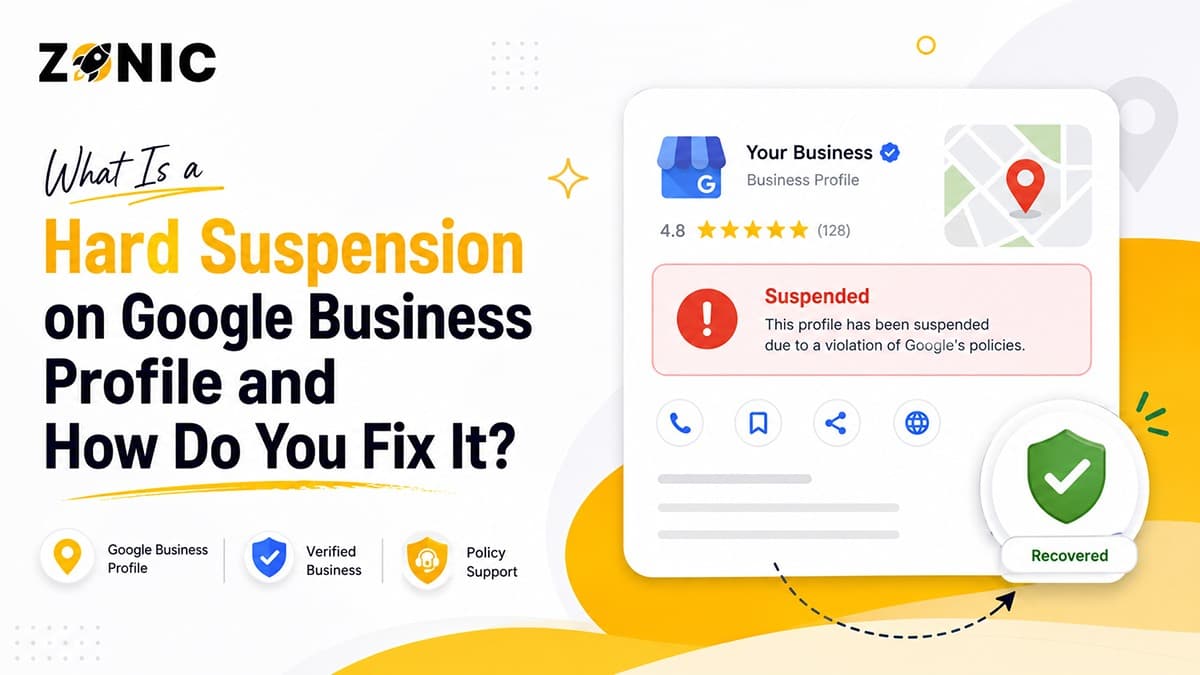
A Hard Suspension on Google Business Profile means that your account has violated one of Google's policies.
A hard suspension implies that your listing for your business is taken from public sight in Google Search and Google Maps. This section will cover what it is, what the significance is, and the difference between a soft suspension and a hard suspension.
Knowing What Hard Suspension Means
Hard suspension on Google Business Profile is the designation of a business profile that will not appear in Google search results or Google Maps. Generally, your profile information is not disclosed to the general public.
This means that your business name, phone number, website, address, service area, photos, reviews, hours and directions might not be seen. With local leads, this can be a big issue in a short amount of time.
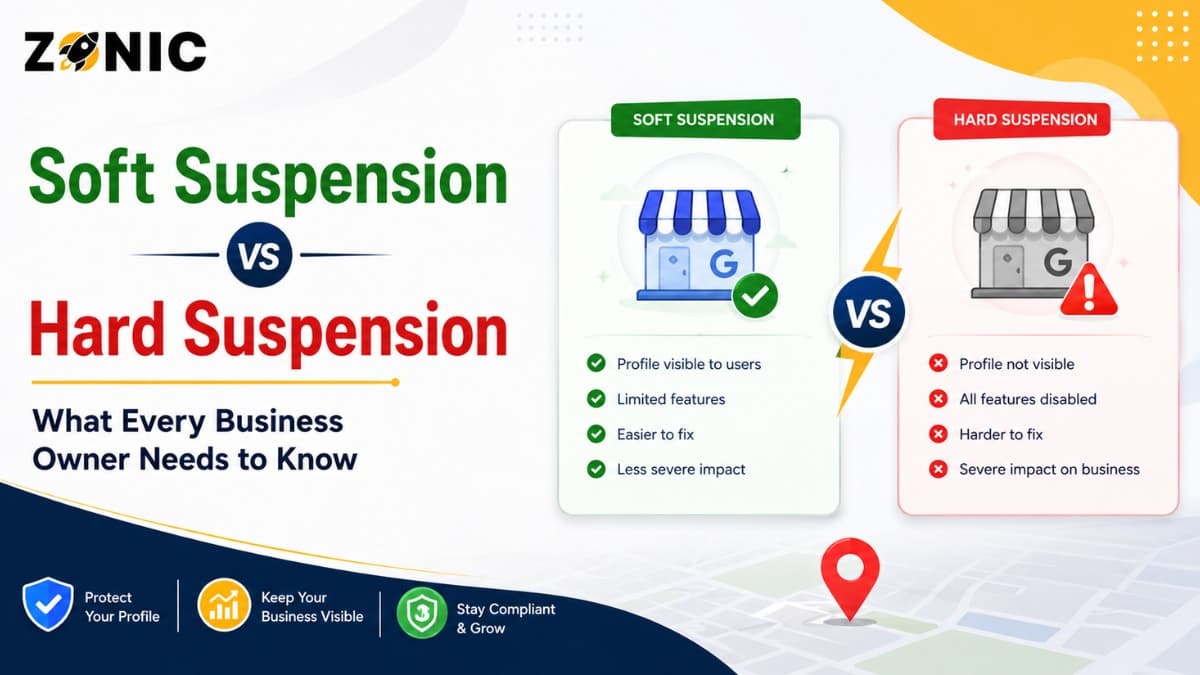
The Difference Between a Hard Suspension and Soft Suspension
A soft suspension typically involves a profile being visible online, albeit without control or management access by the business owner. The listing could still be visible for the customers but there is a possibility that you are not able to handle the listing properly.
For businesses in NYC, the impact can be even more pronounced, as people tend to compare businesses within the Google Maps app before dialing a phone number.
Why Google Business Profile Suspensions Happen
A few of the underlying reasons for Google's business profile suspension policy.
Google does suspend profiles when it discovers information that could be incorrect, misleading, unsubstantiated, or violate Google 'rules'. Even real companies can be suspended if the profile information does not follow Google's trust guidelines.
Google Is Keen to Get It Right When It Comes to Local Results
Google’s goal is to show accurate and trustworthy business information. Google may limit or block a profile if it looks fake, misleading, duplicated, or if it's inconsistent.
Google’s Business Profile guidelines advise businesses to be themselves, as they are recognized in the real world. All of these elements should be correct and uniform. All of these elements should be accurate and uniform.
Real Businesses Can Be Suspended Too
Not all businesses are fake, however, with a hard suspension. Many true businesses are suspended due to the confusion they cause by providing profile information.
For instance, your website might have a name; your profile might have a different name. Your business could have a service area model, but still have a private address. Your old agency might have done multiple listings for you. These little problems can lead to issues of trust.
Common Causes of a Hard Suspension GBP Issue
Here are some common causes for a hard suspension of a GBP issue. Here are a few common reasons for a hard suspension of a GBP issue.
The majority of hard suspension cases occur due to an issue with the business name, address, category, service area, duplicate listing, or the online consistency. This section explains the most common causes.
The Use of Keywords in the Business Name Section
Google Business Profile suspension is one of the most prevalent causes of their suspension. This occurs when additional service terms, city names,is or promotional text are included in the business name.
For instance, if your actual business name is “ABC Roofing,” then your profile shouldn't read “ABC Roofing Best Roof Repair NYC." Now that additional text has been added, it might seem like a bid for ranking.
The name of the business should be the actual name used in the business, not just on signs and stationery but in the real world, as acknowledged by the customers of the business, according to Google's guidelines. The business name should not include unnecessary information; if it does it is not permitted and may lead to a suspension.
Wrong or Misleading Address
Another factor that often leads to hard suspension is problems that occur during the address. Google assumes that the address shown in your profile belongs to a real business address.
Problems arise when a business is using a P.O. box, UPS mailbox, fake office, unstaffed virtual office, or home address in an inappropriate manner. According to Google's guidelines, it's not acceptable to use a P.O. Box or mailbox at a remote location.
If customers come to your business location, it should be a real place with the required staffing and business connection. You might need to tweak the profile setting if your customers don't come to you.
Business Set Up Errors in Service Areas
In the USA and NYC, many businesses go to their customers' homes or work sites. In the USA and NYC, many businesses visit their customers at their homes or work site. Roofers, Plumbers, HVAC Companies, cleaners, pest control companies, locksmiths, and Mobile Services.
If you don't accept customers at your indicated address, you might have to conceal your address and set a service space. Google clarifies that service-area companies can conceal their address and indicate the areas they supply.
Create Multiple Google Business Profiles
Create multiple Google Business Profiles. Make copies of Google Business Profiles.
Duplicate listings can lead to confusion for Google and customers. Google might think it is a quality issue if there is more than one profile for the same business location.
This usually occurs when a previous employee, marketing agency, or previous owner has made another profile. Also, for some business owners, when their profile is suspended, they create a new profile. This can exacerbate the issue.
The original profile should be reviewed and corrected accordingly rather than a new listing should be added.
Wrong Business Category
The main one should be the most obvious description of your primary business. It shouldn't be chosen just because of its popularity in search results.
For instance, if a digital marketing agency is not looking to get into the health care business, then it shouldn't enter into another category just to get more traffic. The category should not be different from the actual service to be performed by the contractor.
Google wants categories to be precise and correct. Your profile might appear suspicious if it doesn't correspond to your business.
The Impact of a Hard Suspension on Your Business
A suspension will have a bigger impact than a map suspension. It can decrease calls, website visits, direction requests, customer trust, and visibility in the local area, particularly when the surrounding area is competitive, such as NYC.
Loss of Google Maps Visibility
The major problem with a hard suspension is that customers just might not be able to locate your listing on the Google Maps.
This is important because people search directly on Google maps when they are looking for a local service. They go through the reviews, pictures, distance, hours, and phone numbers before deciding on the company to call.
Drop in Calls and Leads
A robust Google Business Profile can generate phone calls, website clicks, bookings, and directions. Those actions can plummet rapidly when the profile is hard suspended.
If your web site remains active, you might not be able to be reached by many of your customers, since they were relying on your map listing as their primary contact.
Loss of Customer Trust
If a business profile is deleted, users could be left with questions about whether the business is closed or inactive, or if it is not reliable. It might also be difficult for customers to locate your new phone number, address or business hours.
This is why a hard suspension is more than just an SEO problem. It's also a trust thing.
How to Fix a Google Business Profile Hard Suspension
Google Business Profile Hard suspension can be fixed by taking these steps:
A hard suspension is a process that needs to be done with caution. You should examine the profile, recognize the violation, rectify the issue, collect evidence, and then file an appropriate appeal.
Step 1: Read the Profile Carefully
In Step 1, the student reads the profile carefully. In Step 1, the student reads the profile carefully.
Please check your profile against the Google guidelines before filing an appeal. Do not guess. Avoid changing things arbitrarily. Search for information that might be incorrect, unsubstantiated, or misleading.
Check these important areas:
Business name
Address setup
Service area
Primary category
Phone number
Website URL
Duplicate listings
Recent profile edits
Business documents
Online citations
Step 2: Fix the Policy Issue
Once you've determined what you think the problem is, resolve it if you are still in control of the profile. Take out extraneous keywords in the business name. Update business category. Don't reveal your address if your customers don't come to your location! Narrow down the service area if it is too general or is not correct.
Never make changes solely to test out a new thing. Every change to be based on a true guideline issue.
If you cannot even see the profile, make sure to gather the proper information and in your appeal explain it clearly.
Step 3: Collect Solid Evidence
A well-documented appeal can make the difference in the quality of your appeal. Google states that evidence must be in support of the business being appealed, and documents must be based on the name and address of the business on its profile.
Some evidence that may be useful is:
Business license/registration number
Utility bill
Lease agreement
Tax document
Insurance document
Storefront photos
Permanent signage photos
Branded vehicle photos
Interior office photos
Website screenshots
Step 4: Submit the Appeal
You are required to submit the appeal. Upon resolution and documents prepared, submit the appeal via Google's appeals process for Business Profile.
Business owners can use the appeals tool to review restricted profiles, the action, and submit an appeal, Google said. According to Google, some restrictions on user profiles and content can take up to 5 business days to be reviewed and decided upon, and users should not make multiple appeals for the same problem until they receive a response.
Your appeal must be succinct, businesslike and be fact-based. Don't point fingers at Google. Avoid writing from an emotional point of view. If a profile is being reviewed, do not to create a new profile.
Step 5: Wait and Monitor the Outcome
The final step is to wait and monitor the outcome.
Once the appeal is submitted, it will be sent to your email and Google Business Profile dashboard. Don't repeat appeals unless Google requests more information or the appeal is rejected.
Once you've been approved for the appeal, take your time and carefully check your profile after you've been reinstated. If refused, it may require more evidence or a comprehensive profile audit to appeal for a further review.
What Should Be the Content of the Appeal?
The point of your appeal should be to make it clear that your business is real, eligible and compliant. Stay brief, concise and on topic of your correction.
Simple Appeal Example
Here's a pure example Zonic can work from:
We read the Google Business Profile guidelines and resolved the problem with the Google Business Profile for our business. Our business name, address, phone number, website and supporting documents are consistent as shown below:
Dramatic appeals are not the only kind of appeals that are good. Google reviewers want to see that your business complies with the guidelines.
Mistakes to Avoid During Reinstatement
Many business owners make the problem worse because they panic after the profile disappears. This section explains what not to do when dealing with a hard suspension.
Do Not Create a New Profile Immediately
Creating a new Google Business Profile after a hard suspension is usually not the right solution. It can create duplicate listing issues and may make reinstatement harder.
Google may connect the new profile with the old suspended one. Instead of solving the problem, this can create more confusion.
The safer approach is to fix the original profile first.
Do Not Submit the Appeal Too Fast
Many business owners submit an appeal as soon as they see the suspension notice. This is a common mistake.
If the profile still has the same issue, the appeal may be denied. Google wants to see that the business follows the guidelines before reinstatement.
Audit first. Fix second. Appeal third.
Do Not Use Mismatched Documents
Your documents should match the profile you are applying to. If your business license shows one name, your Google Business Profile shows another, and your website shows a different address, Google may not trust the profile.
Make sure your business name, address, phone number, and website are aligned before submitting proof.
How to Prevent Future Hard Suspensions
Preventing suspension is better than fixing it later. A clean profile, consistent business information, accurate categories, and proper service-area setup can reduce future risk.
Keep Your Business Name Accurate
Use your real business name only. Do not add city names, service keywords, taglines, phone numbers, or promotional words unless they are part of your legal or real-world business name.
This helps your profile stay aligned with Google’s guidelines and reduces the risk of another suspension.
Keep Address and Service Area Correct
If customers visit your office, make sure your address is real, staffed, and supported by signage or documentation.
If you travel to customers, set up your service area properly and hide your address when required. Do not use a mailbox or virtual office as a shortcut.
Keep Information Consistent Across the Web
Your website, Google Business Profile, social media pages, citations, and business documents should all show consistent information.
This includes your business name, address, phone number, website, and services. Consistency builds trust with both Google and customers.
Avoid Frequent Major Edits
It is normal to update your profile when needed. But changing your name, address, category, phone number, or website too often can look suspicious.
How Zonic Helps With Google Business Profile Hard Suspension
Zonic helps businesses across the USA and NYC review suspended profiles, identify likely causes, prepare evidence, write appeal explanations, and reduce future suspension risk.
Profile Review and Diagnosis
Zonic starts by reviewing your Google Business Profile, website, business details, categories, address setup, service area, and possible duplicate listings.
Evidence Preparation and Appeal Support
Zonic helps prepare clean supporting evidence and write a professional appeal message. This matters because weak appeals can lead to rejection.
Future Risk Reduction
After reinstatement, Zonic can help clean up your online business information, reduce duplicate listing issues, improve NAP consistency, and make your Google Business Profile safer for long-term local SEO.
Conclusion
A hard suspension on Google Business Profile can be stressful, especially if your business depends on Google Maps for calls, leads, and local visibility. But a hard suspension does not always mean your profile is gone forever.
If you are dealing with a hard suspension GBP issue and do not want to risk another rejection, Zonic can help.
Call Zonic Media today at (302) 726-9736 or visit us at 8 The Green, STE B Dover, Kent, DE 19901 United States for help with Google Business Profile suspension support across the USA and NYC.
Frequently Asked Questions
What is a hard suspension on Google Business Profile?
A hard suspension on Google Business Profile means your business listing has been removed from public view on Google Search and Google Maps. Customers may not be able to see your reviews, phone number, photos, hours, website link, or directions until the profile is reinstated.
Why did my Google Business Profile get hard suspended?
Your Google Business Profile may get hard suspended because of keyword stuffing, address issues, duplicate listings, service-area setup mistakes, wrong categories, suspicious edits, or business information that does not match Google’s guidelines.
How do I fix a Google Business Profile hard suspension?
To fix a Google Business Profile hard suspension, review the policy issue, correct the problem, gather supporting business documents, and submit an appeal through Google’s Business Profile appeal process. Make sure your documents match your business name and address.
Can I create a new Google Business Profile after a hard suspension?
Creating a new Google Business Profile after a hard suspension is usually not recommended. It can create duplicate listing problems and may make reinstatement harder. It is better to review and fix the original profile first.
What documents help with Google Business Profile reinstatement?
Helpful documents may include a business license, business registration, utility bill, lease agreement, tax document, insurance document, storefront photos, signage photos, branded vehicle photos, and other proof that your business is real and consistent.