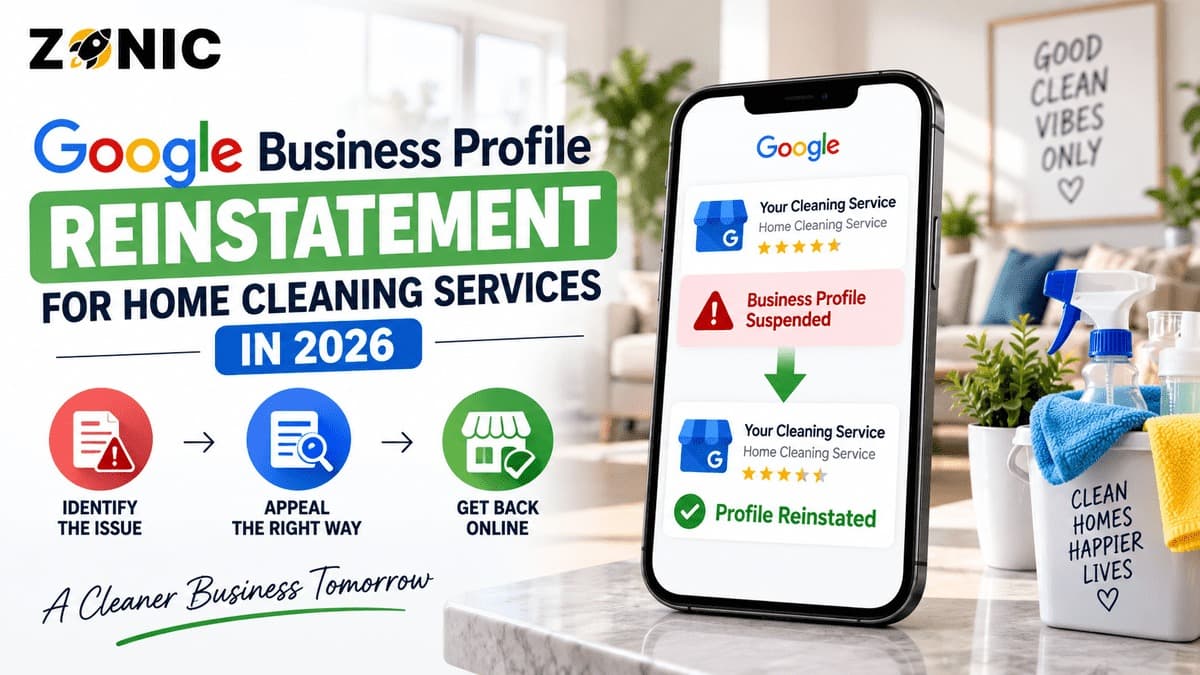
When a cleaning service GBP suspended issue happens, it can affect new bookings fast. Your business may stop showing properly on Google Maps for house cleaning, move-out cleaning, deep cleaning, apartment cleaning, recurring maid service, post-construction cleaning, or local cleaners near me searches.
For home cleaning companies, this can directly affect calls and quote requests.
Many customers search when they are ready to book. A homeowner may need a one-time deep clean before guests arrive. A landlord may need move-out cleaning before a new tenant moves in. A busy family may be looking for recurring weekly or biweekly service. If your Google Business Profile is suspended, those customers may never reach your business.
The stressful part is that many cleaning business owners do not know what caused the suspension. The profile may have looked fine before. Then one address issue, one verification request, one duplicate listing, one name change, or one policy review can restrict the profile.
The wrong reaction can make recovery harder.
Some cleaners create a new listing. Some show a home address publicly. Some use a mailbox or virtual office to look more local. Some change the business name to add city or service keywords. Others appeal without checking whether the documents match the profile.
A better reinstatement process starts with a careful review. You need to confirm that the profile accurately represents the real cleaning company, fix risky details, prepare matching evidence, and use the official appeal process.
This guide explains why home cleaning Google Business Profiles get suspended, what to check before appealing, what evidence may help, and how to protect the listing after reinstatement.
Why Home Cleaning Google Business Profiles Get Suspended
Home cleaning companies often operate as service-area businesses. Teams travel to customer homes, apartments, rental units, condos, offices, and properties instead of serving customers at a storefront. That business model is normal, but the Google Business Profile setup must match it.
If customers do not visit your location, the profile should not make the address look like a public office. A home address, private dispatch point, mailbox, coworking address, or virtual office can create risk if it is shown publicly as if customers can visit.
Google allows service-area businesses when they visit customers, but the business information must be accurate. The profile should represent how the cleaning company actually operates.
Cleaning profiles can also face issues because the industry has many lead-generation listings, duplicate profiles, fake city listings, and keyword-stuffed names. A legitimate house cleaning company can still be suspended if the profile looks unclear or inconsistent.
A suspension does not always mean the business is fake. It often means Google needs stronger proof that the listing follows the rules and represents the real business correctly.
Address Setup Is Often the Main Problem
Address issues are one of the most common causes of suspension for cleaning companies. Many home cleaning businesses are run from a home office or small private office. Customers usually do not visit that location to buy cleaning services.
That means the address setup needs care.
If your cleaning company is service-area only, the address should normally be hidden from the public. Your profile can still list the areas where your cleaners travel, but it should not show a private or unstaffed address as a storefront.
If your company has a real office where customers can visit during posted hours, the public address may be appropriate. In that case, the location should be real, staffed, and supported by proof such as signage, lease documents, utility bills, office photos, or business registration.
Service-Area Setup Should Match Real Operations
A service-area business setup is not a shortcut. It should reflect where your cleaning company actually works.
Do not add every nearby city just to chase rankings. If your team cannot realistically serve an area, it should not be part of the profile strategy. A wide service area does not guarantee strong ranking everywhere.
For house cleaning companies, realistic service areas matter because customers want reliable scheduling. A business that claims too many areas may look less credible and may struggle to build local trust.
Your profile should show where you can actually send cleaners, not every market you want to target someday.
Do Not Create a New Cleaning Profile After Suspension
Creating a new Google Business Profile after suspension may seem like the fastest fix, but it can create duplicate problems. Google specifically says not to create a new Business Profile for the same business while the appeal is under review.
A new listing does not erase the issue that caused the original suspension.
Google may connect both profiles through the same business name, phone number, website, address, service area, owner account, category, or photos. If that happens, the new listing may also become restricted or create more confusion during review.
The original cleaning profile may already have valuable reviews, photos, service history, posts, calls, and local trust. Starting from zero can mean losing that value.
For most legitimate home cleaning services, recovering the original profile is safer than creating another one.
Common Suspension Triggers for Home Cleaning Services
Before filing an appeal, review the profile for issues that may have caused the suspension. A reinstatement request is stronger when obvious risks are fixed first.
Possible Issue | Why It Can Hurt a Cleaning GBP | What to Review |
Public home address | Customers usually do not visit a cleaner’s home office | Check whether the address should be hidden |
Virtual office or mailbox | It may not represent a real customer-facing location | Review whether the location is staffed and eligible |
Keyword-stuffed business name | Google expects real-world business names | Compare profile name with website, invoices, uniforms, and documents |
Duplicate listings | Multiple profiles for one cleaner can confuse Google | Search old names, phone numbers, websites, and addresses |
Fake city profiles | Serving a city is not the same as having an office there | Remove risky listings without real locations |
Wrong category | Google may not understand the main service | Check whether the main category fits cleaning services |
Website mismatch | Conflicting details weaken trust | Match name, phone, address, and service areas |
Recent major edits | Sudden changes can trigger review | Check edits to name, address, phone, category, and website |
This review should happen before the appeal. If the same problem remains, Google may still see the listing as risky or unclear.
Review the Cleaning Business Name Carefully
The business name on your Google Business Profile should match your real-world cleaning company name. It should not include extra city names, service phrases, or promotional words unless they are part of the actual brand.
A company named “Fresh Home Cleaning” should not become “Fresh Home Cleaning Deep Cleaning Move Out Cleaning Maid Service Near Me” on Google.
That looks over-optimized.
The profile name should match your website, business registration, uniforms, branded vehicles, invoices, insurance documents, social profiles, and customer-facing materials.
Cleaning businesses often want to rank for many services, including deep cleaning, move-out cleaning, apartment cleaning, maid service, recurring cleaning, and post-construction cleaning. Those services belong in the services section and website content, not forced into the business name.
A clean business name helps the profile look more trustworthy.
Search for Duplicate Cleaning Business Listings
Duplicate profiles are common for cleaning businesses. They may come from old agencies, previous business names, old phone numbers, old home addresses, directory sources, or lead-generation campaigns.
Before appealing, search Google Maps for your business name, old business names, phone number, old phone numbers, website URL, current address, old addresses, and main service terms.
Look for listings that represent the same cleaning company under slightly different names.
Do not delete or close listings randomly. Some profiles may have reviews or ownership history. Others may need to be resolved carefully.
Duplicate listings can make reinstatement harder because Google may not know which profile represents the real business.
A clean appeal should make the main profile easy to identify.
Prepare Evidence for Cleaning Service GBP Reinstatement
Google may ask for evidence during the appeal process. Google says documents should match the business name and address on the profile. Examples can include official business registration, business licenses, tax certificates, and business utility bills.
For home cleaning services, useful evidence may include business registration, cleaning business license if required locally, tax certificate, insurance certificate, utility bill, lease, branded vehicle photos, uniform photos, equipment photos, office photos, website screenshots, and business cards.
The evidence should prove that the business is real and accurately represented.
If your profile uses a brand name but your documents show a legal company name, prepare a simple explanation that connects both names. If your address is hidden because you are a service-area business, the evidence may still need to prove your operating base.
For cleaning companies, branded proof can be very useful. Uniforms, vehicles, equipment, cleaning kits, and branded materials help show that the company provides real service at customer locations.
Do not upload customer invoices, home addresses, cleaning checklists with private details, payment records, access codes, key instructions, or photos inside customer homes without permission.
How to Submit the Appeal Properly
Use the official Google Business Profile appeals tool while signed in to the account that manages the suspended profile. Select the restricted profile and review any moderation reason or policy information shown.
Do not rush through this step.
If the issue appears related to address visibility, fix the service-area setup before submitting. If the name is stuffed with keywords, clean it up. If duplicate listings exist, document the issue and avoid creating another profile.
If Google offers the option to submit evidence, prepare your files before opening the form. Your evidence should match the profile and support the real business.
Your appeal message should be short and factual.
Explain that the profile has been reviewed, inaccurate details have been corrected if needed, and the attached evidence supports the real cleaning company name, operating location, and eligibility.
Avoid long emotional messages about lost leads or competitors. Google needs a clean explanation and matching proof.
What to Avoid While the Appeal Is Pending
Once the appeal is submitted, keep the case stable. Do not create another profile for the same cleaning business. Do not keep changing the business name, phone number, address, category, website, or service areas.
Do not submit repeated appeals before Google responds.
Too many changes can make the case harder to review.
While waiting, review your website and major online listings. Make sure your business name, phone number, service areas, and services match across important platforms.
Also review manager access. Remove old agencies, former employees, previous partners, or unknown users who should not control the profile.
A pending appeal should look accurate and easy to verify.
If the Cleaning GBP Appeal Is Denied
A denied appeal does not always mean the profile cannot be recovered. It means Google did not approve the first request or the profile still appears to have unresolved issues.
Do not immediately send the same appeal again.
Review the profile from the beginning. Check the business name, address setup, service areas, category, website, phone number, duplicate listings, recent edits, and evidence match.
If an additional review is available, use stronger evidence that was not included before. This may include clearer registration documents, insurance proof, utility bills, lease documents, branded vehicle photos, uniform photos, equipment photos, and website details that match the profile.
The next request should be better organized than the first.
If the problem is a public home address, virtual office, fake city listing, or keyword-stuffed name, fix that issue before sending more documents.
Protect the Cleaning Profile After Reinstatement
After reinstatement, avoid making several major edits immediately. A restored profile should remain stable and accurate.
Start by checking the business name, category, phone number, website, hours, service areas, services, photos, reviews, and manager access.
Make sure the profile matches the website, business documents, branded materials, social profiles, and major directories.
Then improve the profile gradually.
Add real photos of branded vehicles, uniforms, cleaning equipment, supplies, office space if applicable, and team photos where appropriate. Avoid showing customer homes, personal belongings, addresses, security systems, or private spaces without permission.
Keep service descriptions clear and accurate. Add house cleaning, deep cleaning, move-out cleaning, recurring cleaning, apartment cleaning, and post-construction cleaning only if your business truly offers them.
A restored profile should build customer trust and reduce future risk.
Home Cleaning GBP Reinstatement Checklist
Use this checklist before submitting or resubmitting an appeal:
Confirm whether customers visit the listed address
Hide the address if the business is service-area only
Review the business name for extra keywords
Check that service areas are realistic
Search for duplicate cleaning company profiles
Confirm the primary category matches the service
Match website, phone number, and profile details
Prepare registration, tax, insurance, utility, or lease proof
Add branded vehicle, uniform, equipment, or office evidence
Avoid creating a new profile while the appeal is pending
This checklist helps keep the reinstatement case focused and easier to review.
How Zonic Helps Home Cleaning Services With GBP Reinstatement
Zonic helps home cleaning companies review suspended Google Business Profiles before appeal mistakes make the case harder.
The review starts with the profile setup. Zonic checks the business name, address visibility, service-area setup, category, phone number, website, recent edits, manager access, and duplicate listing risks.
For cleaning services, service-area setup is often the most important issue. Many cleaning companies travel to customers and do not receive customers at a public office. Zonic helps identify whether the profile accurately reflects that model.
Zonic also reviews evidence before submission. This may include business registration, insurance documents, tax records, utility bills, lease proof, branded vehicle photos, uniform photos, equipment photos, business cards, and website consistency.
If the first appeal was denied, Zonic can help review what may have been missing and prepare a cleaner additional review request when that option is available.
The goal is not to make random edits or submit repeated appeals. The goal is to build a reinstatement case that is accurate, organized, and easy to understand.
Conclusion
A cleaning service GBP suspended issue can interrupt quote requests, recurring cleaning leads, move-out cleaning bookings, deep cleaning inquiries, and local customer trust. But panic actions can make recovery harder.
Do not create another profile for the same cleaning business. Do not show a home address publicly if customers do not visit. Do not use a mailbox or virtual office to rank in more cities. Do not stuff keywords into the business name. Do not submit documents that do not match the profile.
Instead, review the listing carefully. Check the address setup, service-area settings, business name, category, website, phone number, duplicate profiles, and recent edits. Prepare evidence that clearly proves the cleaning company is real, eligible, and accurately represented.
Then use the official appeal process and keep the case stable.
If your house cleaning Google Business profile is suspended and you are unsure what to do next, you can reach out to Zonic for a careful review before submitting or resubmitting an appeal.
Call Zonic Media at (302) 726-9736 or visit 8 The Green, Suite B, Dover, DE 19901 to request help with Google Business Profile reinstatement for your home cleaning service in New York City or anywhere across the United States.
Frequently Asked Questions
Why was my cleaning service Google Business Profile suspended?
Your cleaning service profile may be suspended because of a public home address, virtual office, mailbox, keyword-stuffed business name, duplicate listing, wrong category, website mismatch, recent major edits, or evidence that does not support the profile.
Should a home cleaning service show its address on Google?
Only show the address if customers can visit the business location during posted hours. If your cleaning company travels to customers and does not serve customers at the address, the profile should usually be set up as a service-area business with the address hidden.
What documents help with cleaning service GBP reinstatement?
Helpful documents may include business registration, cleaning business license if required, tax certificate, insurance certificate, utility bill, lease, branded vehicle photos, uniform photos, equipment photos, business cards, and website screenshots.
Can duplicate cleaning business listings cause suspension?
Yes. Duplicate listings can confuse Google and customers. They can also make it harder to prove which profile represents the real cleaning company.
Can I create a new Google Business Profile after suspension?
No. Google says not to create a new Business Profile for the same business while an appeal is under review. A new listing can create duplicate issues and make reinstatement harder.