
How Competitor Flags Can Get Your GBP Suspended (and How to Fight Back)
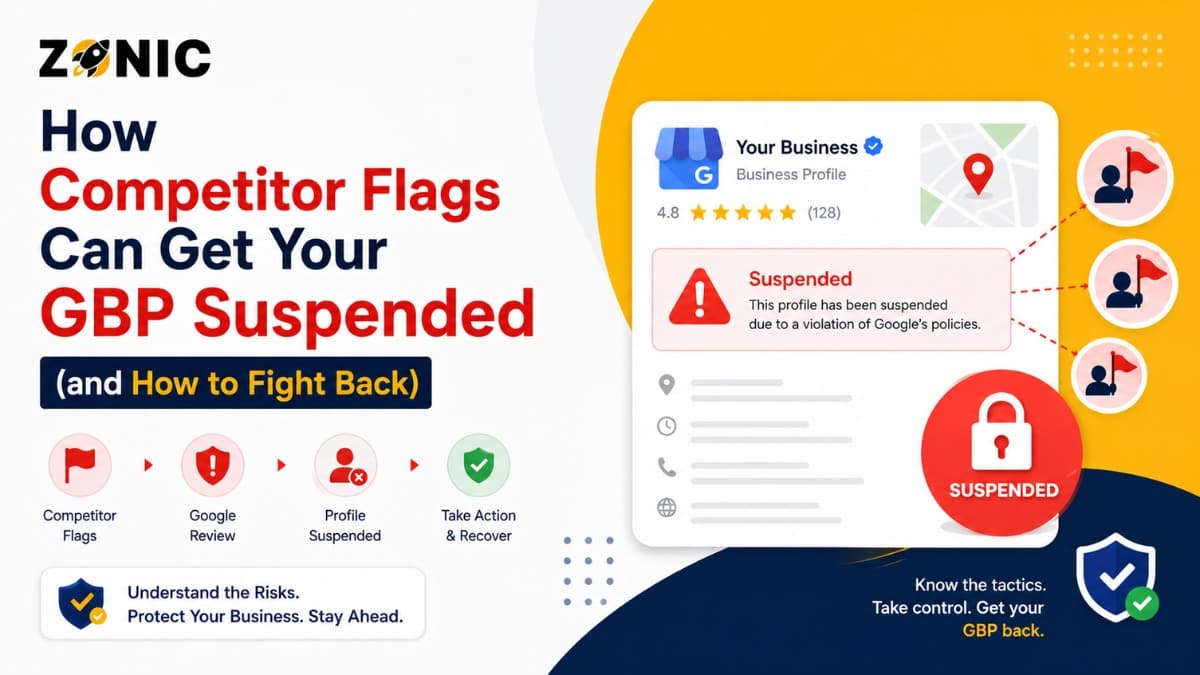
Google Business Profile is one of the best lead sources that your business can have. Your profile will display your reviews, phone number, website, photos, hours, and directions when people search for your service. That visibility can become actual calls and actual clients for businesses in the USA and for overcrowded markets like NYC.
However, there are times when a Google Business Profile is suspended due to a blunder by the business owner. Sometimes a competitor flag will draw attention to a profile that already has bad or risky information. They can't hit the button to delete your listing. However, if they report your profile, and Google does discover a true issue, your GBP may be restricted or suspended.
Google states that Business Profiles could be suspended or disabled if they are not compliant with the guidelines, and businesses can appeal if they feel the profile should be restored. Google also advises owners to ensure the profile abides by guidelines prior to appealing.
How Competitor Flags Can Put Your GBP Under Review
It doesn't automatically mean your profile is suspended just because you have a competitor flag. Usually it indicates that Google will pay more attention to your listing, particularly if one of the reports refers to something that is against the rules.
What a Competitor Flag Means
A competitor flag is a warning by the competitor about your Google Business Profile or a recommendation to edit your profile as it contains false, incorrect, misleading, or spammy information.
This can be done via suggested edits, report options, policy complaints, or content reports. At times, the report is just. It can be aggressive at times. Occasionally, it is obviously so when a competitor is trying to take the wind out of another company's sails.
However, even so, Google shouldn't suspend a profile because of a complaint. Typically, the report should refer to something that seems amiss.
Why Competitor Flags Are a Bad Idea
If you've got risky information in your profile, a competitor flag will be risky. If your business's name contains additional keywords, for instance. The address you provided might not correspond to how your business is run. You may have too large of a service area. You are allowed to start more than one listing.
Any of those red flags will be a problem if Google looks at the profile.
This is where a clean profile setup is crucial. The stronger and more accurate GBP gets, the harder it is to strike it.
Why Competitors Report Google Business Profiles
Some of the competitors report profiles because they encounter real violations. Others are doing it because local competition is fierce and they do not want more businesses to be included in the map results.
Competitors May Report Names with Too Many Keywords
The easiest thing about competitors to report is that they have a business name with additional keywords.
You can use an example of this to understand the problem: If your real business name is BrightLine Plumbing, but your profile states BrightLine Plumbing Emergency Plumber NYC 24/7, then a competitor can flag it. You might get a letter saying that your business name isn't the same as you've used it.
Google's guidelines state that a business should be portrayed as it exists in the real world, and information contained in the profile should be accurate. Businesses are advised to refrain from using prohibited content and conduct, in accordance with the same guidelines, as part of helping to prevent suspension.
Competitors Can Report Address Issues
Another frequent pest control target is addressing issues. A competitor can also determine if that address is public, staffed, or customer-facing by viewing your profile.
This is a common occurrence for service businesses in their service areas. A competitor can report a showing of a public address as a public location by a roofing company, a plumber, a cleaning company, or an HVAC company if that address is a residential address or a virtual office.
Google does verify, and if the address is not within the rules, then the profile could be in jeopardy.
Competitors Can Report Duplicate Listings
Duplicate profiles are also easy targets. Competitors can report duplicate listings if a business has more than one service area, service type, or location.
Duplicate listings can cause confusion for customers, confuse reviews, and make Google wonder which of the two is the real deal. Old profiles, which may have been done by a previous owner, employee, or agency, can cause issues in the future.
The Profile Weaknesses That Make Competitor Flags Work
A clean profile can survive unfair reports better than a risky one. Most competitor flags become a real problem when the profile already has something Google can question.
Weakness 1: The GBP Name Does Not Match the Real Business
If your GBP name does not match your website, signage, business documents, or branding, it becomes easier for competitors to report.
Business owners often add keywords because they want better rankings. But that can leave the profile exposed. A competitor only needs to point out that the name is not the real business name.
The safer move is simple. Use the real business name and place services in the correct profile sections.
Weakness 2: The Address Looks Suspicious
An address that does not match the business model can create serious risk.
If customers visit your location, your address should be real and connected to the business. If customers do not visit, showing the address publicly can cause trouble. This is especially true for service-area businesses that operate from a home office or private location.
Google’s appeal guidance says evidence should support the business being appealed and match the business name and address on the profile.
If you cannot prove the address, it becomes harder to defend the profile.
Weakness 3: The Website Does Not Support the Profile
Your website should match your GBP. If your profile says one business name, your website says another, and your footer shows a different phone number, Google may see the profile as unreliable.
Competitors may not know your full backend setup, but they can see public inconsistencies. If the information looks messy, it becomes easier for them to report.
Weakness 4: Old Profiles Are Still Live
Old profiles can hurt you even if you do not use them. A previous agency may have created one. A former employee may have used another email. A business owner may have made a second profile after losing access to the first one.
If competitors find duplicates, they may report them. Google may then restrict one or more profiles.
What Happens After a Competitor Flags Your GBP
A competitor flag can lead to different outcomes. Sometimes nothing happens. Sometimes Google accepts an edit. Sometimes the profile is reviewed more closely and suspended.
Google May Review the Report
After a report or edit suggestion, Google may review the profile information. The review may be automated, manual, or a mix of both.
Google says it may moderate Business Profiles and Business Profile content that violates guidelines, and some profile restrictions or content decisions can be appealed.
This matters because a competitor flag can act like a spotlight. If your listing is clean, the spotlight may not hurt you. If the listing has issues, Google may take action.
Google May Accept Suggested Edits
Sometimes a competitor does not try to suspend your profile directly. They suggest edits instead. They may try to change your business name, hours, location, category, or status.
Not every suggested edit is accepted, but business owners should monitor their profiles carefully. A wrong edit can confuse customers or weaken your listing.
Google May Suspend the Profile
If Google finds a serious policy issue during review, the profile may be suspended or disabled. Google’s policy page says that when violations occur, Google may restrict content from displaying or restrict access to the profile or merchant account.
This is the moment many business owners feel blindsided. But usually, the suspension is connected to something Google believes does not follow the rules.
Signs a Competitor May Have Flagged Your GBP
You may not always know who reported your profile. Google usually does not give that kind of detail. Still, some signs may suggest your profile was recently reviewed or challenged.
Your Business Details Suddenly Change
One sign is that your business name, hours, address, category, or phone number suddenly changes without your approval.
This can happen through suggested edits. It does not always mean a competitor did it, but in competitive industries, it is worth watching closely.
Your Profile Gets Suspended After Ranking Improvements
Some business owners notice trouble after their profile starts ranking better. More visibility can bring more customers, but it can also bring more competitor attention.
That does not prove a competitor flag caused the suspension. But if your profile was already risky, higher visibility may have made it easier for someone to report.
You Find Duplicate or Fake Listings Nearby
In some markets, competitors use aggressive local SEO tactics. You may see fake listings, keyword-stuffed names, or duplicate locations. If you are in that environment, your own profile needs to be cleaner than ever.
Do not copy bad tactics just because others are doing them. A competitor may get away with it for now, but that does not make it safe.
What Competitors Usually Report on a GBP
Competitors tend to report details that are easy to see from the outside. These are the areas you should keep clean before someone else points them out.
Check these parts of your profile first:
Business name with extra keywords
Public address for a non-customer-facing business
Wrong business category
Duplicate profiles for the same business
Service areas that look unrealistic
Website details that do not match the profile
Phone number mismatch
Fake reviews or suspicious review patterns
Photos that do not represent the business
Business hours that look inaccurate
This is the first bullet-point section. These are the details competitors can usually see without having access to your dashboard.
How to Fight Back After a Competitor Flag
The best way to fight back is not to argue with competitors. The best way is to make your profile defensible, gather proof, and handle the appeal properly.
Do Not Create a New GBP Immediately
Creating a new profile right after a suspension can create duplicate listing problems. It may also make Google trust your business less.
If the original profile is suspended, focus on fixing that profile first. A new listing may feel like a shortcut, but it can create a longer problem.
Clean Up the Profile Before Appealing
Before you appeal, review the profile carefully. If the business name has extra keywords, clean it. If the address is wrong, fix it. If the category does not match, correct it. If duplicate profiles exist, handle them carefully.
Google tells business owners to make sure the profile follows guidelines before submitting an appeal.
That one step can save you from a weak appeal.
Gather Proof That Supports Your Profile
Your appeal should not be emotional. It should be supported by proof. If a competitor reported your address, show documents that prove the business location. If they reported your name, show documents that match the real business name.
A clean appeal is easier to review than a long complaint.
Evidence That Helps You Fight Back
When your GBP is suspended after a competitor flag, your evidence should prove that the business is real, eligible, and accurately represented.
Useful evidence may include:
Business license
Business registration
Utility bill
Lease agreement
Tax document
Insurance document
Storefront photos
Permanent signage photos
Branded vehicle photos
Website screenshots
This is the second and final bullet-point section. Your documents should match the name, address, phone number, and website connected to the profile.
What to Say in Your GBP Appeal
Your appeal should sound calm, clear, and factual. Google reviewers need to understand what was fixed and why the profile follows the rules.
A Simple Appeal Example
Here is a clean example:
“Our business, Zonic, is a legitimate company located at 8 The Green, STE B, Dover, Kent, DE 19901, United States. We reviewed the Google Business Profile guidelines and corrected the issue related to our profile. Our business name, address, phone number, website, and supporting documents are consistent. Please review the attached evidence and consider reinstating our Google Business Profile.”
This type of appeal keeps the focus on facts. It does not complain. It does not accuse anyone. It simply shows that the profile is real and compliant.
Why You Should Avoid Blaming Competitors
Even if you believe a competitor reported your profile, the appeal should not focus only on that. Google does not need a long story about your competitor. It needs proof that your listing follows the rules.
You can mention that your profile may have been flagged, but the stronger approach is to show that your business details are accurate.
How to Protect Your GBP From Future Competitor Flags
You cannot stop every competitor from reporting your profile. But you can make your GBP harder to attack by keeping it clean, consistent, and easy to verify.
Keep the Name Clean
Use your real business name only. Do not add city names, service keywords, phone numbers, or promotional words unless they are part of your actual business name.
A clean name gives competitors less to report.
Keep Address and Service Area Honest
If customers visit your office, your address should be real, staffed, and supported by documents. If customers do not visit, set up your service area properly and hide the address when needed.
This matters a lot for home service businesses across NYC and the USA.
Watch Suggested Edits
Check your GBP regularly. Look for changes to your hours, category, phone number, business name, or address.
The sooner you catch wrong edits, the easier it is to correct them.
Keep Your Website Consistent
Your website should support the same business name, address, phone number, and service details that appear on your GBP.
If Google or a reviewer checks your site, it should confirm your profile, not create more questions.
How Zonic Helps Businesses Fight GBP Flags
Zonic media helps businesses across the USA and NYC protect their Google Business Profiles from risky setup issues, competitor flags, suspension problems, and weak appeals.
Competitor Flag Risk Review
Zonic reviews your GBP the way a competitor or reviewer might look at it. We check the business name, address setup, service area, categories, duplicate profiles, website consistency, and visible risk factors.
This helps find weak spots before someone reports them.
Suspension Appeal Support
If your profile is already suspended, Zonic helps identify the likely issue, organize evidence, and write a clear appeal.
The goal is to avoid panic edits and build a stronger case for reinstatement.
Long-Term Profile Protection
After the profile is restored, Zonic can help clean up NAP consistency, reduce duplicate listing confusion, monitor risky details, and improve the overall local SEO foundation.
A recovered profile should not stay exposed to the same problem.
Conclusion
Competitor flags can hurt your GBP, but they usually become dangerous when your profile already has something Google can question. A competitor cannot simply remove a strong, compliant listing. But if your business name is stuffed with keywords, your address looks risky, or duplicate profiles exist, a flag can trigger a closer review.
The best way to fight back is to make your profile clean, consistent, and easy to prove. Do not rush into a new listing. Do not send an emotional appeal. Fix the issue, gather strong evidence, and respond with facts.
If your GBP was flagged, suspended, or suddenly removed from Google Maps, Zonic can help. Call Zonic Media today at (302) 726-9736 or visit us at 8 The Green, STE B, Dover, Kent, DE 19901, United States, for Google Business Profile suspension support across the USA and NYC.