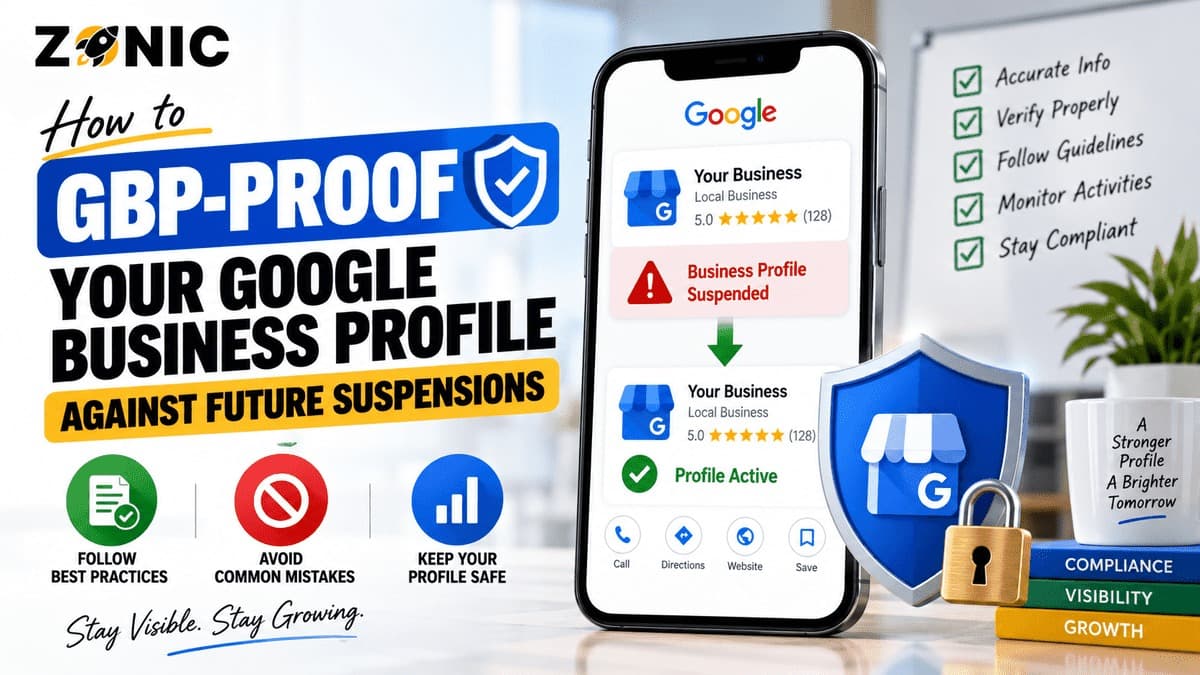
A Google Business Profile can bring calls, bookings, direction requests, website visits, and local trust. For many businesses, it is one of the most important lead sources they have. A customer may search for a plumber, dentist, roofer, attorney, med spa, restaurant, cleaning service, auto repair shop, or HVAC company and make a decision directly from Google Search or Maps.
That is why a suspension can feel serious.
When a profile is suspended, restricted, or disabled, the business may lose visibility in local search. Reviews, calls, photos, services, directions, and branded search trust can all be affected. Even if the business is real, the profile can still run into trouble when the setup looks inconsistent, risky, duplicated, or hard to verify.
The best way to handle suspension is to prevent it before it happens.
Google Business Profile suspension prevention is not about tricks. It is about making the profile clean, accurate, verifiable, and consistent with the real business. Google needs to understand who the business is, where it operates, how customers interact with it, and whether the profile follows the rules.
If you want to prevent GBP suspension, start by treating the profile like a business record, not an SEO playground. The name should match the real business. The address should match the real customer-facing or service-area model. The phone number and website should be consistent. The category should be accurate. The evidence should already exist before there is ever a problem.
A strong profile is easier for customers to trust and easier for Google to verify.
Why Google Business Profiles Get Suspended
Google may suspend or disable Business Profiles that do not follow its guidelines. Sometimes the reason is clear. Other times, the issue is hidden inside the profile setup, business information, manager account, or recent edits.
Common suspension risks include keyword-stuffed business names, fake addresses, virtual offices, duplicate listings, incorrect categories, misleading service areas, mismatched websites, and sudden major changes.
Some profiles are suspended after a business changes its name, moves offices, updates its phone number, switches website URLs, adds too many categories, or changes from storefront to service-area setup. These edits may be legitimate, but if they are not supported by real-world proof, they can trigger review.
Suspension risk is higher when the profile looks different from the business’s website, signage, licenses, invoices, directories, and customer-facing materials.
Google wants profiles to represent real businesses accurately. If the profile looks manipulated, unclear, or unverifiable, it becomes vulnerable.
Start With a Real-World Business Name
The business name is one of the most sensitive parts of a Google Business Profile. It should match the name customers know in the real world.
A business should not add extra services, cities, slogans, or ranking keywords to the name field unless those words are part of the actual business name.
For example, a company named “Summit Plumbing” should not become “Summit Plumbing Emergency Drain Cleaning Water Heater Repair Near Me.” A law firm should not add every practice area to its name. A roofer should not add five city names. A med spa should not add every treatment.
That may look like optimization, but it can create suspension risk.
Match the Name Everywhere Customers See It
The name on the profile should match the website, signage, vehicles, uniforms, business cards, licenses, invoices, social profiles, and major directories.
If the legal company name is different from the public brand name, the business should have proof that connects both names. This may include DBA paperwork, registration documents, website branding, invoices, or other business materials.
The goal is simple. If Google or a customer checks the business, the name should make sense everywhere.
Clean names are easier to defend. Keyword-stuffed names are harder to justify.
Use the Right Address Setup
Address issues are one of the biggest reasons profiles become risky. Google needs to understand whether customers visit the business location or whether the business travels to customers.
A storefront business should use a real location where customers can visit during posted hours. This may include a dental office, restaurant, auto repair shop, retail store, law office, medical clinic, gym, salon, or showroom.
A service-area business should use a setup that reflects travel to customers. This may apply to plumbers, roofers, HVAC companies, pest control companies, cleaners, electricians, landscapers, and mobile service providers.
If customers do not visit the business location, the address usually should not be shown publicly.
Avoid Mailboxes, Virtual Offices, and Fake Locations
A mailbox, virtual office, rented desk, private home, or unstaffed location can create problems if it is used as a public business address.
The address should not be used only to rank in a city.
If the business has a real office, make sure it is supportable. Evidence may include signage, lease documents, utility bills, office photos, suite photos, building directory photos, business registration, and website location details.
If the business is service-area only, the profile should not pretend to be a walk-in location.
A safe address setup reflects how customers actually interact with the business.
Keep Service Areas Realistic
Service-area settings should show where the business actually serves customers. They should not be used as a wish list of every city the business wants to rank in.
A cleaning company may serve several nearby towns. A plumber may cover a county. A roofer may serve multiple boroughs. That is fine when the team can realistically respond to customers in those areas.
The problem starts when businesses add large regions they do not truly serve. A huge service area can look weak, especially if the website, reviews, and business proof do not support it.
Service areas also do not guarantee rankings everywhere.
Google still considers location, relevance, and prominence. A business cannot force strong local rankings in distant places simply by adding city names to the profile.
Support Service Areas With Real Signals
If you serve an area, support it properly.
Build useful location pages for real service areas. Earn reviews from customers in those areas. Keep citations accurate. Make sure your website explains where you work. Avoid creating fake profiles for each city.
A service-area strategy should be honest and consistent.
Google Business Profile suspension prevention starts with avoiding setups that look like location manipulation.
Choose Accurate Categories
Categories help Google understand what type of business you are. The primary category should describe the main business as accurately as possible.
A plumber should not use a broad contractor category if a plumbing category fits better. A dental office should use an accurate dental category. A law firm should not choose unrelated categories just to reach more searches. An auto repair shop should not choose categories that describe services it does not offer.
Secondary categories can help when they reflect real services or business functions, but they should be used carefully.
Too many unrelated categories can make the profile look unfocused or misleading.
Do Not Use Categories as a Shortcut
Categories are not a place to exaggerate the business.
If a company does not offer a service, it should not choose a category related to that service. If a business is not a public-facing department or separate office, it should not create extra listings just to use more categories.
The category setup should match the website, reviews, services, staff, documents, and real-world operation.
A clean category structure helps Google understand the profile and helps customers trust the business.
Watch for Duplicate Profiles
Duplicate profiles are one of the most common sources of GBP problems. They may come from old agencies, previous owners, past addresses, old phone numbers, franchise changes, rebrands, or automated directory data.
A business may not even know duplicates exist until a suspension or verification issue happens.
Before making major edits to a profile, search Google Maps for the business name, old names, phone numbers, old phone numbers, website URL, current address, old address, and common service variations.
Look for profiles that represent the same business.
Handle Duplicates Carefully
Do not delete, close, or edit duplicates randomly. Some profiles may have review history, ownership issues, or old business information that needs careful handling.
The goal is to make it clear which profile represents the active business.
If multiple profiles use the same business name, address, phone number, or website, Google may struggle to identify the correct listing. That can increase risk.
A business should maintain one clean, accurate profile for each eligible location or eligible practitioner.
Keep Website and Profile Information Aligned
Your Google Optimization Profile should match your website. If the profile says one thing and the website says another, trust becomes weaker.
Check the business name, phone number, address, service areas, categories, hours, appointment links, and service descriptions.
If the profile says the business is open 24 hours but the website says regular office hours, that creates confusion. If the profile lists a city as a service area but the website does not mention it anywhere, the signal is weaker. If the profile uses one brand name and the website uses another, the profile becomes harder to verify.
Make the Website a Proof Source
Your website should help prove the business is real.
It should include the business name, contact information, service details, location details, team information where appropriate, and clear pages for major services.
For multi-location businesses, each location should have a useful page with real details. For service-area businesses, the website should explain where the company works without stuffing city names.
A strong website supports both ranking and reinstatement protection.
If the profile is ever reviewed, a clear website makes the business easier to understand.
Be Careful With Major Profile Edits
Major edits can trigger review. That does not mean businesses should never update their profiles. It means important changes should be made carefully and supported by real proof.
Sensitive edits include business name changes, address changes, phone number changes, website URL changes, category changes, service-area changes, and ownership changes.
If your business moved, rebranded, changed numbers, or opened a new location, update the website and supporting documents first.
Then update the Google Business Profile carefully.
Avoid Changing Too Many Things at Once
Changing several major fields at the same time can make the profile look unstable.
For example, changing the name, phone number, website, category, and address in one day can create verification problems. Sometimes the changes are legitimate, but Google may still need to review them.
When possible, keep changes organized and documented.
If a marketing agency, office manager, or new team member is handling edits, they should understand which changes are risky before they start.
Keep Evidence Ready Before There Is a Problem
Most businesses only look for documents after a suspension happens. That creates stress because the evidence may not match the profile.
A smarter approach is to keep a profile evidence folder ready.
Google says evidence used in appeals may include business registration, business license, tax certificates, and business utility bills, and the documents should match the profile being appealed.
That means your business should already have documents that support the name and address shown on the profile.
What to Keep in Your GBP Evidence Folder
A useful evidence folder may include business registration, DBA paperwork, business license, professional license, tax certificate, utility bill, lease, insurance certificate, signage photos, storefront photos, office photos, branded vehicle photos, uniforms, equipment photos, website screenshots, and invoices with private customer information removed.
The right evidence depends on the industry.
A medical practice may need provider license proof. A law firm may need bar or office proof. A plumber may need license, vehicle, and service-area proof. An auto repair shop may need shop signage and bay photos. A cleaning company may need service-area proof, uniforms, and branded materials.
Evidence should prove the business without exposing customer data.
Manage Profile Access Safely
Many suspension and ownership problems start with access control. Old agencies, former employees, previous owners, contractors, and unknown users may still have access to the profile.
That creates risk.
Only trusted people should manage the Google Business Profile. The business owner should understand who has access and what changes they can make.
Google’s ownership guidance says authorized representatives should keep the business owner informed, work directly with the owner for verification, and transfer ownership to the business owner upon request. It also says the phone number and website should be the single authoritative phone number and website for the business and be verifiable by the owner.
Review Managers Regularly
Check profile access regularly. Remove old users who no longer work with the business. Make sure the primary owner is correct. Avoid giving ownership access when manager access is enough.
If a marketing vendor needs access, add them as a manager rather than handing over full control without reason.
Access hygiene reduces the risk of accidental edits, poor decisions, or ownership disputes.
A clean profile is not only about public information. It is also about who controls the profile.
Avoid Risky Content and Misleading Claims
Google Business Profile content includes more than the main business information. Photos, posts, products, services, offers, descriptions, and updates can also create problems when they are misleading or policy-violating.
Avoid unrealistic claims, fake awards, misleading pricing, restricted content, copied images, and promotional language that does not reflect the real business.
Do not upload customer-sensitive information. Medical practices should avoid patient data. Law firms should avoid confidential client materials. Home service businesses should avoid showing private homes, addresses, invoices, or security details without permission.
Photos should represent reality. Business descriptions should be accurate. Services should match what the business actually offers.
A profile should build trust, not exaggeration.
Build a Suspension Prevention Audit Routine
GBP-proofing is not a one-time task. A profile can become risky over time as the business changes.
Create a simple audit routine every quarter or after any major business change.
Review the business name, category, address, service areas, phone number, website, hours, services, photos, reviews, manager access, duplicates, citations, and evidence folder.
This helps catch issues before they become suspensions.
Audit Before Big Changes
Before moving offices, rebranding, changing phone numbers, launching a new website, adding a new location, or hiring a new agency, review the profile first.
Ask whether the change will match public business proof.
If the website, documents, signage, and profile will all say the same thing, the update is safer. If every source says something different, fix the supporting signals before changing the profile.
Prevention is easier than reinstatement.
GBP Suspension Prevention Checklist
Use this checklist to reduce future suspension risk:
Use the real-world business name only
Choose the most accurate primary category
Hide the address if customers do not visit the location
Keep service areas realistic
Avoid virtual offices, mailboxes, and fake locations
Search for duplicate profiles regularly
Match website, phone, address, and profile details
Keep business hours accurate
Review manager access and remove old users
Keep license, registration, tax, utility, and signage proof ready
Avoid making several major edits at once
Do not create extra profiles for services or cities
Use real photos that represent the business
Keep customer and client information private
Review the profile after any move, rebrand, or ownership change
This checklist helps keep the profile easier to verify and less likely to trigger avoidable issues.
How Zonic Helps Businesses Prevent GBP Suspensions
Zonic helps businesses review their Google Business Profile before problems turn into suspensions.
The review starts with the profile foundation. Zonic checks the business name, category, address setup, service-area setup, phone number, website, hours, services, photos, manager access, and duplicate risks.
Then Zonic reviews the supporting proof around the profile. This may include website consistency, citations, business documents, license details, signage proof, location pages, and service-area signals.
For service-area businesses, Zonic checks whether the address should be hidden and whether the service areas look realistic. For storefront businesses, Zonic checks whether the location is customer-facing and supported by real proof.
Zonic also helps businesses prepare cleaner evidence before an issue happens. That way, if Google ever requests verification or an appeal becomes necessary, the business is not starting from zero.
The goal is not to make the profile aggressive. The goal is to make it accurate, stable, and easier to trust.
Conclusion
The best way to handle a Google Business Profile suspension is to prevent it before it happens.
A GBP-proof profile is accurate, consistent, and easy to verify. It uses the real business name. It has the right category. It uses the correct address or service-area setup. It avoids fake locations and duplicate profiles. It matches the website and business documents. It has clean manager access and strong supporting evidence.
Google Business Profile suspension prevention is not about doing less SEO. It is about doing safer SEO.
A profile that follows the real business is easier to defend. A profile built on shortcuts is easier to lose.
If you want to prevent GBP suspension and protect your local visibility, you can reach out to Zonic for a Google Business Profile risk review.
Call Zonic Media at (302) 726-9736 or visit 8 The Green, Suite B, Dover, DE 19901 to request help with Google Business Profile suspension prevention for your business in New York City or anywhere across the United States.
Frequently Asked Questions
How can I prevent a Google Business Profile suspension?
You can prevent many GBP suspension issues by using the real business name, choosing accurate categories, setting up the address correctly, avoiding duplicate profiles, keeping website details consistent, managing access carefully, and keeping business evidence ready.
What is the biggest reason Google Business Profiles get suspended?
Common reasons include keyword-stuffed business names, fake addresses, virtual offices, duplicate listings, wrong categories, mismatched website information, and unsupported service-area setups.
Should I hide my address on Google Business Profile?
Hide your address if customers do not visit your business location. Service-area businesses that travel to customers should usually use service-area setup instead of showing a private or unstaffed address.
Can making profile edits cause suspension?
Major edits can sometimes trigger review, especially changes to the business name, address, phone number, website, category, or service area. Make important changes carefully and make sure your website and documents support them.
What documents should I keep ready for GBP verification?
Keep business registration, business license, tax certificate, utility bill, lease, DBA paperwork, professional license, insurance proof, signage photos, office photos, branded vehicle photos, and website screenshots where relevant.