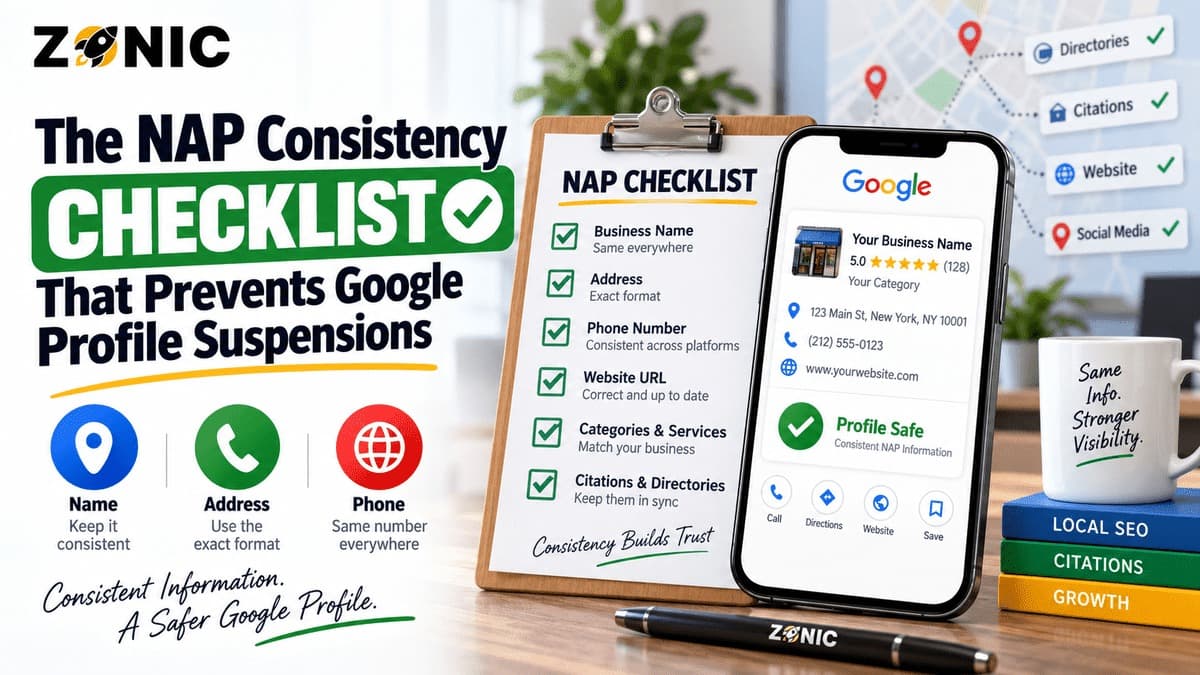
NAP consistency sounds simple, but it can protect one of the most important lead sources a local business has. NAP stands for name, address, and phone number. For Google Business Profile, it means your core business details should match across your profile, website, documents, directories, social profiles, licenses, invoices, signage, and customer-facing materials.
When those details do not match, Google may have a harder time understanding and verifying the business.
That does not mean every tiny abbreviation automatically causes a suspension. A difference like “Street” versus “St.” is usually not the same as using two business names, two addresses, or multiple phone numbers across important platforms. The real problem starts when the business identity looks unclear.
A customer may see one business name on Google, another on the website, a different phone number on Yelp, an old address on Facebook, and a legal name on documents that does not connect to the public brand. That kind of confusion can weaken trust.
For suspension prevention, NAP consistency GBP work is not just a citation cleanup task. It is a business verification task.
Google wants Business Profiles to represent real businesses accurately. If the business name, address, phone number, and website do not support the same real-world business, the profile becomes harder to defend during verification, reinstatement, or appeal.
This checklist explains how to review NAP consistency, what details matter most, where inconsistencies usually hide, and how to reduce name address phone Google Business suspension risk before it becomes a serious problem.
Why NAP Consistency Matters for Google Business Profiles
Google uses business information from many places to understand local businesses. Your Google Business Profile is a major source, but it is not the only one. Your website, online directories, social profiles, review platforms, licensing pages, data sources, and business documents can all shape how clear your business identity appears.
When your information is consistent, the business is easier to understand.
When your information conflicts, the profile may look less reliable. That can affect customer trust, local visibility, verification, and suspension recovery.
For example, a cleaning company may show a home address publicly on Google, hide the address on the website, use a different phone number on directories, and have a business registration under another name. The company may be legitimate, but the setup looks messy.
A plumber may use a tracking number on the profile, an old number on citations, a private address on one platform, and a service-area setup on another. Again, the issue is not one small typo. The issue is unclear business identity.
NAP consistency helps Google and customers answer one basic question: is this the same real business everywhere?
NAP Consistency Is More Than Citations
Many businesses think NAP consistency only means fixing directory listings. Citations matter, but the checklist is bigger than that.
Your Google Business Profile should match your website. Your website should match your business documents. Your documents should support your public-facing name and address. Your phone number should be easy to verify. Your service-area setup should match how the business actually operates.
This is especially important if your business has changed over time.
Moves, rebrands, ownership changes, phone number changes, agency changes, new tracking numbers, new websites, and new locations can all create NAP problems. Old listings often remain online long after the business has updated its main profile.
Consistency Supports Both Prevention and Reinstatement
Before a suspension, consistency helps reduce confusion. During an appeal, consistency helps support your evidence.
Google’s appeal guidance says documents submitted as evidence should match the business name and address on the profile. That is why NAP cleanup should happen before there is a problem.
If your profile ever needs verification or reinstatement, you do not want to discover that your documents, website, and citations all show different business details.
A clean profile is easier to defend.
Start With the Business Name
The business name is one of the most important parts of NAP consistency. It should match the real-world name customers recognize.
Google’s guidelines say businesses should represent themselves as they are consistently represented and recognized in the real world across signage, stationery, and other branding. Google also says unnecessary information in the business name is not permitted and could result in suspension.
That means your Google Business Profile name should not be stuffed with city names, service keywords, slogans, or promotional phrases unless they are part of the actual business name.
A business named “ClearFlow Plumbing” should not become “ClearFlow Plumbing Emergency Drain Cleaning Water Heater Repair Near Me.” A law firm should not add every practice area to the name. A med spa should not add every treatment. A roofer should not add five cities to the profile name.
Check Name Consistency Across Key Sources
Compare your Google Business Profile name with your website header, footer, contact page, business registration, DBA paperwork, license, invoices, signage, vehicle branding, uniforms, social media, and major directories.
If your legal entity name is different from your public brand, make sure the connection is clear. For example, an LLC may own a DBA. That can be fine when the paperwork and branding support the relationship.
The goal is not to make every source look robotic. The goal is to make the business identity obvious.
If a reviewer checks your name, there should be no doubt that the profile represents the same real business.
Review the Address Setup Carefully
Address consistency is not only about spelling. It is about whether the address setup reflects how customers interact with the business.
A storefront or office-based business can show its address when customers visit during stated hours. This may include a restaurant, dental office, medical clinic, law office, auto repair shop, retail store, salon, gym, or showroom.
A service-area business may need to hide its address if customers do not visit the location. This may include plumbers, roofers, HVAC companies, cleaners, electricians, pest control companies, landscapers, and mobile service providers.
The profile should not show a private home, mailbox, virtual office, or unstaffed location as a public customer-facing address.
Match Address Details Across Important Places
Check the street number, suite, unit, floor, building name, ZIP code, and service-area setup. Compare the profile with the website, contact page, location page, legal documents, licenses, leases, utility bills, directories, social profiles, and signage.
If the business recently moved, old addresses may still exist online. These old details can create confusion, especially when they appear on high-trust directories or official records.
If the business is service-area only, make sure your website does not make the hidden address look like a walk-in office. At the same time, your documents should still support the real operating base used for verification.
A safe address strategy is accurate, realistic, and supportable.
Make the Phone Number Easy to Verify
Phone number consistency matters because customers and Google both use phone numbers to connect business information.
A business should have a clear primary phone number. Google’s ownership guidance says the phone number and website for a Business Profile should be the single authoritative phone number and website for the business and verifiable by the business owner.
Call tracking can be useful, but it should be set up carefully. If the Google profile uses one number, the website uses another, citations use old numbers, and ads use a different number, the business identity can look fragmented.
Clean Up Old and Conflicting Numbers
Search for old phone numbers connected to your business name, old business names, old locations, and previous websites.
Check your website header, footer, contact page, Google Business Profile, social profiles, directories, industry listings, review sites, appointment platforms, call tracking tools, and lead vendor profiles.
If call tracking is used, make sure it does not break customer trust or create confusion across important platforms. Customers should never wonder whether they are calling the same business.
For suspension prevention, phone consistency is about clarity.
Check the Website URL and Landing Page
Your website is not technically part of NAP, but it strongly supports business identity. A Google Business Profile connected to the wrong website can look suspicious.
The profile should link to the official website or the best location-specific page for the business. The website should show the same business name, phone number, address or service area, services, categories, and branding.
If the profile links to a lead-generation page, old domain, tracking landing page, or third-party page that does not clearly represent the business, it can weaken trust.
Make the Website Match the Profile
Check the homepage, contact page, location pages, service pages, footer, schema if used by your developer, privacy policy, appointment page, booking tool, and embedded maps.
The website should make it easy to confirm that the profile is real.
A customer should not click from Google Maps and land on a page that uses a different brand name, different phone number, missing address, or unrelated services.
A clean website supports both local ranking and suspension prevention.
Find Old Listings, Duplicates, and Data Conflicts
NAP problems often hide in old listings. A business may update Google and the website but forget about directories created years ago.
Old citations can include previous addresses, old phone numbers, former business names, outdated categories, or wrong websites. Duplicates can make the issue worse.
Search for your business name, old names, phone numbers, old phone numbers, address, old address, website URL, and service keywords.
Look for listings on major directories, review platforms, social sites, licensing pages, chamber websites, map platforms, and industry directories.
Do Not Randomly Delete Everything
Some old listings may need correction. Some may need merging. Some may need ownership recovery. Some may be harmless. Some may have valuable reviews or authority.
Handle duplicates carefully.
The goal is not to erase your history. The goal is to make the active business information clear.
If several profiles represent the same business with different names, addresses, or numbers, Google may struggle to know which version is correct.
Keep Documents Aligned With the Profile
Documents become very important when a profile is suspended, restricted, or manually reviewed. Google may ask for evidence during the appeal process, and that evidence should match the business name and address on the profile.
That means your documents should be ready before you need them.
A useful evidence folder may include business registration, DBA paperwork, business license, professional license, tax certificate, utility bill, lease, insurance certificate, signage photos, storefront photos, branded vehicle photos, uniforms, invoices with private customer information removed, and website screenshots.
Connect Legal Names and Public Brands
Many businesses have a legal entity name that differs from the public-facing brand. That is not automatically a problem, but it needs documentation.
For example, “ABC Holdings LLC” may operate as “ABC Roofing.” A medical group may have one legal entity and several clinic brands. A home service company may use a DBA in public marketing.
If documents show one name and the Google profile shows another, keep proof that connects them.
A clear DBA, license, registration, or official website page can help explain the relationship.
NAP Consistency Checklist
Use this checklist to review the most important business identity signals:
NAP Area | What to Check | Why It Matters |
Business name | Profile, website, signage, documents, invoices, directories | Confirms the real-world business identity |
Address | Street, suite, unit, floor, ZIP, service-area setup | Shows whether the location is accurate and eligible |
Phone number | GBP, website, citations, social profiles, call tracking | Helps customers and Google connect the same business |
Website URL | Official site, location page, booking page, tracking URL | Supports the profile with matching business details |
Documents | License, registration, tax, utility, lease, DBA proof | Helps during verification or appeal |
Duplicates | Old listings, old names, old phones, old addresses | Reduces confusion and suspension risk |
Service area | Cities, regions, hidden address setup | Keeps SAB details realistic and supportable |
Manager access | Agencies, former staff, previous owners | Reduces risky edits and ownership confusion |
This checklist should be reviewed before major edits, before moving locations, before rebranding, and before submitting any appeal.
Industry-Specific NAP Risks
Different industries run into different NAP problems.
Home service businesses often have hidden addresses, service-area setup, call tracking, and old lead-generation listings. Medical practices often have practitioner profiles, suite issues, provider pages, and clinic name conflicts. Law firms often have attorney listings, shared offices, suite numbers, and practice-area keyword issues.
Auto repair shops often have ownership changes, old shop names, shared lots, and service department listings. Restaurants may have old delivery platform details, outdated phone numbers, or address conflicts after relocation. Cleaning companies may have home office addresses, service-area confusion, and duplicate city listings.
Match the Checklist to the Business Model
A storefront business needs stronger address proof. A service-area business needs a cleaner hidden-address setup. A practitioner business needs clear proof of the provider and location. A multi-location business needs each location to stand on its own.
NAP consistency is not one-size-fits-all.
The profile should match how the business actually operates.
How Often Should You Audit NAP Consistency?
A business should review NAP consistency at least quarterly. It should also run a review before and after major changes.
Major changes include moving locations, changing phone numbers, rebranding, opening a new office, closing a location, changing agencies, launching a new website, switching call tracking tools, buying a business, or changing business ownership.
These changes often create profile risk when they are not handled carefully.
Audit Before You Edit the Profile
Before making major Google Business Profile edits, check whether the website and documents already support the change.
If you update the profile first and the rest of the web still shows old information, the business may look inconsistent. If you update the website, documents, and citations in an organized way, the Google profile change becomes easier to support.
A little preparation can prevent a serious suspension problem.
How Zonic Helps With NAP Consistency and GBP Protection
Zonic helps businesses review NAP consistency before small conflicts turn into suspension risks.
The review starts with the Google Business Profile. Zonic checks the business name, address setup, service-area setup, phone number, website URL, category, manager access, and duplicate listing risks.
Then Zonic compares those details with the website, major citations, social profiles, business documents, license records, and customer-facing materials.
For service-area businesses, Zonic reviews whether the address should be hidden and whether the service areas are realistic. For storefront businesses, Zonic checks whether the address is public-facing and supported by signage or office proof.
Zonic also helps businesses organize evidence before a problem happens. That way, if verification or reinstatement becomes necessary, the business is not starting from zero.
The goal is to make the profile easier to verify, easier to trust, and less likely to trigger avoidable suspension issues.
Conclusion
NAP consistency is not just a local SEO cleanup task. It is one of the simplest ways to protect your Google Business Profile from confusion, verification problems, and avoidable suspension risks.
Your name, address, phone number, and website should all point to the same real business. Your documents should support your public profile. Your service-area setup should match how customers actually work with you. Your old listings and duplicates should not tell a different story.
A profile becomes stronger when Google and customers can easily understand who the business is, where it operates, and how to contact it.
If your business has moved, rebranded, changed phone numbers, switched agencies, added call tracking, or created multiple listings over time, a NAP audit is worth doing before a suspension happens.
If you are unsure whether NAP inconsistencies are putting your Google Business Profile at risk, you can reach out to Zonic for a profile and citation review.
Call Zonic Media at (302) 726-9736 or visit 8 The Green, Suite B, Dover, DE 19901 to request help with NAP consistency, GBP cleanup and Google Business Profile suspension prevention for your business in New York City or anywhere across the United States.
Frequently Asked Questions
What does NAP mean in local SEO?
NAP means name, address, and phone number. In Google Business Profile work, it refers to keeping your core business details consistent across Google, your website, directories, documents, social profiles, and customer-facing materials.
Can NAP inconsistency cause a Google Business Profile suspension?
NAP inconsistency is not always the only cause, but major conflicts can make a profile harder to verify and easier to question. Conflicting names, addresses, phone numbers, websites, and duplicate profiles can increase suspension or reinstatement problems.
What NAP details should match my Google Business Profile?
Your business name, address or service-area setup, phone number, website, hours, category, and major business details should match your website, licenses, registration, signage, invoices, directories, and other important sources.
Should service-area businesses show their address?
Service-area businesses should hide the address if customers do not visit the location. The profile should accurately show the areas served instead of presenting a private or unstaffed location as a public office.
How often should I check NAP consistency?
Review NAP consistency at least quarterly and before major changes such as moving, rebranding, changing phone numbers, launching a new website, switching agencies, or opening a new location.