
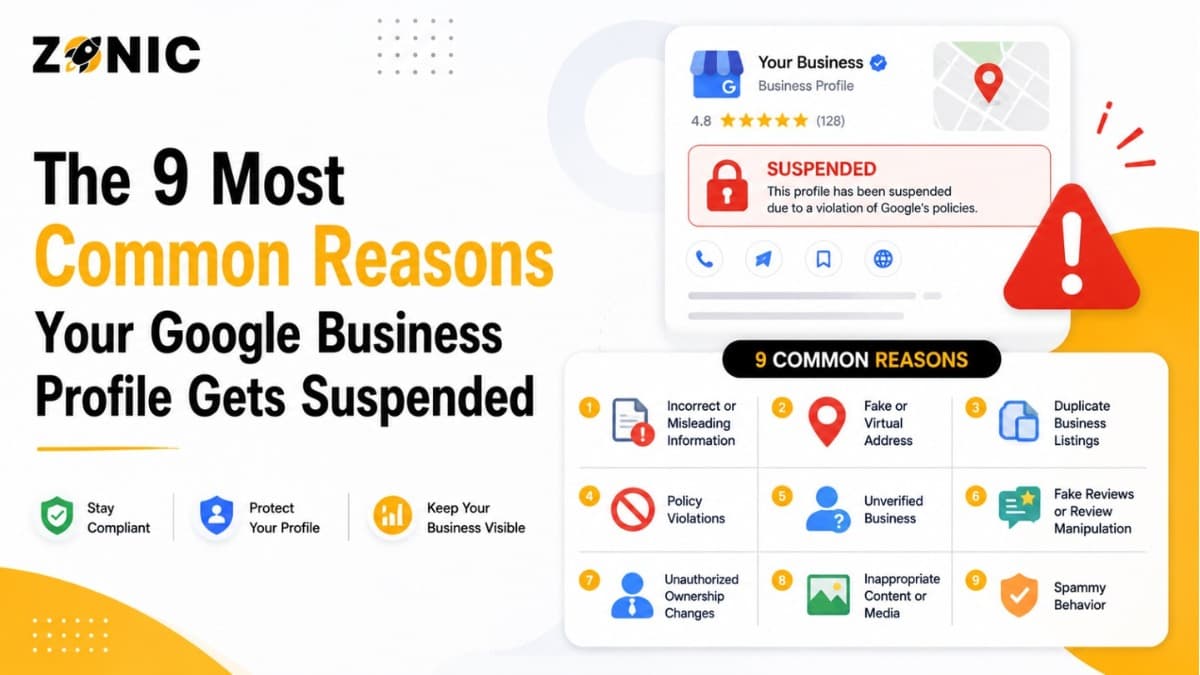
The 9 Most Common Reasons Your Google Business Profile Gets Suspended
A Google Business Profile can bring steady calls, website visits, direction requests, and local trust for a business. For companies in the USA and busy markets like NYC, it is often one of the first places customers check before they decide who to call.
That is why a suspension can feel serious.
One day your profile is showing on Google Search and Google Maps. The next day, it may be restricted, disabled, or removed from public view. Calls can slow down. Customers may not see your reviews. Your business hours, phone number, photos, and directions may stop appearing the way they did before.
Most business owners do not expect it. Many also do not know what went wrong.
Google says it may suspend or disable Business Profiles that do not follow its guidelines. Business owners can submit an appeal if they believe the profile should be reinstated, but Google also says the profile should follow the guidelines before an appeal is submitted.
The good news is that many suspensions are connected to common mistakes. Once you understand those mistakes, it becomes easier to protect your profile and avoid unnecessary risk.
Here are the 9 most common reasons your Google Business Profile gets suspended.
Reason 1: Your Business Name Has Extra Keywords
Your Google Business Profile name should match your real business name. When owners add service keywords, city names, or promotional phrases, the profile can look misleading to Google.
Why Google Cares About the Business Name
Google wants the business name on your profile to represent how your business is known in the real world. That means the name should match your signage, website, business documents, and customer-facing branding.
For example, if your real company name is ABC Roofing, the profile name should not become ABC Roofing Best Roof Repair NYC. That may look useful for ranking, but it can create a suspension risk.
What Business Owners Usually Get Wrong
Many owners add keywords because they see competitors doing it. They may think it is a normal SEO tactic. The problem is that Google can treat that extra wording as a policy issue.
A clean business name is safer. Your services and locations belong in the proper service, description, and content areas, not inside the business name.
Reason 2: Your Address Does Not Match Google’s Rules
A wrong or risky address setup is one of the biggest causes of Google Business Profile suspension. Google needs to know that the address represents a real eligible business location.
Why Address Accuracy Matters
Your address tells customers where your business is located or how your business operates. If that address is not real, not staffed, or not connected to your business, Google may question the listing.
Problems often happen when businesses use a P.O. box, mailbox, fake office, virtual office, or shared location without proper real-world presence.
Google’s appeal guidance says supporting evidence should match the business name and address on the profile being appealed. That means your documents and profile details need to tell the same story.
The Address Mistake That Hurts Service Businesses
Many service businesses show an address because they believe it helps rankings. But if customers do not actually visit that location, showing it publicly can create problems.
If your business goes to customers instead of receiving customers at your location, your profile setup needs to reflect that clearly.
Reason 3: Your Service-Area Setup Is Incorrect
Service-area businesses get suspended often because the profile does not match how the business actually works. If you travel to customers, your profile should be set up carefully.
Why Service-Area Businesses Get Flagged
Roofers, plumbers, cleaners, HVAC companies, locksmiths, pest control companies, and mobile service providers usually visit customers at their homes or job sites. Many of these businesses do not have a storefront where customers walk in.
If the profile shows a public address but customers never visit that location, Google may see the listing as misleading.
How Service-Area Details Should Feel Natural
Your profile should make sense to a customer. If someone sees your address, they may assume they can visit. If that is not true, your listing should be set up as a service-area business.
Your website, profile, and business documents should all support the same setup. If one says storefront and another says mobile service, that mismatch can create trust issues.
Reason 4: You Have Duplicate Business Profiles
Duplicate listings confuse Google and customers. If the same business has more than one profile for the same location or service area, suspension risk can increase.
How Duplicate Profiles Happen
Duplicates are often created by accident. A previous agency may have made one. An old employee may have used another email. A former owner may have created a listing years ago. Sometimes owners create a new profile after losing access to the original one.
That usually makes the problem worse.
Google’s appeals tool can show restricted profiles, the reason for moderation action, and a link to the violated policy when a profile is eligible for appeal.
Why Duplicate Listings Are Risky
When Google sees two profiles for the same business, it may not know which one is correct. Reviews can get split. Customers can call the wrong number. One listing may show old information while another shows new information.
Instead of creating another profile, it is better to resolve the original listing and clean up duplicates properly.
Reason 5: Your Business Category Does Not Match Your Real Service
Your category helps Google understand what your business actually does. If the category is inaccurate, too broad, or unrelated, your profile can look untrustworthy.
Why Category Accuracy Matters
Your primary category should describe your main business. It should not be chosen only because it has high search volume or because a competitor uses it.
For example, a digital marketing company should not choose a category that does not match its real service. A contractor should not choose unrelated categories just to appear in more searches.
What a Safer Category Setup Looks Like
Choose the closest category for your core business first. Then add secondary categories only if they genuinely match services you provide.
A category should help customers understand your business quickly. It should not feel like a keyword trick.
Reason 6: You Changed Important Profile Details Too Often
Frequent edits can make a profile look unstable. Even if your business is real, repeated changes to major details can trigger review or suspicion.
Which Profile Changes Look Sensitive
Some edits matter more than others. Changes to your business name, address, phone number, website, category, and service area can affect trust.
If those details change too often, Google may wonder whether the profile is accurate. A business that keeps changing its name or address may look risky, even when the owner is only trying to improve rankings.
Why Random Edits Can Backfire
Many owners start changing details when calls slow down. They test different names, categories, or service areas, hoping rankings improve.
That can backfire.
Your profile should not be treated like a testing board. Make changes only when they reflect real business information.
Reason 7: Your Website and Profile Information Do Not Match
Google looks for consistency across your business profile, website, documents, and other online listings. When the details do not match, trust can drop quickly.
Why NAP Consistency Matters
NAP means name, address, and phone number. These details should match across your Google Business Profile, website, directories, social pages, and business documents.
If your profile shows one phone number, your website shows another, and your documents show a different address, your business may look difficult to verify.
How Mismatched Details Create Suspension Risk
Small mismatches can happen naturally over time. Maybe you changed your phone number. Maybe your old address still appears on directories. Maybe your website footer was never updated.
Those small issues can add up.
Before appealing a suspension or making major profile changes, check your main online listings and make sure the core details match.
Reason 8: The Wrong People Still Have Profile Access
Access problems can create confusion around who controls the profile. Old employees, past agencies, or unknown users can increase the risk of mistakes and ownership issues.
Why Profile Ownership Gets Messy
Many businesses let agencies, freelancers, employees, or partners manage their Google Business Profile. That is normal. The problem starts when those people keep access after they stop working with the business.
An old user may make changes by mistake. A former agency may still have control. The real owner may not know which email is connected to the profile.
How Access Problems Lead to Suspension
Google wants the correct business owner or authorized manager to control the profile. If ownership looks unclear or account activity seems suspicious, restrictions can happen.
Business owners should review profile users regularly. Keep the actual owner as the main account and remove people who no longer need access.
Reason 9: Your Appeal Evidence Is Weak or Mismatched
Sometimes the suspension itself is not the only problem. A profile can stay suspended because the appeal does not include strong, matching evidence.
Why Evidence Can Make or Break Reinstatement
When a profile is suspended, Google may allow you to submit an appeal. The appeals tool lets owners choose the restricted profile and submit an appeal. In some cases, evidence can also be added.
If your documents do not match your profile, the appeal can look weak. For example, a business license with one address and a profile with another address can create more questions.
What Strong Evidence Looks Like
Strong evidence should prove that the business is real and that the profile details are accurate. Your documents, website, signage, and profile should support each other.
If your evidence looks clear, current, and consistent, your appeal has a better foundation.
Quick Suspension Risk Checklist
Most suspended profiles show warning signs before the issue becomes serious. A quick profile check can help you catch risky details before they hurt your visibility.
Check your profile for these problems:
Your business name includes extra keywords or city names
Your address does not match how the business operates
Your service-area business shows a private address publicly
You have more than one profile for the same business
Your primary category does not match your real service
Your website and Google profile show different contact details
Old agencies or employees still have profile access
Your business documents do not match the profile
You made several major edits in a short time
This is one of the easiest ways to find problems before Google does.
What to Do If Your Google Business Profile Gets Suspended
A suspension can make you feel rushed, but quick random action can make recovery harder. The safest move is to slow down and fix the real issue first.
Review the Most Likely Reason First
Start with the 9 reasons above. Look at your business name, address, service area, category, duplicate listings, access, website details, and recent edits.
Do not guess. Do not create a new profile immediately. Do not submit a rushed appeal just because the profile disappeared.
Prepare Better Evidence Before Appeal
Before submitting your appeal, gather documents that support the exact profile you are trying to recover.
Helpful evidence may include:
Business license
Business registration
Utility bill
Lease agreement
Tax document
Insurance document
Storefront photos
Permanent signage photos
Branded vehicle photos
Website screenshots
Keep the appeal clear and factual. Google says business owners should make sure their profile follows the guidelines before submitting an appeal.
How Zonic Helps With Google Business Profile Suspensions
Zonic helps business owners across the USA and NYC find the real reason behind a Google Business Profile suspension and build a cleaner path toward recovery.
Finding the Exact Suspension Trigger
Zonic reviews the business name, address setup, service area, category, duplicates, ownership access, website consistency, and profile history. The goal is to find what likely caused the suspension before any appeal is sent.
That matters because a weak appeal can waste time and make the case harder.
Preparing a Cleaner Appeal
Zonic helps organize the right documents and write a clear appeal explanation. The appeal should not sound emotional or confusing. It should show what was fixed and what proof supports the business.
For business owners who rely on calls from Google Maps, this can save stress and reduce guesswork.
Reducing Future Suspension Risk
After the profile is recovered, Zonic can help clean up NAP consistency, remove duplicate listing confusion, fix risky profile details, and improve the overall local SEO foundation.
A recovered profile should not go back to the same risky setup.
Conclusion
Most Google Business Profile suspensions are not random. They usually happen because something on the profile looks inaccurate, misleading, duplicated, unsupported, or inconsistent.
The 9 most common reasons are keyword-stuffed business names, risky addresses, incorrect service-area setup, duplicate profiles, wrong categories, frequent edits, mismatched online information, access problems, and weak appeal evidence.
If your profile gets suspended, do not panic and do not create a new listing right away. Review the real issue, fix the profile, prepare strong evidence, and submit a clean appeal.
Call Zonic Media today at (302) 726-9736 or visit us at 8 The Green, STE B Dover, Kent, DE 19901 United States for Google Business Profile suspension support across the USA and NYC.