
Why Google Suspended Your Profile After You Made an Edit and What to Do
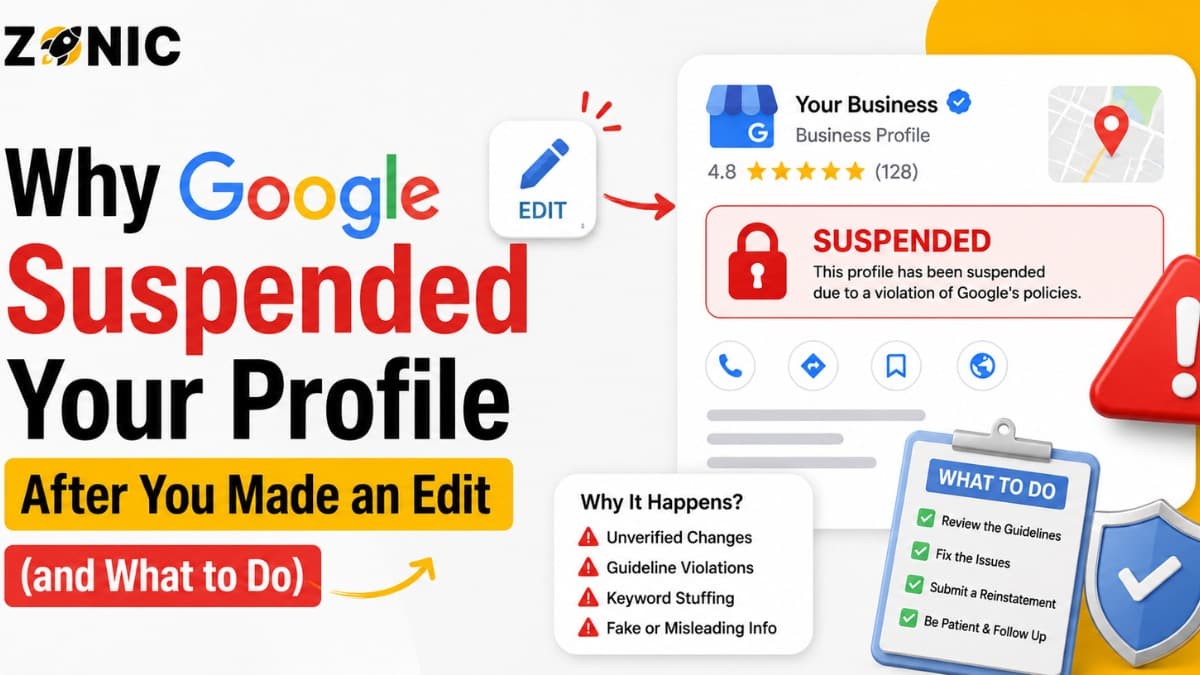
A Google Business Profile can feel stable for months, then suddenly get suspended after one small update. You may change your business name, phone number, address, category, website, or service area, and soon after that, your profile is restricted or removed from Google Maps.
For many business owners, this feels confusing. The profile was live before the edit. Customers were finding the business. Calls were coming in. Then one update triggers a review, and the listing stops working the way it should.
This can happen because Google does not look at every edit as a simple change. Some edits touch the main trust signals of your profile. When those signals change, Google may review the listing again to make sure the business is still real, eligible, and accurate.
If your Google Business was suspended after an edit issue happened right after a recent update, the edit may have exposed a problem that was already sitting inside the profile. The update itself may not always be the full reason. Sometimes it simply causes Google to take a fresh look.
The same thing can happen when a GBP suspended after an update issue follows a name change, address change, category change, or service-area update. The safest response is not panic. The right response is to review what changed, fix the risky detail, prepare proof, and submit a clean appeal if needed.
Why a Google Business Profile Can Get Suspended After an Edit
A profile edit can trigger a fresh review because Google uses your business name, address, phone, website, category, and service area to judge trust. If the new detail looks risky, the profile can be restricted.
Edits Can Reopen Trust Checks
A Google Business Profile is built around trust. Google wants to show real businesses with accurate names, locations, hours, categories, and contact details. When you change one of those details, Google may check whether the profile still matches the real business.
This does not mean every edit is dangerous. Updating holiday hours or adding a photo usually does not carry the same risk as changing your business name or address.
The risky edits are the ones that affect identity, location, ownership, and eligibility. When those change, Google may treat the profile like it needs another review.
The Edit May Reveal an Older Problem
Sometimes the edit is not really the root problem. It may only bring attention to a profile issue that was already there.
For example, your profile may have had a keyword-stuffed name for a long time. You edit the category, and then Google reviews the whole profile. During that review, the name issue gets noticed.
The owner then thinks the category edit caused the suspension. In reality, the category edit may have triggered a deeper review, and the old name issue caused the trouble.
Business Name Edits That Trigger Suspension
Changing the business name is one of the most sensitive updates you can make. If the new name includes keywords, locations, or wording that does not match the real business, suspension risk increases.
Adding Keywords to the Business Name
Many suspensions happen after owners add extra keywords to the business name. A company may change “Zonic” to “Zonic Google Business Profile Suspension Experts USA” because it wants more visibility.
That kind of change can look like keyword stuffing.
Google wants the profile name to match the real-world business name customers know. If the new name does not match your website, signage, business registration, invoices, or branding, the profile can look misleading.
Changing the Name Too Often
Frequent name changes can also create problems. If a profile keeps changing from one keyword-heavy version to another, Google may see the business identity as unstable.
A real business name usually does not change every week. If your profile name changes often, it can look like the listing is being manipulated for rankings instead of representing a real company.
If you need to correct your name, do it once and make sure the name matches your proof.
Address Edits That Can Get a Profile Suspended
An address edit is one of the biggest suspension triggers. Google may review whether the new address is real, eligible, staffed, and connected to the business.
Changing to a Virtual Office or Mailbox
If you update your profile to a virtual office, mailbox, coworking address, or shared space, Google may question whether your business truly operates there.
This is especially risky if customers cannot visit that location or if your business documents do not support the address.
A virtual office used only for mail or city presence can create problems. The profile may look like it is trying to rank in a location where the business does not really operate.
Showing an Address Customers Do Not Visit
Service-area businesses often get suspended after address edits. A plumber, roofer, cleaner, HVAC company, or mobile service provider may add an address because they think it will help rankings.
But if customers do not visit that address, showing it publicly can create risk.
For service-area businesses, the address setup should match how the business actually works. If the business travels to customers, the profile should not make the address look like a public storefront.
Category Edits That Can Lead to Suspension
Changing your business category may seem simple, but it can affect how Google understands your company. If the category looks unrelated or too aggressive, the profile can be reviewed.
Choosing a Category for Ranking Instead of Accuracy
Your primary category should describe what your business actually is. Some owners change the category because they see a competitor ranking better with a different one.
That can backfire if the category does not match your real service.
For example, a marketing agency should not use a category that belongs to another industry just because it has better search volume. A contractor should not select a category that does not represent the core business.
Google wants the category to help customers understand the business, not manipulate search results.
Switching Categories Repeatedly
Changing the category too often can also look suspicious. One week the business is listed as one type of service. The next week it is listed as another. Then it changes again.
That pattern can make the profile look unstable.
If your category needs correction, choose the most accurate category and keep it consistent. Do not use the category field as a testing tool.
Website and Phone Edits That Can Raise Red Flags
Your website and phone number are major trust signals. If they change suddenly or no longer match your business documents, Google may review the profile.
Updating to a Website That Does Not Match the Business
If your Google Business Profile links to a website that does not clearly represent the same business, the profile may look risky.
The website should show the same business name, phone number, service details, and location information. If the profile says one thing and the website says another, trust can drop.
This is common when businesses switch agencies, launch a new site, or use a landing page that does not clearly match the company.
Changing Phone Numbers Without Cleaning Other Listings
Phone number changes can also create confusion. If your GBP shows a new number, but your website, citations, old profiles, and business documents show different numbers, Google may see inconsistency.
Call tracking numbers can also create issues if they are not handled carefully.
A phone edit should be supported by consistent information across your main online presence.
Service-Area Edits That Cause Problems
Service-area edits are common for businesses that want to rank in more cities. But if the service area becomes unrealistic or does not match the business, Google may question the profile.
Adding Too Many Cities at Once
A service-area business may add many cities at one time because it wants to appear across a wider region. That can look unnatural if the business does not realistically serve all those areas.
For example, a small local SEO should be careful about claiming a huge service region if the website, team size, and real operations do not support it.
A service area should reflect where the business actually serves customers, not every city the owner wants to rank in.
Service Area Does Not Match the Website
If your GBP says you serve many cities but your website only talks about one small area, that mismatch can create doubt.
The same applies if your website says you serve NYC, but your profile suddenly adds locations across several states.
Your service-area update should feel believable and supported by your website content.
The Most Common Edits That Trigger Suspension
Most suspension-after-edit cases come from changes to the details Google uses to confirm identity, location, and business legitimacy. These updates should be handled with extra care.
Watch these edits closely:
Changing the business name
Adding keywords to the business name
Updating the business address
Showing an address customers do not visit
Switching to a virtual office address
Changing the primary business category
Adding too many service areas at once
Changing the website URL
Updating the phone number
Making several major edits in a short time
This is the first bullet section. If your profile was suspended after one of these updates, start your review there before touching anything else.
Why Google May Suspend the Profile Instead of Asking Questions First
Google may not send a friendly warning before restricting a profile. If an edit makes the listing look inaccurate or unsupported, the system may take action first.
Some Edits Look Like Policy Problems
If you update your name to include extra keywords, Google may not see that as a harmless SEO change. It may see it as inaccurate business information.
If you update your address to a mailbox or virtual office, Google may not see it as a normal move. It may see it as an eligibility issue.
This is why business owners feel blindsided. The edit feels small to them, but it may look serious to Google.
Automated Reviews Can Move Fast
Some reviews may happen quickly after an edit. That is why a profile can be suspended soon after a change is submitted.
The system may check the new detail against your profile history, website, public records, address data, category, or other signals.
If something does not line up, the profile may be restricted.
What to Do If Your GBP Was Suspended After an Update
A suspension after an update can be fixed in many cases, but only if the response is careful. Do not keep editing random details or create a new profile right away.
Step 1: Find the Exact Edit That Came Before the Suspension
Start by writing down what changed before the suspension. Was it the name? Address? Phone number? Category? Website? Service area?
If multiple edits happened at once, list all of them.
This helps you find the likely trigger. It also keeps you from wasting time on unrelated details.
Step 2: Compare the Edit With Real Proof
Once you know what changed, compare it with your real-world business proof.
If you changed the name, does the new name match your documents? If you changed the address, can you prove the business operates there? If you changed the website, does the site clearly show the same business?
If the edit cannot be supported, it may need to be corrected before appeal.
Step 3: Fix the Risky Detail
If you still have access to edit the profile, correct the risky detail carefully. Do not change many things at once. Make the profile match the real business.
If the profile is fully restricted and you cannot edit it, prepare the correct details and explain them clearly in your appeal.
The goal is not to make the profile look better for SEO. The goal is to make it accurate and defensible.
Evidence to Prepare After an Edit-Related Suspension
When a profile gets suspended after an edit, your proof should support the detail that changed. If the address changed, prove the address. If the name changed, prove it.
Helpful evidence may include:
Business license with the correct business name
Business registration or DBA document
Utility bill tied to the business location
Lease agreement for the listed address
Tax document or insurance document
Storefront photos with permanent signage
Interior office photos if customers visit
Branded vehicle photos for service businesses
Website screenshot showing matching details
Screenshots of the recent edit history if available
This is the second and final bullet section. Send proof that explains the specific edit that triggered the suspension, not random documents that create more confusion.
How to Appeal After Google Suspended Your Profile After an Edit
Your appeal should be simple. Google needs to see that the profile now follows the rules and that your proof matches the business details.
Keep the Appeal Focused on the Edit
A strong appeal explains what changed, what was corrected, and what evidence supports the profile.
For example:
“Our Google Business Profile was suspended after a recent update to our business information. We reviewed the profile and corrected the details to match our real business information. Our business name, address, phone number, website, and supporting documents are consistent. Please review the attached evidence and consider reinstating the profile.”
This keeps the message calm and easy to understand.
Do Not Submit Repeated Appeals
Submitting multiple appeals before a decision can make the process messier. If your first appeal is weak, wait for the response, review what may be missing, and strengthen the case before trying again.
A clean appeal with matching evidence is better than several rushed appeals.
What Not to Do After a GBP Edit Suspension
Many owners make things worse after a suspension because they panic. The wrong move can turn a simple review into a longer recovery problem.
Do Not Keep Changing the Profile
If the profile was suspended after an edit, more random edits are not the answer.
Changing the name, address, category, phone number, and website again and again can make the profile look even less trustworthy.
Make only the correction that is needed.
Do Not Create a New Listing
Creating a new Google Business Profile after suspension may create duplicate problems. Google may connect the new listing to the suspended one and restrict it too.
The original profile should be reviewed and fixed first.
Do Not Blame the System in Your Appeal
Even if the suspension feels unfair, the appeal should not be emotional. Do not write a long complaint. Do not accuse Google or competitors unless you have clear proof.
Focus on the facts. Show what was corrected. Attach matching evidence.
How to Avoid Suspension Before Making Future Edits
A little preparation before editing can prevent bigger problems later. Before changing major details, make sure the update matches your documents, website, and real-world business setup.
Check Proof Before Changing Major Details
Before you update your business name, address, phone number, website, category, or service area, ask whether you can prove the change.
If you cannot prove it, do not add it to the profile.
For example, do not change to a virtual address unless the business truly operates there and can support it with documentation. Do not add city keywords to the business name unless they are part of the real business name.
Make One Clean Update at a Time
If you need to make several changes, avoid stacking too many major edits at once. A sudden group of changes can look suspicious.
Update carefully. Let the profile settle. Keep the rest of your online information consistent.
Keep Your Website and Citations Aligned
Your website, GBP, directory listings, business documents, and social profiles should show the same core details.
If your website still shows old information, update it before or alongside the GBP change. A profile edit is safer when the rest of your online presence supports it.
How Zonic Helps With GBP Suspended After Update Issues
Zonic helps businesses across the USA and NYC review edit-related suspensions, identify the risky update, prepare evidence, and build a cleaner appeal.
Edit History Review
Zonic reviews what changed before the suspension. We look at name updates, address changes, category edits, website changes, service-area adjustments, and phone number changes.
The goal is to find the update that likely triggered the review.
Profile Cleanup Before Appeal
Before an appeal is sent, Zonic helps clean up risky profile details. This may include correcting the business name, reviewing address eligibility, checking category accuracy, and matching website details.
A clean profile gives the appeal a stronger foundation.
Evidence and Appeal Support
Zonic helps organize documents and write a clear appeal. The appeal should explain the correction without sounding emotional or confusing.
If your GBP suspended after an update issue is tied to a recent edit, Zonic can help you respond with a better process.
Conclusion
If Google suspended your profile after you made an edit, the edit likely touched an important trust signal. Name changes, address updates, category edits, website changes, phone updates, and service-area changes can all trigger review.
The edit may not always be the full problem. It may have revealed an older issue, like keyword stuffing, address mismatch, duplicate listings, or inconsistent business information.
Do not panic. Do not create a new profile. Do not keep changing details. Start by identifying the edit that happened before the suspension. Then compare it with your real proof, fix the risky detail, prepare matching evidence, and submit a clean appeal.
If your Google Business profile is suspended after an edit issue is hurting your calls, rankings, or local visibility, Zonic can help.
Call Zonic Media today at (302) 726-9736 or visit us at 8 The Green, STE B Dover, Kent, DE 19901 United States for help with Google Business Profile suspension support across the USA and NYC.