
Does Keyword Stuffing in Your Business Name Really Get You Suspended?
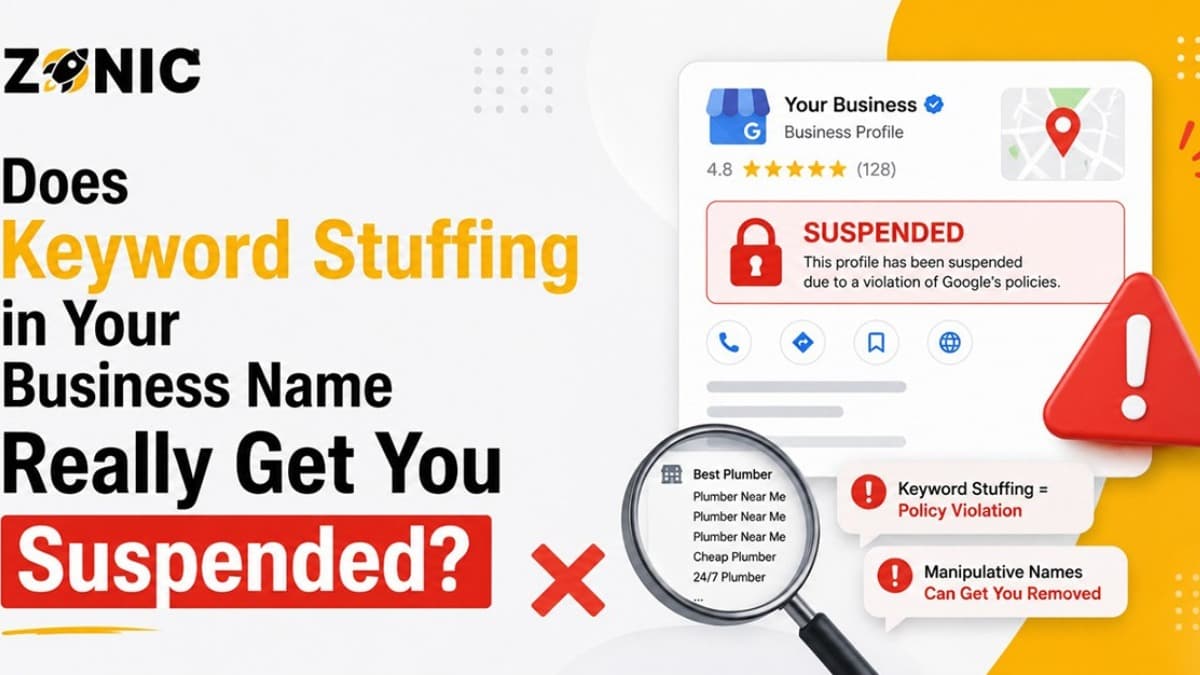
A Google Business Profile can generate true calls to your business, website visits, direction requests, and customer trust. In competitive markets, such as NYC, and in the USA, your profile name is one of the first impressions that will be made by potential customers before they call you.
A roofing company could include “Best Roof Repair NYC.” A plumber might include the words “Emergency Plumber Near Me." This may include the phrase “Affordable Dentist Open Now.” It might seem like a great SEO strategy initially. Including more keywords in the name may seem like a quick and easy route to better map rankings.
Yes, keyword-stuffing a business name on GBP issues can lead to suspension. Google's rules state that business names should not have irrelevant information included and may lead to the business profile being suspended. Additionally, Google reports that suspended or disabled profiles can be appealed, but the profile must comply with the guidelines prior to appealing the suspension.
The real question is not, "Do keywords matter?" They do. The question is, should those keywords be included in your official Google Business Profile name? In most instances, they don't.
Why Keyword Stuffing in Your Business Name Is Risky
It's easy to think that you can add more words to your business name without any repercussions, particularly if your competitors are adding them. The issue is that Google might consider the additional words as deceptive business practices.
What Keyword Stuffing Looks Like on GBP
Keyword stuffing occurs when your Google Business Profile name contains words that aren't in your actual business name.
For instance, if your actual company name is BrightLine Roofing, you shouldn't use the name BrightLine Roofing Best Roof Repair NYC within the GBP suspension. No, if your real name is Metro Dental Care, it shouldn't be Metro Dental Care Emergency Dentist Open Sunday.
The extra words you include could be a description of your service but not your business name.
Google wants this business name to match the real-world name of the business. This means your profile name should be the same as your signage, website branding, business documents, invoices, and customer-facing materials.
Why Do Business Owners Do It Anyway?
Most business owners don't add keywords since they are trying to break rules. They do it to gain visibility.
When they notice a competitor that has a name that comes up with a lot of keywords, they imagine, “Well, maybe I should do that too.” It's the norm in local SEO. Sometimes the name of the business will have a keyword in its name that will be more likely to show up in the map results, and that will give the business owner the impression that the tactic worked well for them.
However, simply because a method is used by a competitor right now does not mean it is safe. Adding keywords to the name doesn't last for long and can cause issues later on after a competitor report, Google review, verification request, or profile edit.
The Real Meaning Behind Google's Business Name Policy
Google wants the business name field to be filled with the business name, not a service list, tag line, location, or ranking trick. The name must be the name by which the business is known to its customers.
Your Business Name Should Reflect Real Life
Google's rules state that businesses should have a presence that is the same as the one that is commonly seen and known in real life. When it comes to the name of your business, Google will not allow any unnecessary information that may lead to suspension.
That implies that your profile name mustn't be typed merely to rank. It needs to be written in a manner that will be understood by your customers both offline and online.
When it comes to GBP, your storefront sign cannot be Zonic; your GBP must not be Zonic Best Google Business Profile Reinstatement USA NYC. The additional words may be the description of a service, but not the actual business name.
What Is Unnecessary Information?
Unnecessary information is added to the business name, which is not part of the real name. This can be service terms, cities, telephone numbers, taglines, hours, promotional phrases, or symbols to get people's attention.
For instance, the addition of words such as "24/7," “near me," "best," "top-rated," "cheap," "emergency," or city names might be problematic if they are simply being included for the purpose of SEO.
If those words are a literal part of your legal or real-life brand, then it is okay. They must be backed up by your website, signage, business registration, and customer-facing identity.
Is Keyword Stuffing a GBP Suspension or Penalty?
Yes, it can. All keyword-stuffed profiles do not get an instant ban; however, it can still happen. The longer your name is out of policy, the more you will be exposed.
Why Some Profiles Get Away With It For a While
A business owner will ask, “Why are my business competitors doing it if it isn't allowed?”
Google isn't able to encounter all problems at once. Some profiles remain active, as they have not yet been thoroughly reviewed. Some others may not have been reported. There may be a few that pass the automated checks for a period of time.
However, this is not the same thing as being safe. The name may be highlighted if a competitor flag or customer report is submitted, if there is a major change to the name, or if someone changes ownership or requests verification.
After Google reviews the profile and they see a name policy problem, the listing can be fixed, restricted, suspended, or put into appeal.
Why Name Violations May Result in Larger Issues
While this could be the first thing Google may notice, it's not the only one.
Google also examines your address, category, service area, website, and supporting documents if the name is stuffed. If those details are also inconsistent, then it becomes difficult to defend the profile.
Hence, a business name policy violation shouldn't be considered a minor cosmetic concern. It can pave the way for a more comprehensive profile review.
Common Keyword Stuffing Mistakes in GBP Names
Most name violations follow the same pattern. Business owners add words that belong in services, descriptions, website content, or ads, not in the official business name.
Service Keywords Added to the Name
This is the most common mistake. A business adds its main service after the brand name.
Examples include “roof repair,” “emergency plumbing,” “water damage restoration,” “divorce lawyer,” “cosmetic dentist,” “local SEO agency,” or “garage door repair.”
If those terms are not part of the actual business name, they can be risky inside the GBP name.
A safer profile would use the real business name and place services in the proper service section, business description, website pages, and Google Posts.
City Names Added for Ranking
City stuffing is also common. A company may add “NYC,” “Brooklyn,” “Manhattan,” “Dover,” or “USA” to the business name because it wants to rank in that location.
If the city is not part of the real business name, it can create a policy issue.
For example, Zonic NYC Google Business Profile Experts would be risky if the real business name were simply Zonic. Location targeting should happen through proper service pages, local content, address setup, and service-area information, not a fake business name.
Promotional Words Added to Look Better
Words like “best,” “top-rated,” “number one,” “trusted,” “affordable,” “cheap,” and “fast” can also create problems.
These words may sound good in marketing copy, but they do not belong in the official GBP name unless they are part of the real brand.
A business description can explain your strengths. Reviews can show trust. Your website can talk about experience. The business name should stay clean.
Safe vs Risky GBP Business Name Examples
The easiest way to understand keyword stuffing is to compare clean names with risky names. A clean name is simple, real, and supported by proof. A risky name usually adds extra services, city names, promotional words, or search terms that are not part of the real business name.
Safe GBP Business Name | Risky GBP Business Name |
Zonic | Zonic Google Business Profile Suspension Experts USA |
BrightLine Roofing | BrightLine Roofing Best Roof Repair NYC |
Metro Dental Care | Metro Dental Care Emergency Dentist Near Me |
GreenWay Plumbing | GreenWay Plumbing 24/7 Cheap Plumber Brooklyn |
Hudson Pest Control | Hudson Pest Control Bed Bug Exterminator Manhattan |
ClearView Windows | ClearView Windows Window Replacement Contractor Near Me |
Stonebridge Law Group | Stonebridge Law Group: Best Divorce Lawyer NYC |
Prime Garage Doors | Prime Garage Doors Emergency Garage Door Repair |
Summit HVAC | Summit HVAC Heating Cooling Repair Open Now |
OakTree Landscaping | OakTree Landscaping Lawn Care Snow Removal NJ |
This is the first bullet-point section. The pattern is simple: the safe version is the real business name. The risky version adds search terms to influence rankings.
Why Competitors Often Report Keyword-Stuffed Names
Keyword stuffing is easy for competitors to spot. They do not need access to your dashboard. They only need to see your public profile name and compare it with your website or signage.
Competitors Know Name Stuffing Can Help Rankings
In many local markets, competitors watch each other closely. If one profile jumps higher in the map pack with a keyword-heavy name, others notice.
If your business name is clearly stuffed, it becomes an easy target. A competitor may suggest an edit or report the profile for inaccurate business information.
A competitor cannot directly suspend your GBP by themselves. But if their report brings Google’s attention to a real violation, the profile can be corrected or suspended.
Why a Clean Name Is Easier to Defend
A clean name gives competitors less to attack. If your GBP name matches your website, business license, signage, social profiles, and customer materials, it is easier to defend.
If your name is stuffed, the appeal becomes harder. You may have to explain why the extra words are there. If you cannot prove they are part of the real brand, Google may not accept them.
How Keyword Stuffing Can Affect Trust and Leads
Keyword stuffing is not only a policy issue. It can also affect how customers see your business. A name that looks forced or spammy can make customers hesitate.
Customers Notice Spammy Names Too
People are used to seeing real business names. When a profile name feels overloaded with keywords, it can look less professional.
For example, GreenWay Plumbing sounds like a real business. "GreenWay Plumbing Cheap Emergency Plumber Near Me 24/7" sounds like a search trick.
Customers may still call, but the name can reduce trust. In high-value industries like legal, dental, home services, and medical, trust matters before the first call.
Reviews and Branding Can Lose Impact
A clean brand name is easier to remember. It looks better in reviews, screenshots, referrals, and local search results.
When the name is stuffed, the brand becomes harder to recognize. Your reviews may look attached to a spammy title instead of a real company name.
In the long term, strong branding is safer than short-term keyword tricks.
What to Do If Your GBP Name Is Already Stuffed
If your business name currently has extra keywords, do not panic. But do not ignore it either. The safest move is to clean it carefully and make sure the rest of the profile is consistent.
Fix the Name Before It Becomes a Bigger Issue
If you still have access to the profile, update the business name to match the real-world name. Then check your website, documents, citations, and social profiles to make sure the same name appears everywhere.
Do not change the name back and forth several times. Frequent name edits can look suspicious.
If your profile is already suspended, do not submit an appeal before reviewing the issue. Google tells owners to make sure the profile follows guidelines before submitting an appeal.
Move Keywords to the Right Places
Removing keywords from your business name does not mean you stop doing SEO. It means you use the right areas for keyword targeting.
Your services can appear in your service list. Your locations can appear on your website pages. Your business description can explain what you do. Your photos, posts, reviews, and landing pages can support local relevance.
The business name should stay real. Your SEO strategy should do the rest.
How to Fix a Google Business Name Policy Violation
A name policy issue should be handled carefully, especially if the profile is already suspended. The goal is to make the profile clean, consistent, and easy to verify.
Review the Name Against Your Proof
Start with a sim name against your proof. You prove it?
Look at your business license, tax document, signage, website header, invoices, bank documents, social profiles, and customer-facing materials. If they all show one name, that should be your GBP name.
If some documents show different versions, clean that up before appealing. A profile is easier to reinstate when the name is consistent across proof.
Check the Rest of the Profile, Google Business Name Google Business Name Business Name Too
Do not stop at the name. If the name was stuffed, there may be other risky details.
Check your address, phone number, website, service area, category, duplicate listings, and ownership access. A clean name with a risky address can still leave the profile exposed.
Submit a Clear Appeal if Suspended
If the profile was suspended, use Google’s Business Profile appeals tool. Google says the appeals tool can show the restricted profile, the reason for the moderation action, and a link to the violated policy. It also allows the business owner to submit an appeal from the account associated with the profile.
Keep the appeal short and factual. Explain that you corrected the business name to match the real-world business name and attached proof that supports the profile.
Evidence That Helps Prove Your Real Business Name
If your GBP was suspended because of a name issue, your evidence should prove the clean business name. The stronger your proof, the easier it is to show that the profile now matches the real business.
Helpful evidence may include:
Business license with the correct business name
Business registration or DBA document
Tax document showing the business name
Lease agreement with matching business details
Utility bill if it matches the business location
Storefront photo with permanent signage
Interior office photo with branded materials
Website screenshot showing the same business name
Invoice or estimate template with the correct name
Insurance document with matching business details
This is the second and final bullet-point section. The key is not to send random documents. Send proof that supports the exact name and profile details.
What Not to Do After a Name-Related Suspension
Many business owners make the situation worse after a suspension because they rush. A calm, clean process works better than panic edits.
Do Not Create a New Profile Right Away
Creating a new profile after a suspension can create duplicate listing problems. It may also make Google less confident in the business.
The original profile should be reviewed and corrected first. A new profile may feel faster, but it can create a longer problem.
Do Not Keep Re-Adding Keywords
Some owners remove keywords, get reinstated, and then add the keywords again later. That is risky.
If the same violation returns, the next suspension may be harder to fix. It also weakens trust in the profile.
Do Not Copy Competitors Blindly
Competitors may be ranking with keyword-stuffed names, but that does not make the tactic safe.
You do not know whether their profile has been reported, reviewed, or warned. You also do not know whether they will stay live tomorrow. Build your profile for long-term safety, not short-term imitation.
How Zonic Helps With Keyword-Stuffed GBP Names
Zonic helps businesses across the USA and NYC fix Google Business Profile name issues, prepare appeals, and reduce suspension risk without relying on unsafe shortcuts.
Business Name Risk Review
Zonic reviews your GBP name, website, documents, citations, signage, and online branding to see whether the name is safe or risky.
If the profile name has extra keywords, we help identify what should stay and what should be removed.
Name Violation Appeal Support
If your profile is already suspended, Zonic Media helps prepare a cleaner appeal. We organize supporting proof, explain the correction, and help make the profile easier to verify.
The appeal should not sound emotional. It should show that the business name now matches the real business.
Safer Local SEO After Cleanup
Removing keywords from your name does not mean losing your local SEO strategy. Zonic can help move keyword targeting into safer areas like service pages, local landing pages, website content, GBP services, and review strategy.
That gives your profile a better long-term foundation.
Conclusion
Keyword stuffing in your Google Business Profile name really can get you suspended. It may not happen the same day you add the keywords, but the risk is always there.
Google wants your business name to match the real-world name customers know. Extra service keywords, city names, slogans, promotional phrases, and phone numbers can create a Google Business name policy violation if they are not part of your actual business name.
The safer path is simple. Keep your GBP name clean. Put your keywords in the right places. Make your website strong. Keep your documents consistent. Build local visibility without risking your profile.
If your GBP name is stuffed with keywords or your profile was suspended because of a business name issue, Zonic can help.
Call Zonic Media today at (302) 726-9736 or visit us at 8 The Green, STE B, Dover, Kent, DE 19901, United States, for Google Business Profile suspension support across the USA and NYC.