Google Business Profile is one of the most crucial visibility tools for any local business. It enables them to discover your enterprise on Google Maps and Google Search, read your reviews, attach you, visit your site, look at your hours, and get directions. This profile can directly impact calls, leads and local trust for businesses in the USA and competitive areas such as NYC.
Some of the business owners see that their listing is still there, but they can no longer take proper care of it. Some people discover that their profile is completely vanished from Google Search and Google Maps. This is an entirely different scenario and which is why the difference between soft suspension and hard suspension is important.
This tutorial clarifies the distinction between soft and hard suspension, their causes, and impacts on businesses, as well as actions to take if a Google Business Profile has been suspended or is about to be suspended.
What Is a Google Business Profile Suspension?
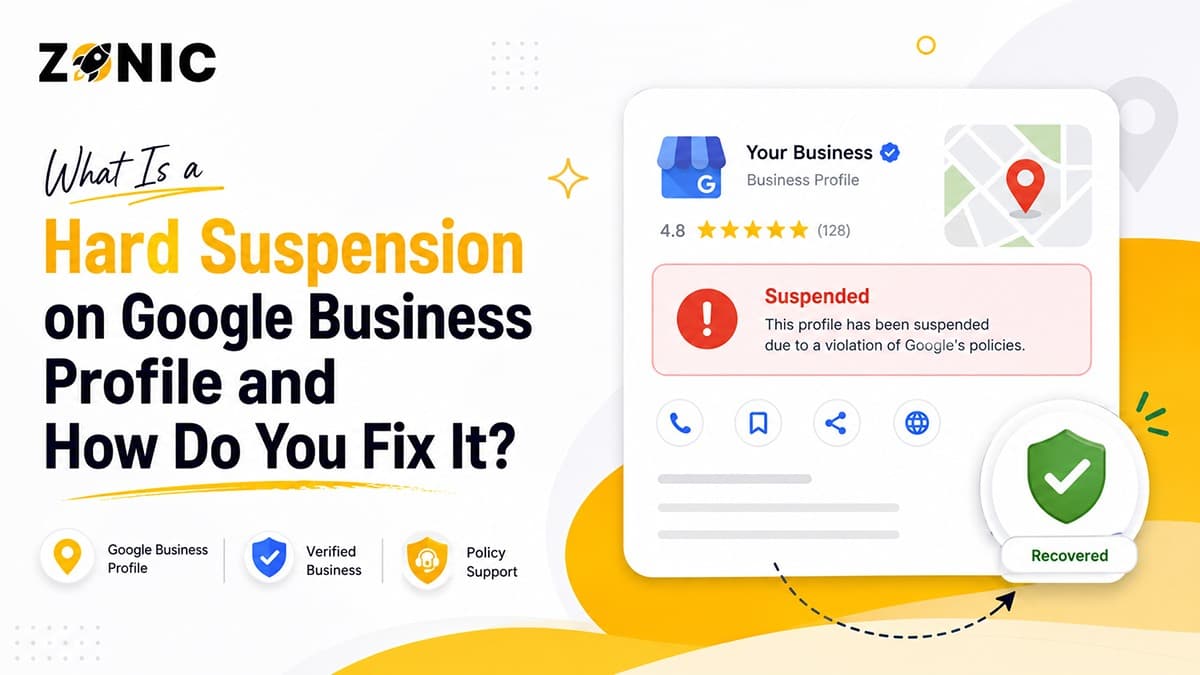
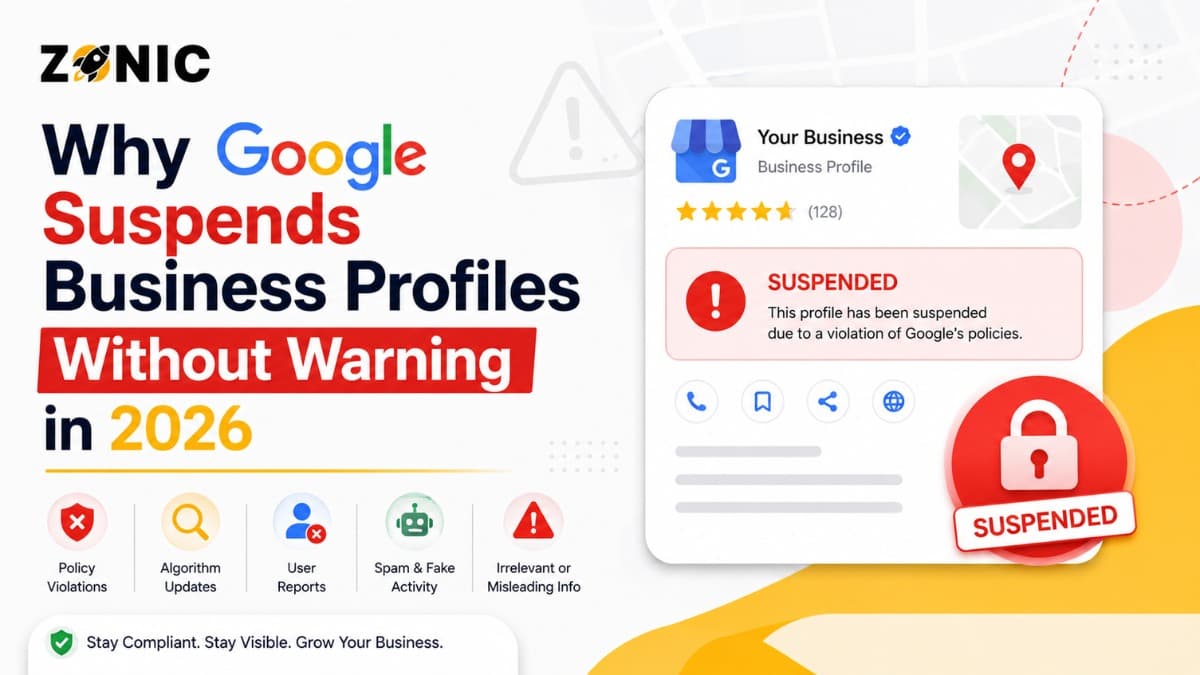
Google's suspension of a Google Business Profile indicates that Google has limited your profile due to a possible violation of their guidelines. This section will first give the basic understanding of the concepts before the comparison of soft suspension and hard suspension.
Why Does Google Suspend Google Business Profiles?
Google suspends Business Profiles when its systems or reviewers think it is possible that the listing is inaccurate, misleading, duplicated or not eligible. This may occur for fake listings, but can also occur for real businesses that have inaccurate or conflicting information.
For instance a business named may include additional words in its name, may have an address which customers do not visit, may have a wrong category, etc. Google Business Profile guidelines recommend that businesses present themselves as they appear in the real world with accurate business information.
Don't confuse a suspension for a permanent one; it's not permanent, but should be treated with care. It is important to submit an appeal before the actual problem is solved, or it may be rejected.
Why Understanding Google Business Profile Suspension Types Matters
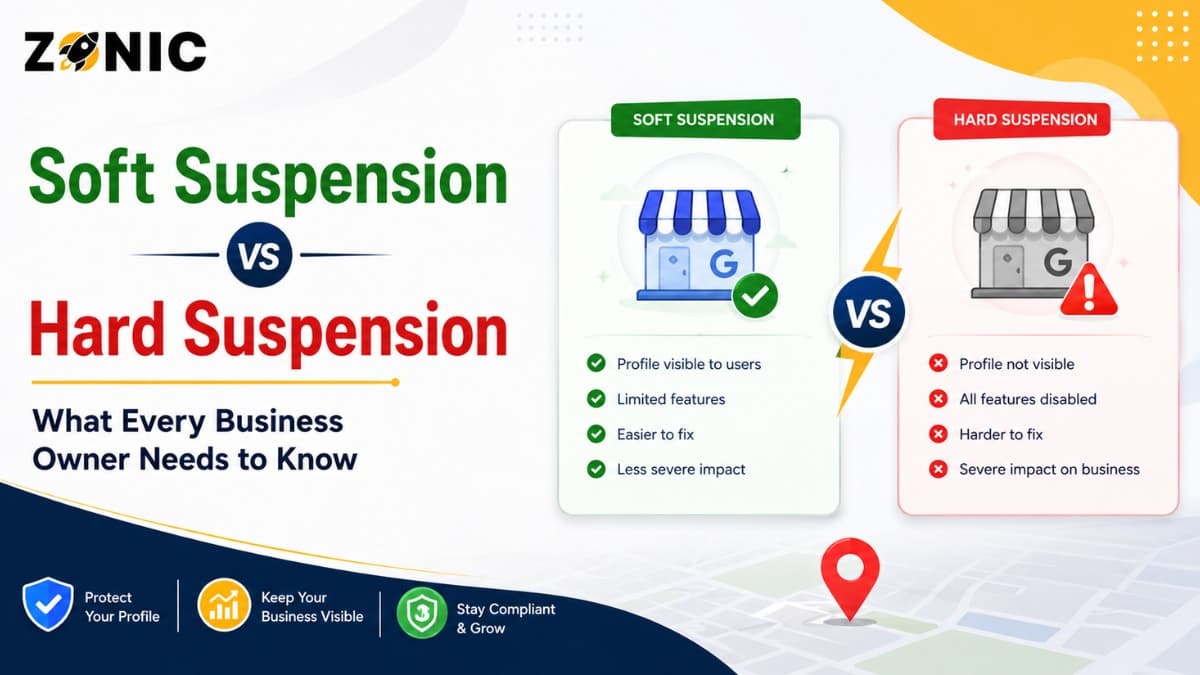
The type of suspension is important as it has an impact on the impact and how the suspension is recovered. A soft suspension typically means that the profile may not work. A hard suspension is typically a suspension that impacts the public's perception of the student.
Your profile may be soft suspended, and customers may still be able to find your listing. Listings may not appear on Google Search and Maps if they're hard suspended. The difference matters because a hard suspension will have a direct impact on calls, website visits, direction requests and local leads.
What Is a Google Business Profile Soft Suspension?
A soft suspension will typically be better than a hard one, but there is still something to do. This section describes what this is and why business owners shouldn't ignore it.
What Happens During a Google Business Profile Soft Suspension?
A soft suspension typically means your Google Business Profile can still be seen by the public, but you won't have complete access to the features. You might not be able to manage the profile but you still can attribute them to your business name, phone number, reviews, photos, directions and hours.
This can be frustrating since it appears that the listing is active outside and inside it may not be possible to edit the key details. Changing hours, adding photos, or protecting the listing from incorrect edits might be another difficulty you will encounter when it comes to responding to reviews.
Common Causes of Google Business Profile Soft Suspensions
Soft suspension may be due to account access, verification, ownership, suspicious edits or profile trust issues. In some cases Google may suspect the account that is running the profile and not delete the whole profile from the public eye.
For instance, if the listing is currently held by an old agency, or if there is a conflict of ownership in the profile, then the business owner's access to the profile may be lost. For others, Google may request further proof before they can be trusted to be the owner to manage the profile again.
What Is a Google Business Profile Hard Suspension?
A hard suspension is more severe as your listing can be removed from Google Search and Google Maps. The following section discusses how hard suspension can have an impact on leads and visibility.
What Happens During a Google Business Profile Hard Suspension?
Hard suspension: Your Google Business Profile is taken offline from the public Google page. Even if a user types your brand name in the search bar, he or she might not see your business in the Google search or Google map.
This means that your reviews, phone number, website link, photos, directions, hours, address, service information, and more may no longer be public. This can be a nightmare for companies that rely on local search.
This may impact a wide variety of businesses including service providers, medical providers, law firms, contractors, real estate businesses, local agencies, restaurants, and virtually any other business that relies on local discovery.
Common Causes of Google Business Profile Hard Suspensions
Hard suspension is more severe as it is noticeable to the customer as soon as they begin driving. If they're looking for your business, but cannot locate your profile, they may think that the company closed, relocated, or isn't a business that can be trusted.
This is particularly harmful in NYC and other local markets. People tend to compare companies in Google Maps before they call. Without your listing, you'll end up losing the calls that competitors get, and you're not in on the action.
Google suspends and disables profiles for various reasons, and these profiles can be appealed via Google's appeal for Business Profiles process, although the profile needs to be reviewed and corrected first and then appealed.
Google Business Profile Soft Suspension vs Hard Suspension: Key Differences
A soft and hard suspension have varying impacts on your business. This section is designed to compare the visibility, access, customer impact, urgency, and recovery needs between these two types of issues to help understand the difference clearly.
Comparison Point | Soft Suspension | Hard Suspension |
Public Visibility | Profile usually still appears on Google Search and Google Maps | Profile is usually removed from Google Search and Google Maps |
Owner Accessservice area | Business owner may lose management access | Access may be limited, and the profile may not show publicly |
Customer Impact | Customers may still see business details | Customers may not see reviews, phone number, website link, or directions |
Lead Impact | Lower impact if the listing stays visible | Higher impact because calls and map visibility can drop quickly |
Common Cause | Verification, account access, or ownership issues | Policy violations, address issues, duplicate listings, or keyword stuffing |
Urgency Level | Important but usually less urgent | Very urgent because the listing can disappear from search |
Best Fix | Review access, verify ownership, and correct profile details | Audit profile, fix the violation, gather evidence, and submit an appeal |
Google Business Profile Visibility Differences
The biggest difference is visibility. In a soft suspension, the listing may still appear on Google Search and Google Maps. Customers may still find your business, read reviews, and call your company.
In a hard suspension, the listing may be removed from public view. Customers may not see your reviews, phone number, website link, photos, business hours, or directions. That makes hard suspension more urgent from a lead generation point of view.
Google Business Profile Access and Management Differences
With a soft suspension, the listing may still be live, but the owner may lose management access. You may not be able to make updates, respond to reviews, or manage the profile properly.
With a hard suspension, access may also be limited, but the bigger issue is public visibility. Even if you can see the profile in your dashboard, customers may not be able to see it on Google.
Customer Impact Differences Between Soft and Hard Suspensions
A soft suspension may not be obvious to customers right away. Since the listing may still appear, customers may continue calling, checking directions, and reading reviews.
A hard suspension is more noticeable because the profile may disappear. Customers searching for your business may not find it, which can reduce trust and lead flow.
Common Reasons for Google Business Profile Suspension
The most common reasons for profile suspensions are Google's finding of problems with business name, business address, service area, category, duplication, and online consistency. This section provides information about the most frequently occurring causes.
Google Business Profile Business Name Keyword Stuffing
One of the most common causes of Google Business Profile optimization is keyword stuffing. This occurs when a business incorporates service terms, city names, taglines, promotional terms, or phone numbers into the business name.
For instance, the real business name is ABC Roofing but the profile has been written as ABC Roofing Best Roof Repair NYC. The additional text might seem like a cunning ploy to be seen higher in search engine results.
Google's instructions state that the company name should be the same as the actual name that is used on the storefront, website, letterhead and as known by the customer. Avoid putting "unnecessary" information in the business name that causes the risk of suspension.
Google Business Profile Address and Location Violations
Another big reason for suspension is because of address problems. Google "assumes" that a profile address is a real business address. The profile can be flagged if the address is not eligible or does not match the business operating.
Issues arise when a business takes improper advantage of a P.O. box, remote mailbox, fake office, unstaffed coworking space, virtual office or residential address. Google's rules say that P.O. boxes and mailboxes in remote locations are not okay.
Service-Area Business Setup Mistakes
There are numerous businesses that cater to customers in their homes or at their employment. This encompasses roofers, plumbers, HVAC firms, cleaners, locksmiths, pest control firms, mobile mechanics and other neighborhood services.
Your address might need to be obscured if your business moves to customer sites but does not accept customers at your address. Google's guidelines clarify that the address of service-area businesses that don't have a storefront should be concealed and the service area should be clearly indicated.
Duplicate Google Business Profiles
Duplication profiles can lead to confusion for Google and customers. Google might consider it to be a quality problem if there are two or more business profiles in the same business location.
The most common cause of duplicates is when a previous agency, a previous employee, a former owner or another Google account has listed it in the past. Other business owners also reopen a new account following a suspension which can make the recovery process more difficult.
Incorrect Google Business Profile Categories
Your main category should be a description of the nature of your business, not all the services you provide. The profile may be inaccurate or misleading if the wrong category is used.
For instance, if there is a category that is not related to digital marketing, but it has higher search volume, it should not be selected by a digital marketing agency. It is recommended that a contractor not choose a category that is not in the main business.
Google suggests selecting the accurate categories that accurately describe the business.
How to Identify Whether Your Google Business Profile Has a Soft or Hard Suspension
To resolve the problem, you must know if your profile is soft suspended or hard suspended. This section details the indicators that the business owner should look out for first.
Signs of a Google Business Profile Soft Suspension
A soft suspension usually means the profile still appears publicly, but your management control is restricted. You may still receive some customer actions, but profile updates may become difficult.
Common signs include:
Your listing still appears on Google Search or Maps
You cannot fully manage the profile
Ownership access may be restricted
Profile edits may not publish
Google may ask for verification again
Customers can still see reviews and business details
Your profile may still receive calls
You may not be able to respond to reviews properly
The listing may look live but unmanaged
Dashboard access may feel limited or restricted
This is the first bullet-point section in the blog.
Signs of a Google Business Profile Hard Suspension
A hard suspension usually means the profile is removed from public view. This can affect calls, map visibility, customer trust, and local search performance quickly.
Common signs include:
Your listing disappears from Google Maps
Customers cannot see your reviews
Your profile does not appear for your brand name
Phone number and directions no longer show
Dashboard shows suspended or disabled status
Website clicks from GBP drop quickly
Calls from Google Maps reduce sharply
The listing cannot be found publicly
Google may ask you to submit an appeal
Stronger business evidence may be required
This is the second and final bullet-point section in the blog.
How to Fix a Google Business Profile Soft Suspension
A soft suspension typically targets access, ownership, verification, and/or profile trust. This section provides information on how to take control again, without unnecessarily changing anything.
Review Google Business Profile Account Access
The first step is to see which Google account is responsible for the profile. Access issues often occur due to ownership rights being held by an old employee, agency or user.
Ensure the appropriate business owner account is appropriately access. When user settings are available, carefully delete old users. If the profile is not accessible, it could be due to the fact that it is not owned by you or has not been verified.
Verify Google Business Profile Information Accuracy
If the listing is still there, check out the business information thoroughly. Verify the name, address, phone number, web page, type, hours and service area.
If the profile is suspended, it may be a red flag indicating that Google does not seem to trust the profile. Early intervention or corrections of minor problems can prevent major problems.
Avoid arbitrary changes. Only correct information that is obviously incorrect or risky.
Complete Google Business Profile Verification or Reverification
Google will ask for verification or reverification. This could be by phone, email or video or other means depending on the nature and location of the business.
Ensure that your profile information, website, business documents and real-world business information are in sync prior to verification. Inconsistencies may not be resolved by verifying the information.
How to Fix a Google Business Profile Hard Suspension
A hard suspension will require a careful process as your listing could be taken down from the public listing. This section describes what to do in advance of filing an appeal.
Audit Your Google Business Profile for Policy Violations
Read through the entire profile prior to appealing. Check the business name, address, phone number, website, category, service area, recent edits, duplicate profiles and supporting documents.
The audit is to determine the biggest policy problem to be addressed before requesting Google to restore the profile.
Correct the Google Business Profile Policy Issue
After you determine the issue, correct it if you still have access. Take key-wording out of the business name. Correct the main category. If customers don't visit the place, then hide the address. Clean up inaccurate information about the service area.
If the profile is not available, create an explanation of what needs to be fixed. Your appeal should demonstrate that the business is legitimate, that it's eligible and that it's now compliant with Google's guidelines.
Gather Supporting Documents for Reinstatement
Hard suspension recovery is a function of strong evidence. Google's appeal process lets business owners submit additional supporting documentation, and Google claims the appeals tool will be able to display the restricted profile, the moderation reason, and the link to the policy that was violated.
These can range from business registrations, license paperwork, utility bills, lease agreements, insurance papers, tax paperwork, photos of the store, photos of signage, photos of branded vehicles, and website screenshots.
Submit a Google Business Profile Suspension Appeal
Once the problem is resolved and evidence created, submit the appeal via Google's Business Profile appeals tool. The official appeal guidance from Google recommends users log in using the account associated with the restricted profile, click the restricted profile, appeal, and provide evidence if necessary.
How to Write a Successful Google Business Profile Suspension Appeal
The appeal should be clear, concise, and fact-driven. In this section, business owners have a clear example that they can customize to their own situation.
Google Business Profile Appeal Example
The Google Business Profile guidelines were reviewed and the problem with our profile has been addressed: Our business name, address, phone number, web site and supporting documents are consistent. Please review the attached evidence and reinstate our Google Business Profile.
Best Practices for Writing a Professional Appeal
Avoid emotional language. Avoid lengthy complaints. However, don't blame Google. NEVER LIE OR SUSPECT A COMPETITOR.
Common Google Business Profile Suspension Mistakes to Avoid
Many businesses make suspension problems worse because they panic. This section explains the common mistakes that can delay recovery or increase the chance of another rejection.
Creating a New Profile Too Quickly
Do not create a new Google Business Profile immediately after suspension. This can create duplicate listing problems and make the original profile harder to recover.
Google may connect the new profile with the suspended one. Instead of solving the issue, this can create more confusion and reduce trust.
Appealing Before Fixing the Issue
Submitting an appeal before fixing the problem is one of the biggest mistakes. If the profile still violates policy, the appeal may be denied.
Always review the profile first. Then fix the issue. Then gather evidence. After that, submit the appeal.
Using Mismatched Documents
Your documents should match the profile you are appealing. If the profile shows one business name and your documents show another, the appeal may look weak.
Make sure the business name, address, phone number, and website are consistent across your profile, website, and evidence.
How to Prevent Future Google Business Profile Suspensions
Preventing suspension is better than recovering from one. This section explains how to keep your Google Business Profile clean, accurate, and safer for long-term local SEO.
Use Your Real Business Name on Google Business Profile
Your profile name should match your actual business name. Do not add service keywords, city names, phone numbers, taglines, or promotional words unless they are part of your real-world business name.
Maintain Accurate Address and Service Area Information
If customers visit your business location, your address should be real, staffed, and supported by business documents or signage.
If your business travels to customers, hide your address when required and set your service area properly. This is especially important for home service businesses across the USA and NYC.
Keep Business Information Consistent Across the Web
Your website, Google Business Profile, social pages, citations, directories, and business documents should all show consistent information.
This includes your business name, address, phone number, website, and core services. Consistency helps build trust with both Google and customers.
Avoid Frequent Major Changes to Your Google Business Profile
It is normal to update your profile when needed. But changing the business name, address, phone number, category, or website too often can look suspicious.
How Zonic Helps With Google Business Profile Suspensions
Zonic helps businesses across the USA and NYC review suspended profiles, identify likely causes, prepare evidence, write appeal explanations, and reduce future suspension risk.
Google Business Profile Suspension Diagnosis
Zonic reviews your Google Business Profile, business name, address setup, service area, category, website, duplicate listings, and online consistency.
The goal is to understand whether the profile is soft suspended, hard suspended, or facing another type of restriction.
Google Business Profile Appeal and Evidence Support
Zonic helps prepare clean documents and write a professional appeal. This matters because weak or rushed appeals can lead to rejection.
A strong appeal should clearly show that your business is real, compliant, and supported by matching evidence.
Long-Term Google Business Profile Protection and Local SEO Support
After recovery, Zonic can help clean up NAP consistency, reduce duplicate listing confusion, correct profile details, and improve your local SEO foundation.
This helps reduce the risk of future Google Business Profile suspension issues.
Conclusion
Soft suspension and hard suspension are different problems. A soft suspension usually affects management access while the listing may still appear publicly. A hard suspension is more serious because the profile may disappear from Google Search and Google Maps.
Both problems should be handled carefully. The right approach is to identify the issue, fix the profile, prepare strong evidence, and submit a clear appeal when needed.
If your Google Business Profile is suspended and you are not sure whether it is soft or hard, Zonic can help.
Call Zonic Media today at (302) 726-9736 or visit us at 8 The Green, STE B Dover, Kent, DE 19901 United States for Google Business Profile suspension support across the USA and NYC.
Frequently Asked Questions
What is the difference between soft suspension and hard suspension?
A soft suspension usually means your Google Business Profile may still appear publicly, but you lose management access. A hard suspension usually means your profile is removed from public view on Google Search and Google Maps.
Is a hard suspension worse than a soft suspension?
Yes. A hard suspension is usually worse because customers may not be able to find your business listing, reviews, phone number, website link, photos, or directions on Google Search and Google Maps.
Why did my Google Business Profile get suspended?
Your Google Business Profile may get suspended because of keyword stuffing, incorrect address details, duplicate listings, service-area setup mistakes, wrong categories, suspicious edits, or inconsistent business information.
Can I create a new Google Business Profile after suspension?
Creating a new Google Business Profile after suspension is usually not recommended. It can create duplicate listing issues and may make reinstatement harder. It is better to review and fix the original profile first.
How do I fix a hard suspension on Google Business Profile?
To fix a hard suspension, review the policy issue, correct the problem, gather supporting documents, and submit an appeal through Google’s Business Profile appeal process. Your evidence should match your business name and address.