
How to Set Up a Service-Area Business Profile That Won't Get Suspended
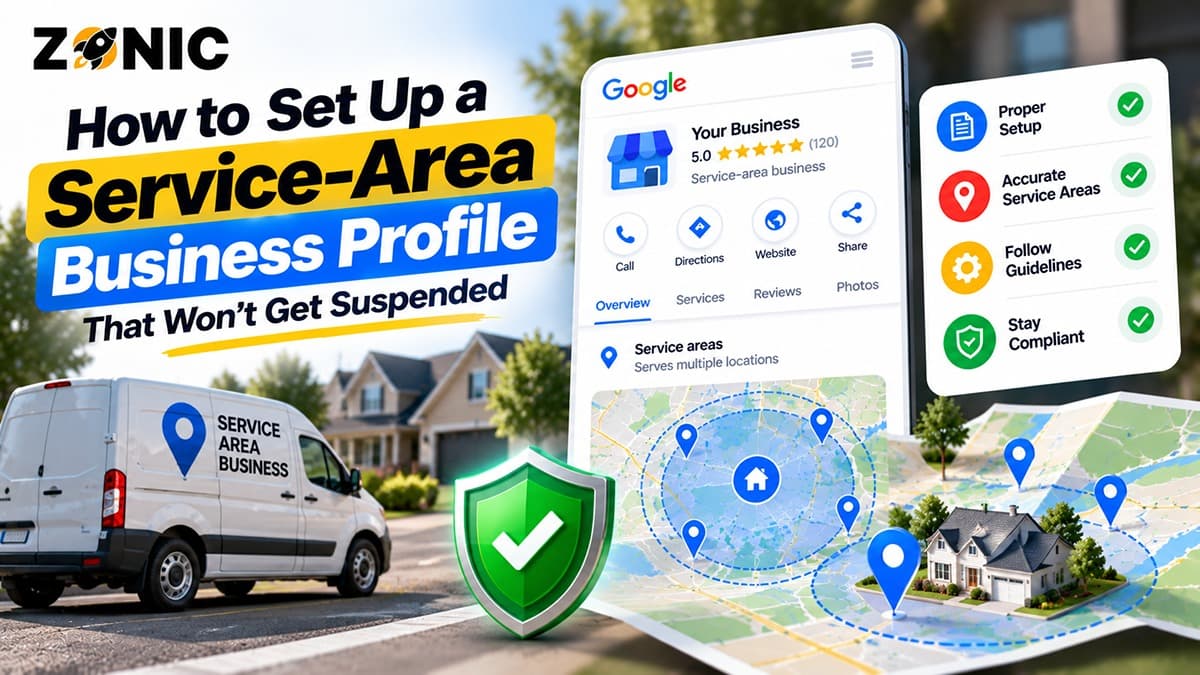
A service-area business can get strong leads from Google, but it also has a higher risk of profile problems when the setup is wrong. Plumbers, roofers, HVAC companies, cleaning services, electricians, pest control companies, landscapers, mobile mechanics, locksmiths, towing companies, and other home service businesses often travel to customers instead of serving them at a public storefront.
A regular storefront business can show an address because customers visit that location. A service-area business usually should not show a public address if customers do not visit the office, home base, warehouse, or dispatch location. The profile should reflect how the business actually works.
Many suspensions happen because the business tries to look like a storefront when it is not one. A home address is shown publicly. A mailbox is used as a location. A virtual office is added to rank in a city. A business creates separate profiles for every service area. A company lists cities it barely serves. These choices can make the profile look inaccurate or hard to verify.
A safe service area business GBP setup is not about hiding information from Google. It is about showing customers accurate information while keeping the business profile aligned with Google’s rules.
This guide explains how to set up a service-area Business Profile properly, what mistakes to avoid, what evidence to keep ready, and how to reduce the chance of suspension.
What Is a Service-Area Business on Google?
A service-area business, often called an SAB, is a business that visits or delivers to customers directly instead of serving customers at a public business location.
This model is common for home service and mobile businesses. A plumber goes to the customer’s home. A cleaning company sends a team to the property. A roofer visits the building for inspection and repair. An HVAC technician travels to the job site. A pest control company treats the customer’s property.
The customer does not usually visit the business address.
That is why Google allows service-area businesses to set up profiles without showing the address publicly. The business still needs a real operating base behind the profile, but the public listing should not make customers think they can visit a location where service is not provided.
Storefront, SAB, and Hybrid Businesses Are Different
A storefront business serves customers at its business address. A dental office, restaurant, retail store, auto repair shop, gym, salon, clinic, or law office usually fits this model when customers can visit during stated hours.
A service-area business travels to customers and does not receive customers at the business address. Many home service businesses fit this model.
A hybrid business does both. For example, a business may have a showroom where customers visit and also send technicians to customer locations. In that case, the profile can show a public address if customers can genuinely visit during posted hours.
The key is accuracy. Your profile should match how customers actually work with your business.
Why SAB Profiles Get Suspended
Service-area profiles often get suspended because the setup looks misleading, unverifiable, or inconsistent.
The most common issue is address misuse. A business may show a private home address, mailbox, coworking space, virtual office, or unstaffed location. If customers cannot visit that location during posted hours, showing it publicly can create risk.
Another issue is location manipulation. Some businesses try to create separate profiles in every city they want to rank in. But serving a city is not the same as having an eligible office there.
Service-area businesses can also run into problems with keyword-stuffed names, duplicate profiles, wrong categories, unrealistic service areas, phone number conflicts, website mismatches, or evidence that does not match the profile.
A legitimate SAB can still be suspended if Google cannot clearly verify the business identity and operating model.
The safest approach is to make the profile clean, simple, accurate, and supported by real proof.
Start With the Correct Business Name
Your business name should match the real-world name customers know. It should not include extra services, city names, promotional phrases, or “near me” keywords unless those words are part of the actual business name.
A company named “Bright Home Cleaning” should not become “Bright Home Cleaning Deep Cleaning Move Out Cleaning Maid Service Near Me” on Google. A plumbing company should not add every emergency service into the name. A roofing company should not add several borough names just to rank.
That can look like keyword stuffing.
The profile name should match your website, invoices, business registration, licenses, insurance documents, uniforms, branded vehicles, business cards, and customer-facing materials.
Keep Services Out of the Name Field
The business name field is not the place to list every service. Use the services section, business description, website pages, and customer reviews to explain what you offer.
For an SAB google business profile not suspended strategy, the business name should be easy to prove. If Google asks for evidence, your documents should support the same name that appears on the profile.
A clean name is easier to defend than an over-optimized name.
Use the Right Address Setup
Address setup is the most important part of a service-area business profile.
If customers do not visit your business address, you should remove the address from the public profile. Your service areas can still appear, but the exact address should not be shown to customers.
This protects privacy and keeps the profile aligned with how the business operates.
For example, a plumber working from a home office should not show that home address publicly if customers do not visit. A cleaning company using a private dispatch location should not present it as a public office. A roofer using a warehouse or storage space should not show it as a customer-facing location unless customers can visit during business hours.
Do Not Use Fake or Weak Addresses
Avoid using mailboxes, UPS stores, virtual offices, rented desks, coworking addresses, shared offices, or friend addresses just to rank in a location.
Those setups are risky because they do not represent a real customer-facing business location.
If your business is service-area only, be honest about that. Hide the address and list realistic service areas.
Google may still require the real address behind the scenes for verification or evidence, but that does not mean it needs to be public.
Choose Service Areas Carefully
Service areas should reflect where your business actually serves customers. Do not add every city within reach just because you want more rankings.
A service area should be realistic based on travel time, staffing, scheduling, job type, and customer expectations.
For example, an emergency plumber should not claim a huge region if the team cannot respond in a reasonable time. A cleaning company should not list distant cities it rarely serves. A pest control company should not add counties where it has no customers, reviews, or website support.
Service areas do not guarantee rankings. Google still considers relevance, distance, and prominence when showing local SEO.
Support Service Areas With Website Content
If you list a city or region as a service area, your website should support it naturally.
This does not mean creating thin city-swap pages. It means building useful location pages or service-area sections that explain where you work, what services you provide there, and why customers in that area can trust you.
Reviews from real customers in those service areas can also support trust.
A strong service-area strategy is not just a setting inside Google Business Profile. It is supported by the website, reviews, citations, and actual customer history.
Select the Right Primary Category
Your primary category tells Google Optimizer what your business mainly is. This is one of the most important relevance signals on the profile.
Choose the category that best describes the real business. A plumber should use a plumbing-related category. A cleaner should use a cleaning-related category. A roofer should use a roofing-related category. An HVAC company should choose a category that reflects HVAC work.
Do not choose a broad or unrelated category because it looks less competitive. Do not choose categories for services you do not actually offer.
Secondary categories can support real additional services, but they should not make the profile confusing.
Match Categories With the Website
Your category setup should match your website. If your profile says you are a pest control service, the website should clearly explain pest control services. If your profile says you are an HVAC contractor, the website should support heating and cooling services.
Category mismatch can weaken trust.
A clean category setup helps Google understand what the business does and helps customers confirm they are looking at the right company.
Add Services Without Keyword Stuffing
The services section is where you can list what your business actually provides. This is useful for service-area businesses because customers often search for specific problems.
A plumber may list emergency plumbing, drain cleaning, leak detection, water heater repair, sewer repair, toilet repair, and fixture installation. A cleaning company may list house cleaning, deep cleaning, move-out cleaning, recurring cleaning, apartment cleaning, and post-construction cleaning. A roofer may list roof repair, replacement, inspection, leak repair, flat roofing, and storm damage work.
Keep the wording clear and accurate.
Do not repeat city names in every service. Do not create unnatural service names just to include keywords. Do not add services you do not provide.
Services Should Match Real Work
Only list services your team can actually perform. If a customer calls for a listed service and you do not offer it, the profile creates a bad customer experience.
The website should also support important services with helpful pages.
For example, if drain cleaning is a major service, the website should have a drain cleaning page. If move-out cleaning is important, it should be explained on the site. If emergency roof repair is a core service, the website should support that offering.
Google Business Profile and website alignment make the business easier to understand.
Keep Phone Number, Website, and Hours Consistent
Your phone number, website, and hours should match across your Google Business Profile, website, directories, social profiles, and customer-facing materials.
For SABs, phone consistency is especially important because customers often call before visiting any website. A wrong number can cost leads and create trust problems.
Hours also matter. If you say you are open 24 hours, someone should actually answer or be able to help during those hours. Do not list 24/7 availability just to attract emergency searches if the business cannot support it.
Your website should clearly support the same business information shown on the profile.
Use Call Tracking Carefully
Call tracking can be useful, but it should not create confusion. If you use tracking numbers, make sure the setup is clean and does not create conflicting information across major platforms.
The business should still have one clear, authoritative contact path.
Conflicting phone numbers can make the profile harder to verify and can confuse customers.
Avoid Duplicate SAB Profiles
A service-area business should not create multiple profiles just to cover multiple cities. Serving several cities does not mean the business has several eligible locations.
If your business has one operating base and travels to customers, one profile is usually the safer setup for that service area.
Multiple profiles may be appropriate only when each location is real, separate, staffed, eligible, and supported by real documents and business operations.
Search for Old Duplicates
Before setting up or changing a profile, search Google Maps for your business name, old names, phone number, old phone numbers, website URL, and old addresses.
Many SABs have duplicates from previous agencies, old owners, old addresses, or directory data.
Do not create a new profile if an old one already represents the same business. Recover or resolve the existing listing carefully when possible.
Duplicates can create suspension risk and make verification harder.
Prepare Evidence Before There Is a Problem
The best time to organize evidence is before a suspension happens.
A service-area business should have documents and proof that connect the business name, operating base, and services. This may include business registration, DBA paperwork, business license, professional license, tax certificate, insurance certificate, utility bill, lease, branded vehicle photos, uniform photos, equipment photos, website screenshots, and business cards.
The evidence should match the business name and address used for the profile.
For SABs, the public address may be hidden, but Google may still need evidence that proves the business is real and operates from a legitimate base.
Use Visual Proof Carefully
Photos can help show that the business is real. Branded vehicles, uniforms, tools, cleaning equipment, roofing materials, plumbing equipment, HVAC vans, pest control gear, or jobsite proof can support the service-area model.
Avoid uploading private customer information. Do not show customer addresses, invoices, payment records, security details, access codes, or private homes without permission.
Evidence should prove the business, not expose customer data.
Set Up the Profile Step by Step
A safe setup starts with the real business identity.
Use the correct business name. Choose the right primary category. Enter the real operating address for verification if required, but hide it from public view if customers do not visit. Add realistic service areas. Add the correct phone number and website. Set accurate hours. Add real services. Upload useful photos. Keep the description clear and accurate.
After setup, compare the profile with your website and documents.
If something does not match, fix the source of the mismatch. The profile, website, citations, and business documents should all tell the same story.
Do Not Rush Verification
Verification can involve phone, email, mail, video, or other methods depending on the profile and situation. For SABs, video verification may require proof of business equipment, branded materials, vehicles, tools, or access to the business location.
Prepare before starting.
Make sure the business name, address setup, service area, category, and website are already clean. A rushed setup can create problems that show up during verification or later review.
Common SAB Setup Mistakes to Avoid
Many service-area businesses get into trouble because they copy competitors or chase shortcuts.
Avoid showing an address where customers cannot visit. Avoid using a mailbox or virtual office. Avoid adding every city in the region. Avoid creating city-based duplicate profiles. Avoid stuffing keywords into the business name. Avoid choosing unrelated categories. Avoid listing services you do not offer.
Also avoid making the website and profile conflict. If the profile says the business serves one area but the website says another, fix the inconsistency.
Do not let old agencies, former employees, or unknown accounts keep access to the profile.
A service-area profile should be simple, accurate, and easy to verify.
Service-Area Business GBP Setup Checklist
Use this checklist before publishing or updating an SAB profile:
Setup Area | What to Check | Why It Matters |
Business name | Matches real-world branding | Reduces keyword-stuffing risk |
Address | Hidden if customers do not visit | Keeps SAB setup accurate |
Service areas | Realistic areas the team actually serves | Avoids location manipulation |
Primary category | Matches the core service | Helps Google understand relevance |
Services | Accurate and supported by the website | Helps customers confirm fit |
Phone number | Consistent across major platforms | Reduces confusion and lost calls |
Website | Matches profile details | Supports verification and trust |
Hours | Reflect real availability | Prevents customer frustration |
Duplicates | Old profiles reviewed | Reduces suspension risk |
Evidence | Documents and proof organized | Helps if verification or appeal is needed |
This checklist should be reviewed before setup, before major edits, and after any business move or rebrand.
How Zonic Helps Set Up SAB Profiles Safely
Zonic helps service-area businesses set up and manage Google Business Profiles with a focus on accuracy, visibility, and suspension prevention.
The process starts with a profile risk review. Zonic checks the business name, category, address setup, service areas, phone number, website, hours, services, photos, duplicates, manager access, and evidence.
For SABs, address visibility is one of the most important parts of the review. Zonic helps identify whether the address should be hidden, whether service areas are realistic, and whether the website supports the same business model.
Zonic also reviews business proof before major setup or appeal issues happen. This may include registration documents, licenses, insurance proof, utility bills, branded vehicles, uniforms, equipment photos, and website screenshots.
The goal is to build a profile that is easier for Google to verify and easier for customers to trust.
Conclusion
A service-area Google Business Profile should reflect how the business actually operates. If customers do not visit your office, warehouse, home base, or dispatch location, the address should usually stay hidden from the public. The profile should list realistic service areas, use the real business name, choose the correct category, show accurate hours, and connect to a website that supports the same information.
The safest setup is not the most aggressive one. It is the cleanest and easiest to verify.
Do not use fake locations, virtual offices, mailboxes, duplicate city profiles, keyword-stuffed names, or unrealistic service areas. Those shortcuts may seem helpful at first, but they can create suspension risk.
If your service area business GBP setup is unclear or you want to protect your SAB Google Business Profile from suspension, you can reach out to Zonic for a careful review.
Call Zonic Media at (302) 726-9736 or visit 8 The Green, Suite B, Dover, DE 19901 to request help setting up a service-area Google Business Profile for your business in New York City or anywhere across the United States.