
What to Do Immediately After Your GBP Is Reinstated to Prevent Re-Suspension
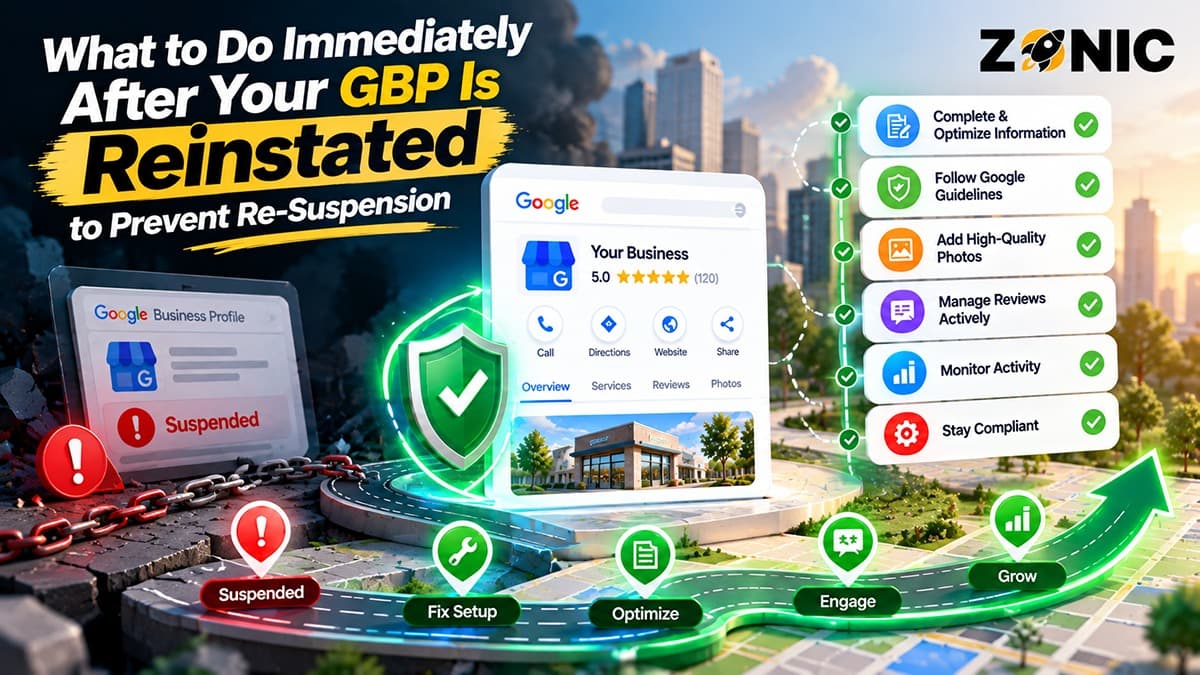
Getting a suspended Google Business Profile reinstated is a relief, but the work is not finished. A reinstated profile can still be fragile, especially if the original suspension was caused by address issues, duplicate listings, keyword-stuffed names, category problems, service-area confusion, or mismatched business information.
Many business owners make the mistake of immediately changing the profile again. They add keywords back into the business name. They switch categories. They upload a batch of new photos. They change service areas. They add cities. They invite new managers. They try to recover rankings too aggressively.
After GBP reinstatement, the best approach is stability first. Your profile should stay clean, accurate, and easy to verify. Before chasing rankings, check whether the business name, address, phone number, website, category, service areas, hours, services, photos, documents, and manager access all support the same real business.
A reinstated profile should not look like it is being manipulated again.
This guide gives you a practical after GBP reinstated checklist so you can prevent Google Business re-suspension, protect your reviews, and rebuild local visibility safely.
Do Not Make Major Changes Immediately
The first rule after reinstatement is simple: do not rush into major edits.
A reinstated profile has just passed through a review or appeal process. Making several sensitive changes right away can make the profile look unstable. Even if the changes are legitimate, sudden edits to the name, address, phone number, website, category, service area, or business model can trigger another review.
This does not mean you should leave wrong information live. If something is inaccurate or risky, it should be corrected carefully. But do not treat reinstatement as the moment to overhaul the entire profile.
Give the Profile Time to Stabilize
For the first few days, focus on checking the profile rather than aggressively changing it. Review what is visible on Google Search and Maps. Confirm that the profile is live, searchable, and showing the correct basic information.
If the profile was restored but still requires verification, follow the verification instructions carefully. Do not create another profile to speed things up.
Google’s suspension guidance says not to create a new Business Profile for the same business while an appeal is under review. Even after reinstatement, creating duplicates can still create confusion and future risk.
Stability should come before optimization.
Confirm the Business Name Is Clean
The business name is one of the first things to check after reinstatement. If the suspension involved name stuffing, the profile should not return to the same risky setup.
Your business name should match the real-world business name shown on your signage, website, license, registration, invoices, vehicles, uniforms, office materials, and customer-facing branding.
Do not add services, cities, promotional words, or “near me” phrases unless they are part of the actual business name.
For example, a business named “Summit Plumbing” should not become “Summit Plumbing Emergency Drain Cleaning Water Heater Repair Near Me.” A law firm should not add every practice area. A roofing company should not add every service and city. A medical practice should not add treatment keywords to the name field.
Keep Keywords in the Right Places
The business name is not the place to force rankings. Use the services section, business description, website pages, reviews, photos, and content to explain what the business offers.
A clean name is easier to defend if the profile is reviewed again.
If your profile was reinstated with a corrected name, do not change it back to a keyword-stuffed version. That is one of the fastest ways to create re-suspension risk.
Review Address and Service-Area Setup
Address setup is another high-risk area after reinstatement. Many suspensions happen because the profile shows an address that does not match how the business operates.
If customers visit your location during stated hours, the public address should be accurate and supportable. This may apply to restaurants, dental offices, auto repair shops, retail stores, law offices, medical clinics, salons, gyms, and other customer-facing locations.
If your business travels to customers and customers do not visit your office, warehouse, dispatch point, or home base, the address should usually stay hidden. This applies to many plumbers, roofers, HVAC companies, cleaners, electricians, pest control companies, landscapers, locksmiths, and other service-area businesses.
Check the Address Against Real Proof
Compare the address or hidden-address setup with your website, business documents, signage, lease, utility bill, license, insurance documents, and major listings.
If Google reviewed your evidence during reinstatement, the profile should continue matching that evidence.
Do not switch to a different address because you want to rank in another city. Do not use a virtual office, mailbox, rented desk, or unstaffed location as if it is a customer-facing office.
The address should reflect reality, not ranking strategy.
Check Phone Number, Website, and Hours
After reinstatement, check every contact path. Customers need to reach the correct business, and Google needs to see consistent information.
Start with the phone number. Make sure it is correct on the profile, website, citations, social profiles, appointment tools, ads, and customer-facing materials. If you use call tracking, make sure it is set up cleanly and does not create confusion.
Next, check the website link. It should point to the official website or the correct location page. Avoid linking to an unrelated landing page, outdated domain, temporary page, or third-party lead form that does not clearly represent the business.
Then check hours. Your regular hours, holiday hours, emergency hours, and appointment availability should be accurate.
Do Not Claim Availability You Cannot Support
If your business says it is open 24 hours, customers expect help during those hours. Do not list 24-hour availability only to attract more clicks if calls are not answered or service is not available.
Wrong hours can lead to customer frustration, negative reviews, and profile trust issues.
A reinstated profile should be boringly accurate. That is a good thing.
Review Categories and Services Carefully
Your primary category should describe what the business mainly is. Do not change categories casually after reinstatement.
A plumber should use a plumbing-related category. A dentist should use a dental category. A law firm should use an appropriate legal category. A roofing company should use a roofing-related category. A cleaning company should use a cleaning-related category.
Secondary categories can support real additional services, but they should not confuse the profile.
Remove Services That Are Not Real
Services should reflect what the business actually provides. Do not add every possible service just because competitors list them.
For example, a cleaning company should not list post-construction cleaning if it does not offer it. A plumber should not list gas line work without actually providing it. A medical practice should not list treatments it does not perform. A law firm should not list practice areas it does not handle.
Your services should match your website and real operations.
After reinstatement, alignment matters more than aggressive expansion.
Review Duplicate Profiles Before They Cause Trouble
Duplicate profiles can create re-suspension risk. After reinstatement, search Google Maps for your business name, old business names, phone number, old phone numbers, current address, old address, website URL, and common variations.
Look for profiles that represent the same business, same practitioner, same office, or same service-area company.
This is especially important if the business has moved, rebranded, changed phone numbers, changed agencies, changed ownership, or had previous suspended profiles.
Do Not Create or Close Listings Randomly
If you find duplicates, do not panic-edit everything. Some duplicates may need to be merged, marked as duplicate, claimed, corrected, or reviewed carefully. Some may contain reviews or old ownership history.
The goal is to make the active profile clear without creating more confusion.
If a duplicate profile was part of the original suspension, document it and handle it carefully. A messy duplicate situation can quickly create another profile problem.
Review Manager Access and Ownership
After reinstatement, check who has access to the profile. Old agencies, former employees, previous owners, freelancers, assistants, or unknown accounts may still have manager access.
This is risky because those users may make changes without understanding the suspension history.
The business owner should retain ownership of the profile. Agencies or staff can be added as managers when needed, but the business should not lose control.
Remove Unnecessary Users
Review owners and managers. Remove anyone who no longer needs access. Make sure every manager uses their own Google Account instead of shared passwords.
Shared logins make it harder to know who changed what.
If an agency helped with reinstatement, keep their access only if they are continuing to manage the profile. If the work is finished, adjust access appropriately.
Clean access protects the profile from unauthorized edits and accidental mistakes.
Save the Reinstatement Evidence Folder
Do not delete the evidence you used for reinstatement. Keep it organized.
Your evidence folder should include the documents and proof that supported the appeal. This may include business registration, DBA paperwork, business license, professional license, tax certificate, utility bill, lease, insurance document, signage photos, storefront photos, branded vehicle photos, uniform photos, equipment photos, website screenshots, and any notes about what was corrected.
Google’s appeal guidance says submitted evidence should match the business name and address on the profile. Keeping that evidence ready helps if the profile is reviewed again.
Update Evidence When the Business Changes
If your business moves, rebrands, changes phone numbers, updates signage, adds a new office, or changes legal details, update the evidence folder.
Do not wait until another suspension happens.
A current evidence folder makes the business easier to verify and easier to defend.
Monitor the Profile Closely for 30 Days
The first month after reinstatement should include closer monitoring. Check the profile several times per week during this period.
Review the business name, category, address visibility, phone number, website, hours, services, photos, review activity, manager access, and Google updates.
Also check whether customers can find the profile by brand name and important service searches. Rankings may not return instantly, especially if the profile was down for a while.
Watch for Google Updates
Google may suggest or apply updates from user reports, web data, or third-party sources. Some updates may be correct. Others may bring back old information.
If wrong information keeps returning, find the source. It may be an old directory, duplicate profile, social page, previous website, or citation conflict.
Correcting the source can prevent the wrong detail from returning repeatedly.
Rebuild Activity Gradually
Once the profile is stable, rebuild activity slowly. Add real photos, respond to reviews, update services if needed, and keep hours accurate.
Do not upload dozens of photos at once just to look active. Do not rewrite every field. Do not add unrelated services. Do not change the business description repeatedly.
Focus on natural profile health.
For photos, use real business images. This may include storefront photos, office photos, team photos, branded vehicles, equipment, service proof, completed work, or customer-facing spaces depending on the business type.
Avoid private customer data, patient information, legal documents, invoices, address details, payment records, or anything sensitive.
Reconnect Website and Citation Consistency
A reinstated profile should match the wider local footprint. Check the website, major directories, social profiles, industry listings, appointment platforms, and citation sources.
Your business name, address or service-area setup, phone number, website, and hours should be consistent across important platforms.
If the profile was suspended because of mismatched information, this step is especially important.
Fix the Biggest Conflicts First
Do not waste time chasing every tiny abbreviation difference. Focus on major conflicts.
Old addresses, wrong phone numbers, duplicate business names, outdated websites, wrong categories, and old closed locations can create confusion.
A clean local footprint supports trust and reduces future profile risk.
After GBP Reinstated Checklist
Use this checklist immediately after the profile is restored:
Area to Check | What to Review | Why It Matters |
Business name | Real-world name only, no keyword stuffing | Reduces suspension risk |
Address setup | Public address or hidden address matches business model | Supports eligibility |
Phone number | Correct and consistent | Prevents lost calls and confusion |
Website | Official site or correct location page | Supports trust and verification |
Hours | Accurate regular and holiday hours | Prevents customer frustration |
Category | Correct primary category | Supports relevance |
Services | Real services only | Avoids misleading profile details |
Duplicates | Search old names, numbers, addresses | Reduces profile confusion |
Manager access | Remove old or unknown users | Prevents unauthorized edits |
Evidence folder | Save documents and photos | Helps if review happens again |
Citations | Fix major NAP conflicts | Supports profile consistency |
Monitoring | Check profile several times weekly for 30 days | Catches problems early |
This checklist should also be used after major business changes such as moving, rebranding, changing agencies, or updating phone numbers.
How Zonic Helps Prevent Re-Suspension After Reinstatement
Zonic helps businesses stabilize Google Business Profiles after reinstatement so the same issues do not return.
The process starts with a post-reinstatement review. Zonic checks the business name, address setup, category, phone number, website, hours, services, service areas, photos, manager access, duplicate listings, citations, and recent changes.
Then Zonic compares the profile against the website, business documents, signage, licensing proof, and other important sources. This helps identify whether the profile is still easy to verify.
For service-area businesses, Zonic reviews whether the address should remain hidden and whether the service areas are realistic. For storefront businesses, Zonic checks whether the public location is supported by real-world proof.
Zonic can also help organize the evidence folder, create a monitoring routine, and identify risky edits before they are made.
The goal is not only to get the profile back. The goal is to keep it back.
Conclusion
A reinstated Google Business Profile needs careful handling. The profile may be live again, but it should not be treated like nothing happened.
Do not rush into major edits. Do not add keywords back into the name. Do not create duplicate listings. Do not switch addresses for ranking reasons. Do not invite unnecessary managers. Do not upload unsupported information.
Instead, focus on stability, accuracy, and evidence.
Check the business name, address setup, phone number, website, hours, category, services, duplicates, manager access, citations, and supporting documents. Monitor the profile closely for the first 30 days and fix repeated wrong information at the source.
A clean reinstated profile is easier for Google to trust and easier for customers to use.
If you need help with an after GBP reinstated checklist or want to prevent Google Business re-suspension, you can reach out to Zonic for a careful post-reinstatement review.
Call Zonic Media at (302) 726-9736 or visit 8 The Green, Suite B, Dover, DE 19901 to request help protecting your reinstated Google Business Profile in New York City or anywhere across the United States.